
Ken Nielsen
Legend
October 2, 2023
Answered

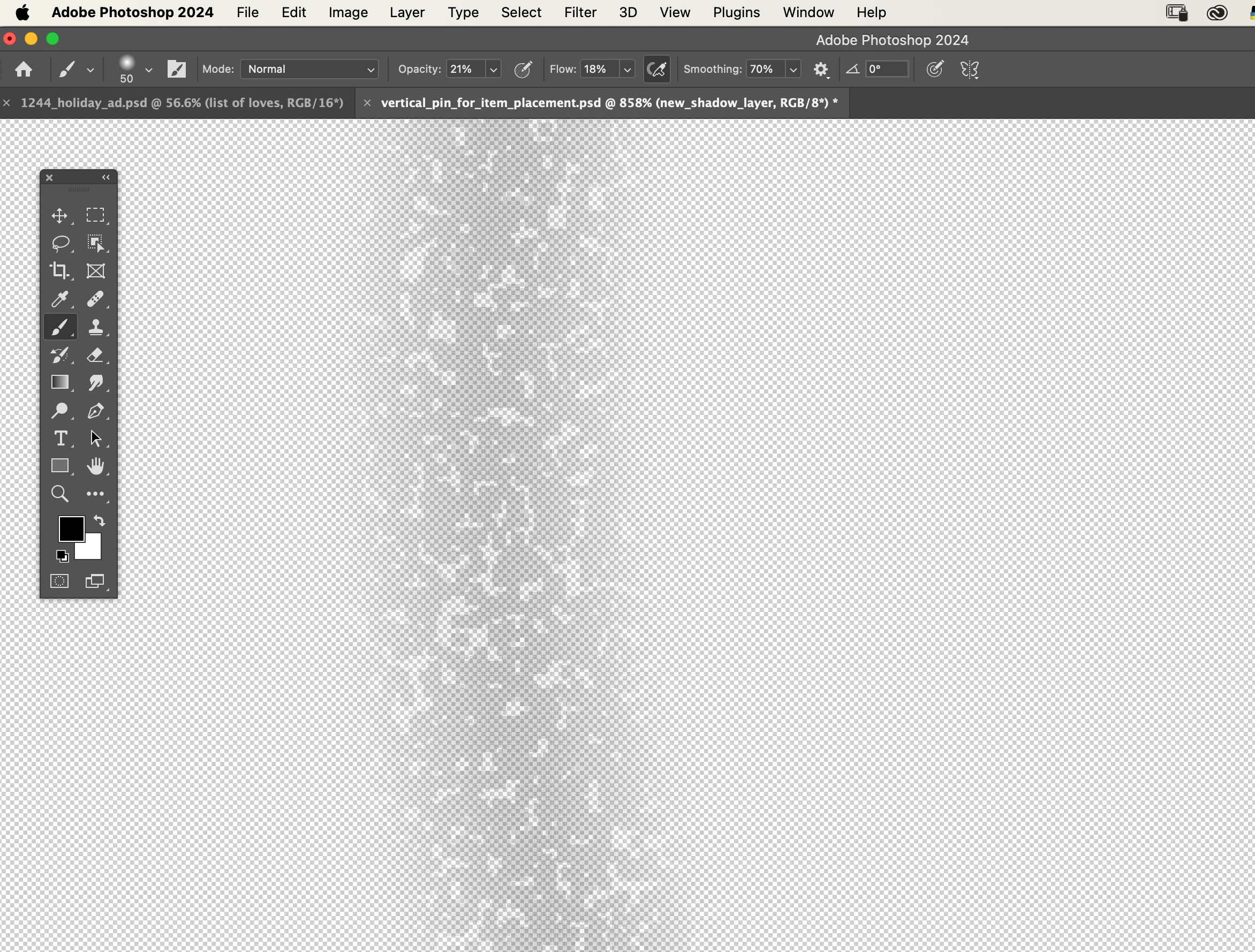
When I paint soft shadow on transparent layer why is it pixelated?

  • October 2, 2023
  • 4 replies
  • 487 views

Very unusual as when I paint with a reduced transparency on a transparent layer I usually get a sof shadow effect, is what I am looking for, but now the layer is pixelated and lost the soft effect. What must I be doing wrong?
This topic has been closed for replies.
Correct answer Ken Nielsen

Is it okay to feel stupid? I know I sure do now that I've discovered the problem.... I've been fiddling with Kyle's infinite brushes and this was one of them. In trying to restart from ground zero, I made sure I selected the standard round soft brush and bingo... it works! All is well that ends well. Thing do not always go awry because of some technical issue... Ened of problem... 

4 replies

Ken Nielsen
Ken NielsenAuthorCorrect answer
Legend
October 3, 2023

Is it okay to feel stupid? I know I sure do now that I've discovered the problem.... I've been fiddling with Kyle's infinite brushes and this was one of them. In trying to restart from ground zero, I made sure I selected the standard round soft brush and bingo... it works! All is well that ends well. Thing do not always go awry because of some technical issue... Ened of problem... 

Stephen Marsh
Community Expert
Community Expert
October 3, 2023

@Ken Nielsen – What OS version are you on? I can see that it's a Mac and you are on Photoshop v2024... Is this Sonoma?


What native canvas or GPU settings are in play?

Ken Nielsen
Legend
October 3, 2023
  • Sonoma, latest version. Now native Canvas is a new term for me and GPU settings also. I'm going to guess at what you are looking for, it's an RGB image 8bit.
Stephen Marsh
Community Expert
Community Expert
October 3, 2023

No, Photoshop Preferences:


* Performance: use GPU and or various advanced options 


* Technology previews, native canvas on or off


Edit: turn only one setting on or off at a time, quit and restart Photoshop and test painting again, then repeat. With luck one setting may isolate the issue, good luck!

Kevin Stohlmeyer
Community Expert
Community Expert
October 2, 2023

@Ken Nielsen you're also zoomed in to 800+% anything will look pixelated at that magnification. Go back to 100% and view again.

Ken Nielsen
Legend
October 3, 2023

Okay,  I'm with you on transparent layer and tried it with a white layer behind and did not change the pixelated rendering. I'm not working with an increased file size of 144 ppi and dimension of 2000 pixels on the long dimension so that part is fixed. I'm showing the result now with the shadow painted in both on the transparent layer over the white layer and also painting on the white layer itself still yields the same broken pixelated look. Something else is horribly wrong as I've really never seen this before since 1980 when I started working with Photoshop.

Kevin Stohlmeyer
Community Expert
Community Expert
October 2, 2023

Hi @Ken Nielsen this has been discussed for decades in here. PS cannot resolve the render when showing the grid behind a transparent transition like your shadow. Add a white color layer below it for previewing. You can turn it off or remove when done.