mikeemjay
Participating Frequently
November 24, 2016
Answered

When I switch to an IE tab parts of photoshop screen still show

  • November 24, 2016
  • 2 replies
  • 1414 views

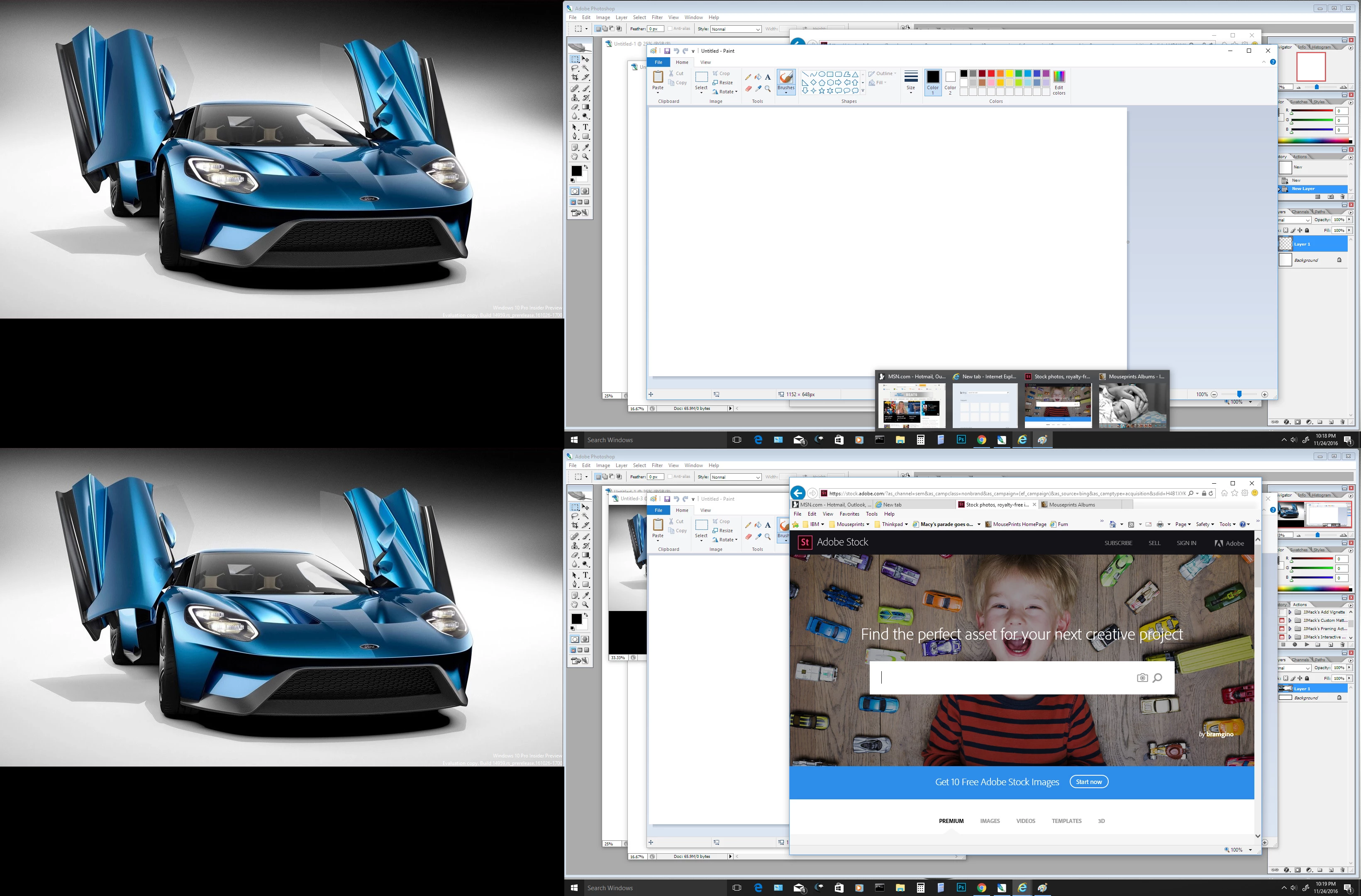
When I have photoshop running and switch to an IE tab parts of the photoshop screen still show. Can provide screenshot if this helps.

    This topic has been closed for replies.
    Correct answer JJMack

    Don't know where the screen shot went. I copied and pasted the link they tell you to use for sending pics but for the life of

    me I cannot see the camera icon they mention.


    I have CS2 installed. However I no longer have Windows 7 pro install. I have Window 10.  There has been one or more  threads on CS2 and some Windows 7 hotfix causing Problems with what is displayed.  Some CS2 stuff seems to be always on top.

    here is one CS2 problem: windows disappear or are always on top / overlap other programs

    Windows 10 seems OK to me.
    2 replies

    Trevor.Dennis
    Community Expert
    Community Expert
    November 24, 2016

    Are you using a Mac?  If yes do you have Application Frame turned on under the Window menu?  I use Windows an don't know which way will hide the background, so try both.

    JJMack
    Community Expert
    Community Expert
    November 24, 2016

    That could be it. Windows users do not have an optopn not to show an application window frame other than full screen mode. If an application get focus its application will show on top of other running application wibdows.  On a mac it may be posible for an application that has mutiple windows  for one of its window to get focus while leaving other application windows hidden under other running applications windows like Photshop.  I just did not expect a Mac user to be running IE...

    JJMack
    Trevor.Dennis
    Community Expert
    Community Expert
    November 24, 2016

    JJMack wrote:

    I just did not expect a Mac user to be running IE...

    Ahhh...  Elementary JJ.  I missed that reference completely.

    JJMack
    Community Expert
    Community Expert
    November 24, 2016

    What version of Windows, What version of IE, What version of Photoshop???

    JJMack
    mikeemjay
    mikeemjayAuthor
    Participating Frequently
    November 24, 2016

    I am on Win7 professional running CS2 and yes, I know it's ancient but it does what I need it to do. My machine is Pentium Dual Core 2.6GHz 1.80GHz and 3Gb RAM. Since posting I realise this problem does not just happen to IE tabs. The screen shot shows the problem twice, first when I took the screen shot and is repeated when I opened Paint to past it. It also appeared when I opened explorer to look for files. I appreciate your interest people.