Participant
March 14, 2023
Question

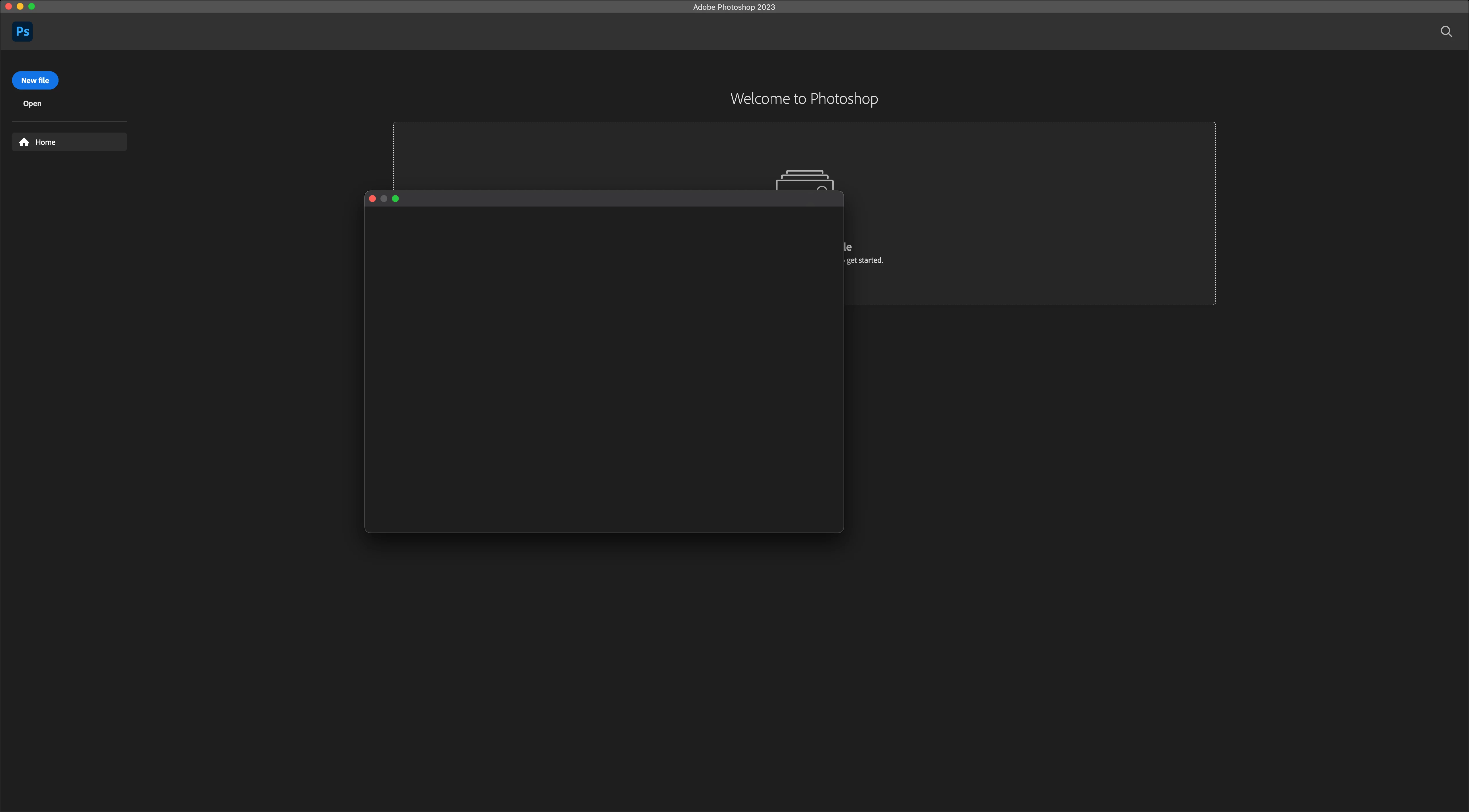
When I try to open a file or save a file, the open/save windows are blank
  • March 14, 2023
  • 2 replies
  • 189 views

This is how it looks. I can't find a solution to it. I've searched a lot and tried everything I could find but none worked. any help would be appreciated.

This topic has been closed for replies.

2 replies

CShubert
Legend
March 14, 2023

Hi @MerBudd sorry to hear this.


Let's make sure we're in a default state and there are no stale settings somewhere: 

Restore your preferences using this manual method:  

https://helpx.adobe.com/photoshop/using/preferences.html#Manually 

Does it work correctly? 

If that doesn't solve it, you can quit Photoshop and put the Settings folder back. 


It may help if we could see your Photoshop System Info. Launch Photoshop, and select Help >System Info...and copy/paste the text in a reply.  


MerBuddAuthor
Participant
March 14, 2023

Oh and I forgot to add, this is a really weird bug as I was using Photoshop before and this wasn't the case. I did literally nothing, I didnt update my OS, I didn't update Photoshop, literally nothing. It happened when I wanted to save a photo that I edited, and then I noticed I can't open files either.