Answered
When removing something from an image in Photoshop (in this instance oil) what would be the best way to remove it completely?
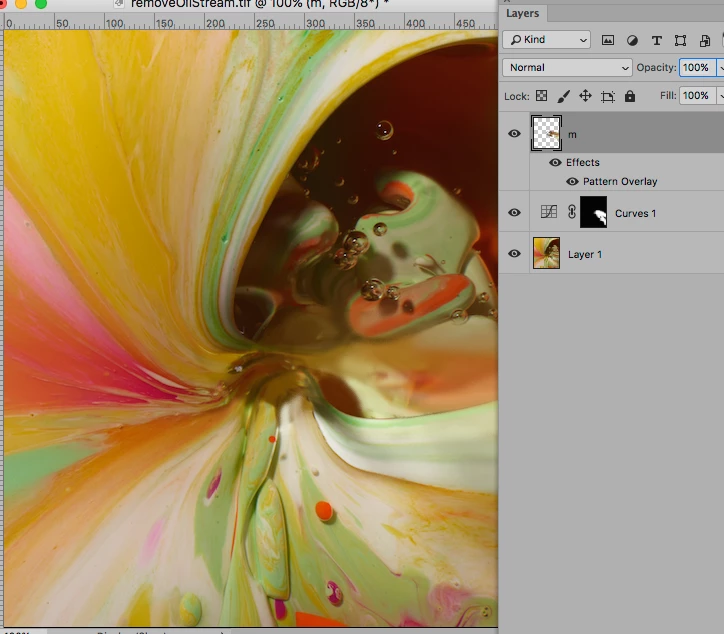
I'm currently editing a still life image, which consists of mixed paint on a flat surface.
Oil is being poured inside amongst the colours to the right of the image.
I have been asked to remove the oil. This is where I am stuck.
How do I remove the oil completely from the image and make it blend in?
I am finding it to be difficult as the (obviously) oil is see-through, so I am damaging parts of the image behind.
I have used the patch tool and the clone stamp tool but I don't feel like I'm getting anywhere.
I'm a little stuck so any feed back would be fantastic.
Thanks in advance.
 AdChoices