
Answered
When text box is selected, text shape changes
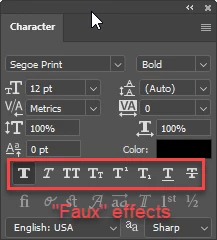
When I select a text box, the text changes from the original text shape to a fuller text. Like it has a thick stroke. Once the text box is deselected, it goes back to the correct shape. The current font I'm using is an Adobe synced font. A video of the issue is attached. It makes it rather hard to decide on a font. Any ideas how I can correct this?
I'm running on Windows 10 Pro and Photoshop 23.5
Thanks!
 AdChoices