ReenvhAi
Participant
April 22, 2026
Answered

When working with solid colors for printing, the mixing doesn't display accurately. Help pitching it?

  • April 22, 2026
  • 2 replies
  • 49 views

So i used to work with PS22 and i have to separate image colors for industrial printing, usually into CMYK+Pantones. I had an accurate visualization of the way the colors mix and overlay. Or, you know, as accurate as it can be - just a good standard measure norm for different clients.

A while ago, my boss got me PS24, and since then i’ve been having trouble with the visualization of spot colors mixing/overlay/solidity. As shown in these captures:

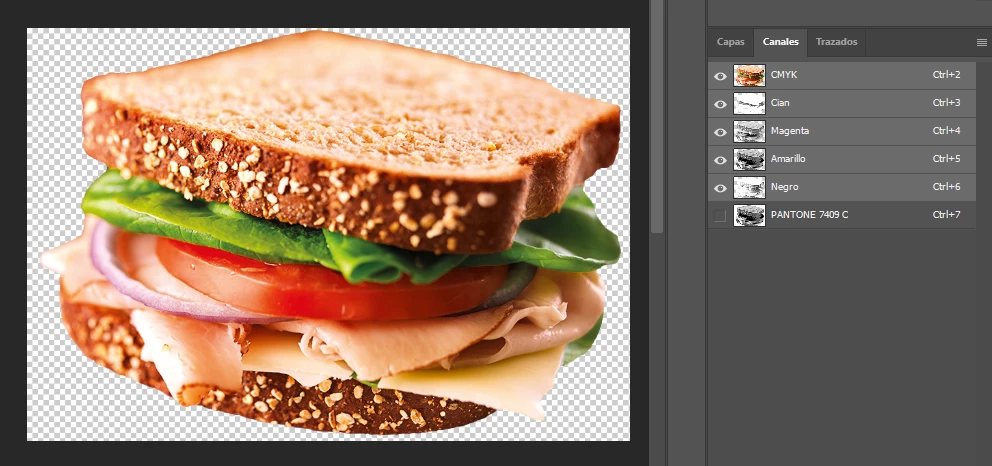
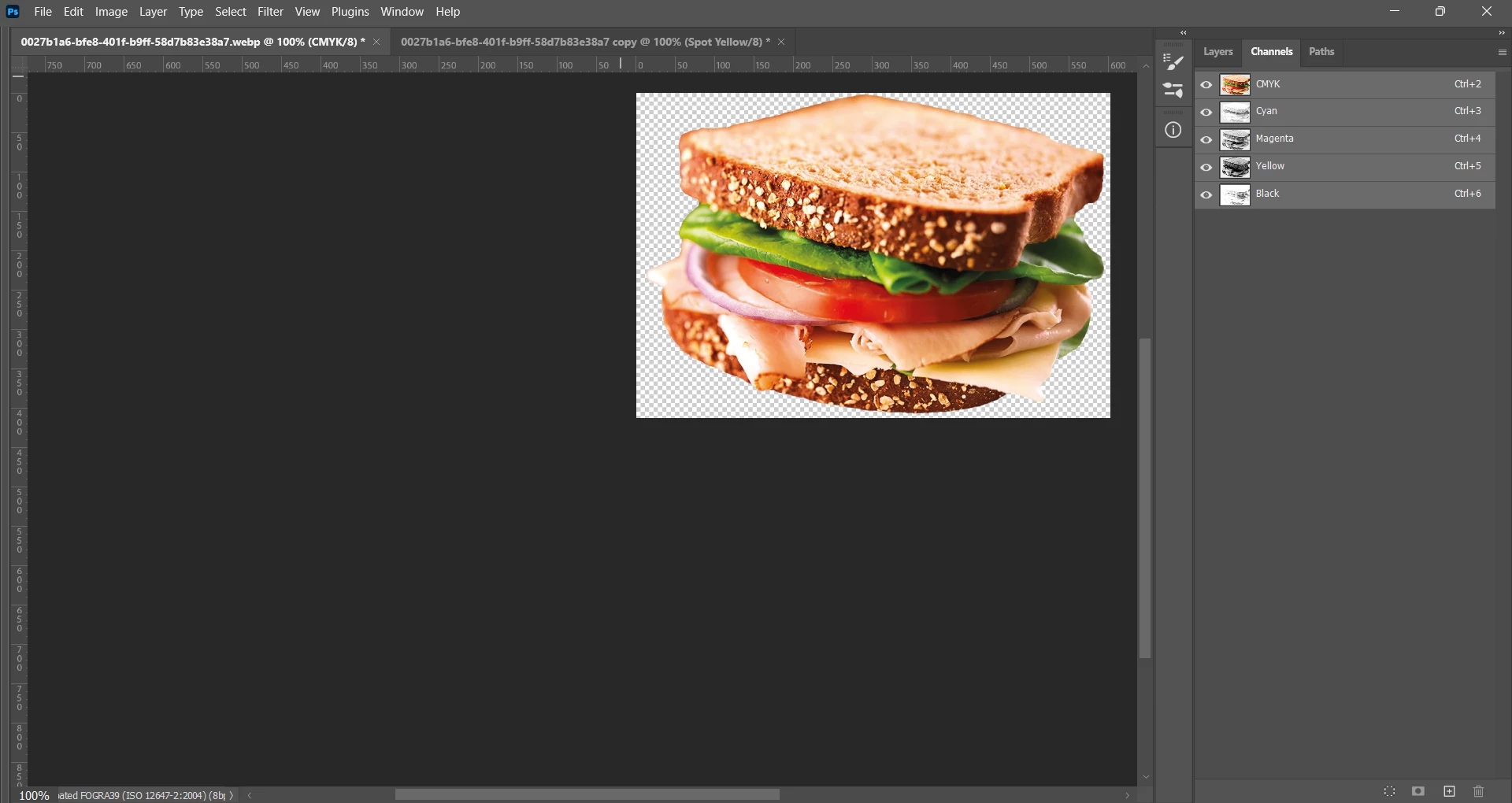
→ Here’s the image with only CMYK channels enabled, displays alright:
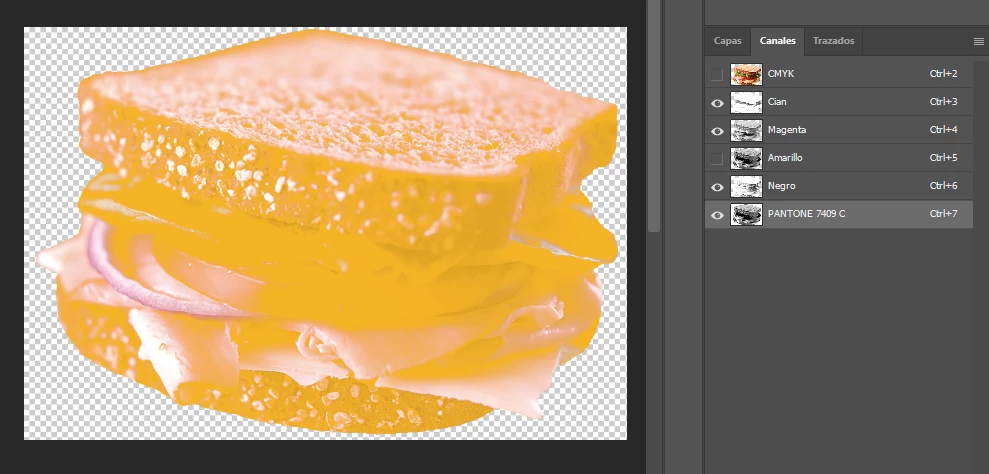
→ Here’s the same image, where the Yellow channel has been made into a spot color (that will print with Pantone). It nearly blocks everything, like it lays over the other channels.
→ My coworker suggested i leave the Yellow channel as visible, which for us is a common troubleshooting when the image doesn’t load/print correctly on Illustrator, but that doesn’t work either :(
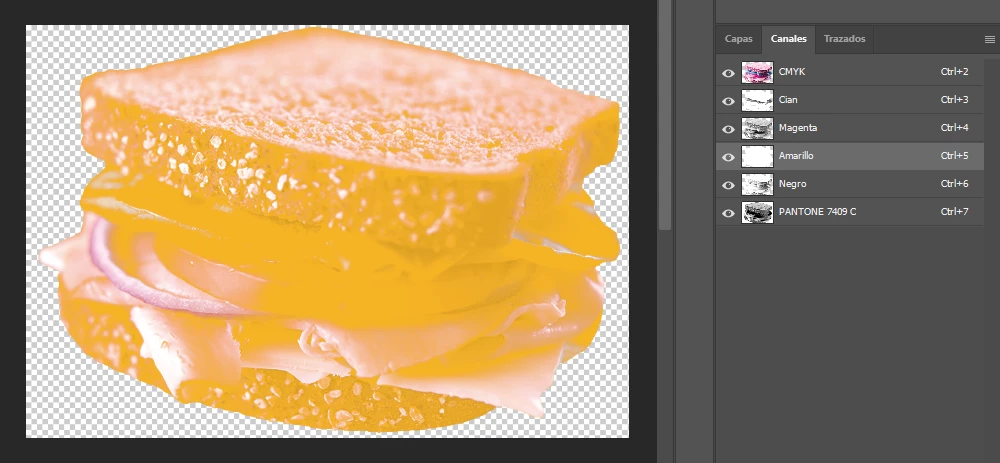
I have obviously tried to change the solidity to different levels, but it doesn’t match the final printing color either, it’s too blocking or too dilluted.
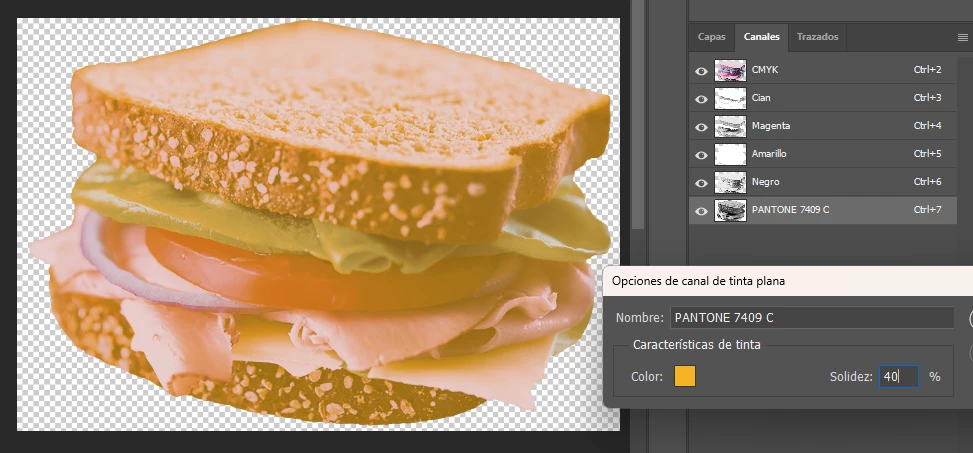
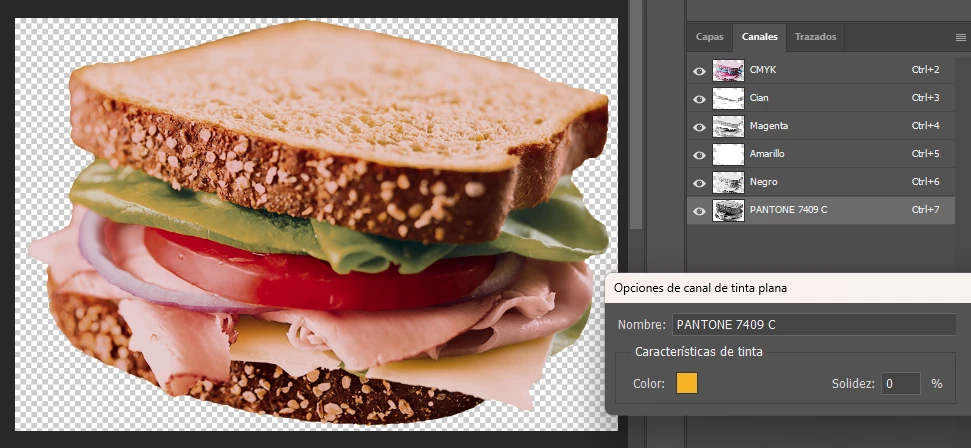
The only accurate blend (screen-wise) that i can use to predict the outcome are the original CMYK channels.

So i am wondering, is there a configuration for this that i don’t know yet? A screen display mode (such as in Illustrator, that recreates the final overprint)? I can’t understand why my coworker sees it correctly in PS21.

Apologies in advance if I don’t use the correct technical terms, i am translating/googling everything on my own since Adobe doesn’t let me access the english guides to know these options’ native terms ¬.¬
    Correct answer Stephen Marsh

    @ReenvhAi 


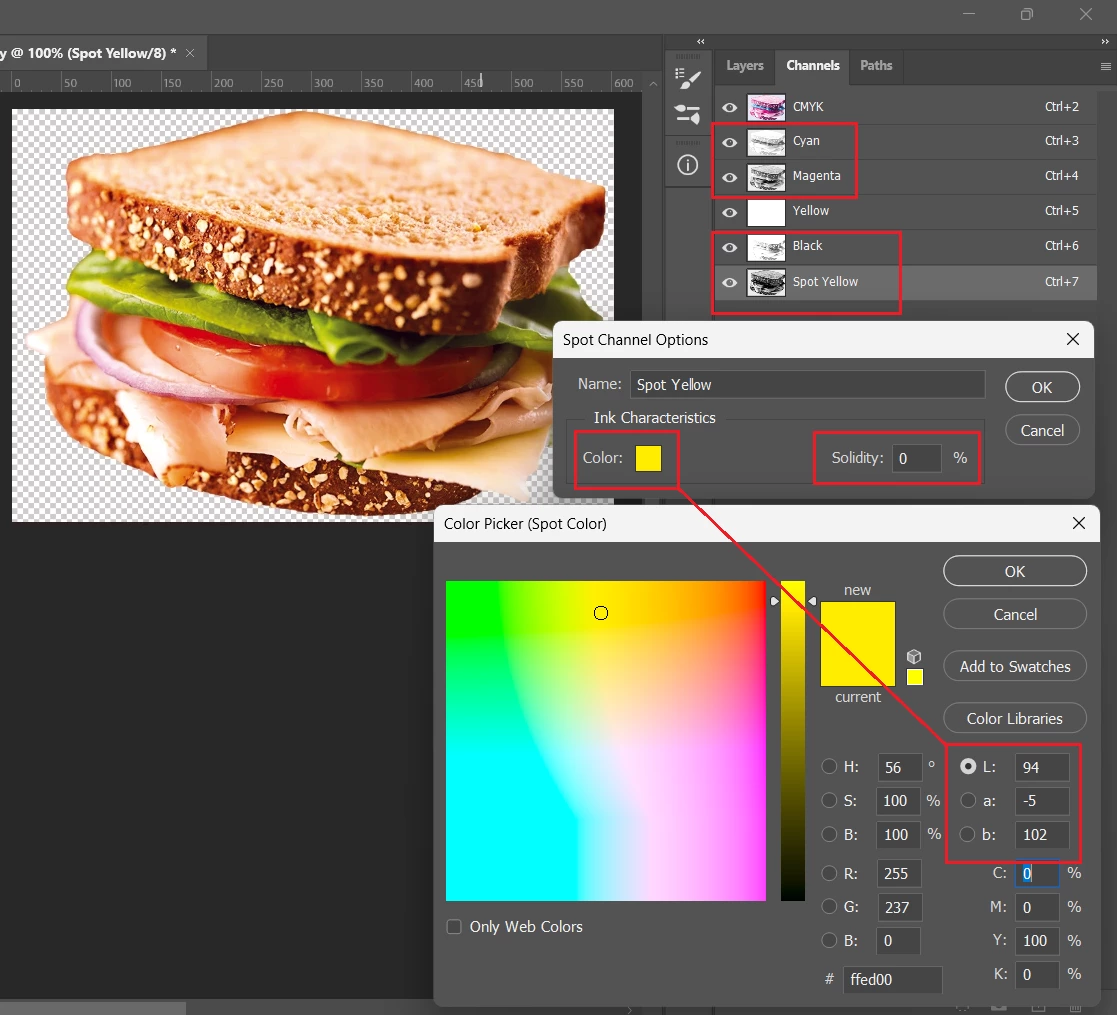
    Combinations of CMYK + Spot Colour Channels are “essentially non colour managed” or “partially colour managed” at best. Photoshop’s spot channel colour preview is really only designed for viewing the spot channel in colour in isolation, without ink trapping (mixing) with other inks. Other factors to consider are TVI/dot gain and ink printing sequence.


    Setting the spot colour channel to 0% solidity is the best that you can do to make the ink transparent and behave similar to how CMYK inks behave. This should not be considered accurate in preview though, as a particular spot colour ink may not be truly transparent and the ink trapping between the spot colour and the CMYK colours may behave very differently on press. Raising the solidity value is a blunt tool and may not create an accurate preview.


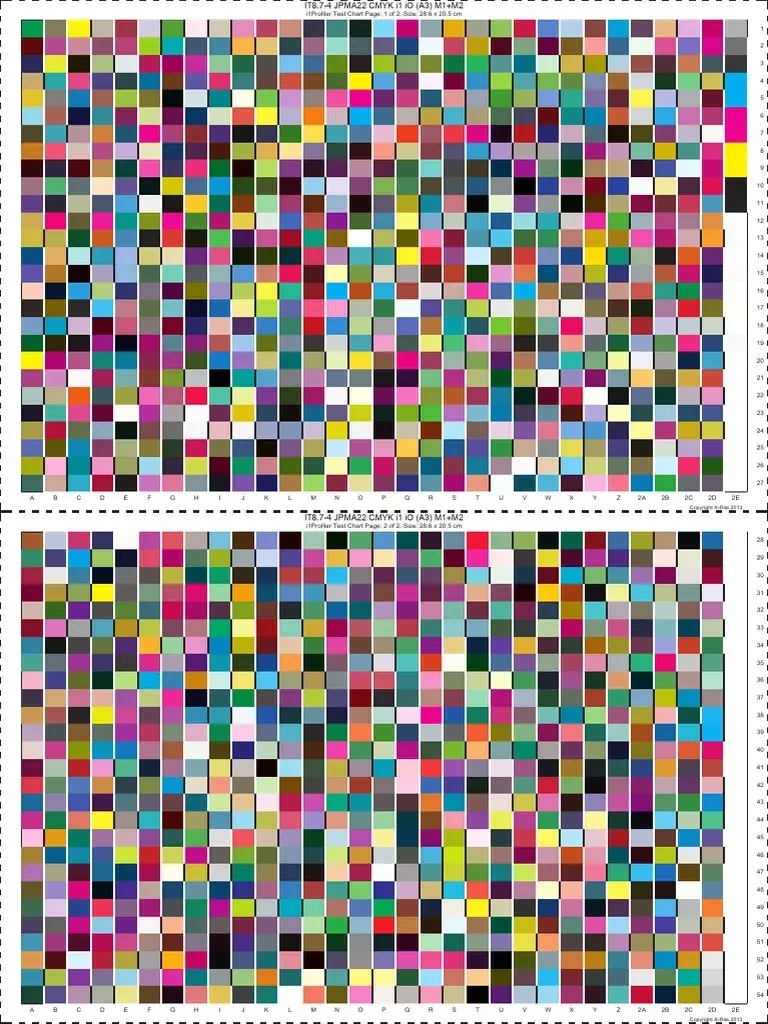
    When you view a CMYK image in Photoshop, it is displayed using a CMYK ICC profile as the source, before being converted to the monitor profile. The CMYK ICC profile is created from measuring the real-world characteristics of a printed sample, then the ICC profiling software interpolates values in-between the measured chart values:


    It would take a multi-channel ICC profile to correctly describe a CMYK + Spot image, or software based on spectral reflectance data to softproof the result with any accuracy.

    2 replies

    Stephen Marsh
    Community Expert
    Community Expert
    April 22, 2026

    Dedicated prepress software for spot colour in Photoshop has an investment cost.


    https://gmgcolor.com/products/colorplugin/


    https://www.esko.com/en/products/deskpack/ink-tools


    __________________
     

    https://www.retouchxpress.eu/plugins/spot


    https://www.inksplit.com/


    Stephen Marsh
    Community Expert
    Stephen MarshCommunity ExpertCorrect answer
    Community Expert
    April 22, 2026

    @ReenvhAi 


    Combinations of CMYK + Spot Colour Channels are “essentially non colour managed” or “partially colour managed” at best. Photoshop’s spot channel colour preview is really only designed for viewing the spot channel in colour in isolation, without ink trapping (mixing) with other inks. Other factors to consider are TVI/dot gain and ink printing sequence.


    Setting the spot colour channel to 0% solidity is the best that you can do to make the ink transparent and behave similar to how CMYK inks behave. This should not be considered accurate in preview though, as a particular spot colour ink may not be truly transparent and the ink trapping between the spot colour and the CMYK colours may behave very differently on press. Raising the solidity value is a blunt tool and may not create an accurate preview.


    When you view a CMYK image in Photoshop, it is displayed using a CMYK ICC profile as the source, before being converted to the monitor profile. The CMYK ICC profile is created from measuring the real-world characteristics of a printed sample, then the ICC profiling software interpolates values in-between the measured chart values:


    It would take a multi-channel ICC profile to correctly describe a CMYK + Spot image, or software based on spectral reflectance data to softproof the result with any accuracy.

    ReenvhAi
    ReenvhAiAuthor
    Participant
    April 25, 2026

    Thanks a lot for the lenghty answer!

    I was already expecting an outcome like this - color will never be accurate without samples and stable printing sources, heh. The question about why my coworker has a more-vivid or better-visible display on his computer still stands, but thanks to this explanation i am beggining to think it maybe has something to do with his monitor, or another color-reading software that i do not know of.

    But at least you’ve given me technical insight and that’s it too useful! I can look for sources with the right terms the next time i want to read more 😁 So thank you for your time and valuable explanation! I’ll also look into those pre-press software, at least to understand better how it works :)