
Answered
Where do I find the recovery files after photoshop crashes?
In Photoshop 6 the recovery files automatically opened. In this new version they do not and I can not locate where they are to manually open them.

In Photoshop 6 the recovery files automatically opened. In this new version they do not and I can not locate where they are to manually open them.
Well, on my computer with Mac 10.9.5 that is not so.
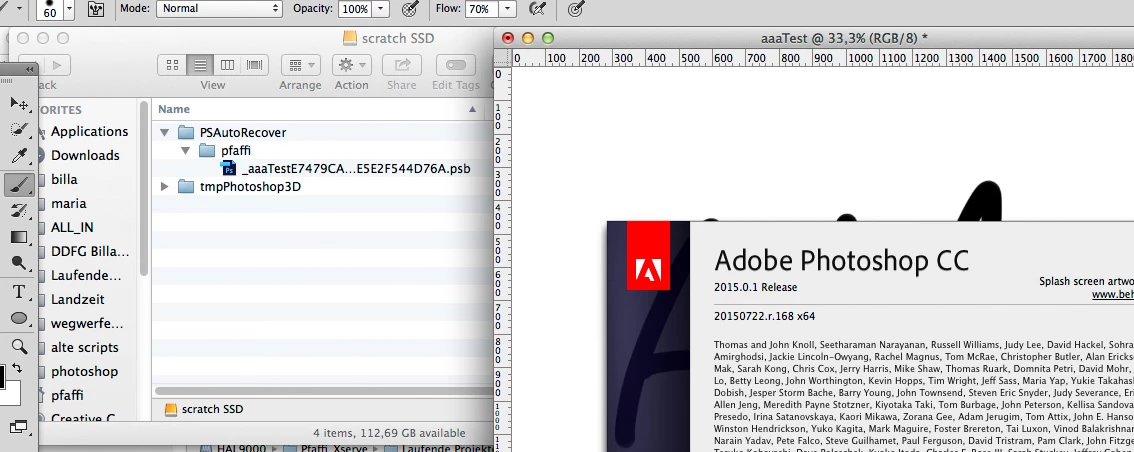
Correct that's fine. It should be whatever is set as your 1st PS Scratch disk.So can be found on either one of the locations we mentioned.
Preferences>File handling>>Automatically save recovery information should be checked 10 mins(default)
Also Auto recovery will only work if you have a Crash.
Already have an account? Login
Enter your E-mail address. We'll send you an e-mail with instructions to reset your password.
 AdChoices