
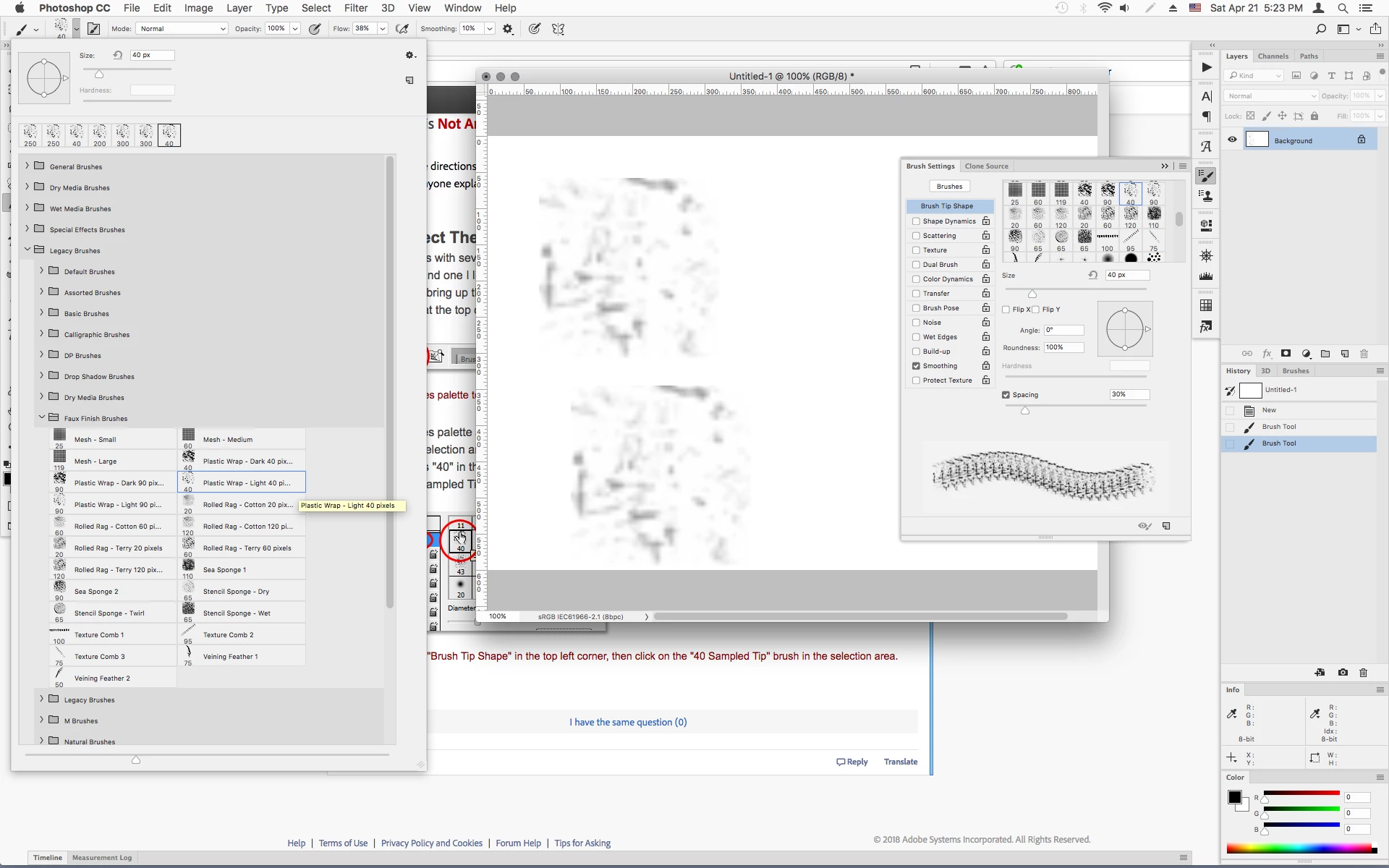
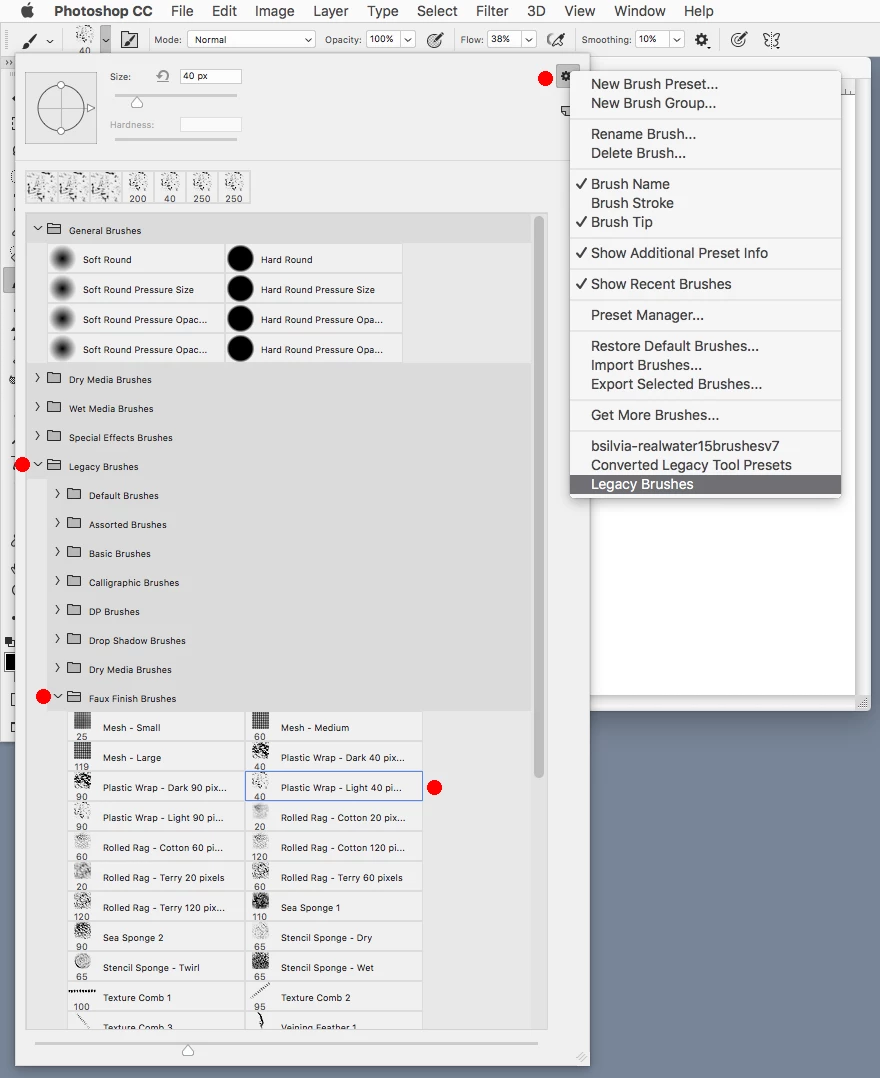
Where is #40 sample tip brush?
I'm following these directions but still cant find the #40 sample tip brush!
I have PSCC can anyone explain where it is? Thanks
Step 6: Select The "40 Sampled Tip" Brush
Photoshop comes with several brushes that would work well for our light streak effect, but after trying a few of them out, I've found one I like the best. To select it, we'll need to bring up the Brushes palette. There's a few different ways to bring up the Brushes palette, and one of them is to click on the Brushes palette toggle icon in the Options Bar at the top of the screen:

Click on the Brushes palette toggle icon to bring up the Brushes palette.
When the Brushes palette appears, click on the words Brush Tip Shape in the top left corner of the palette. Then, in the Brush tip selection area on the right, scroll down near the bottom of the list and select the 40 Sampled Tip brush. It just says "40" in the preview area, but if you have Tool Tips enabled in Photoshop's Preferences, you'll see the words "Sampled Tip" appear when you hover your mouse over the brush:
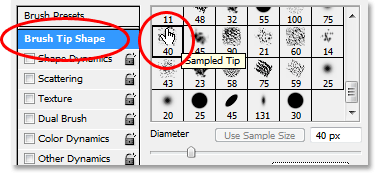
Click on the words "Brush Tip Shape" in the top left corner, then click on the "40 Sampled Tip" brush in the selection area.
 AdChoices