Inspiring
March 17, 2022
Answered

Where is ok button on Content Aware Fill pane?

  • March 17, 2022
  • 3 replies
  • 1050 views

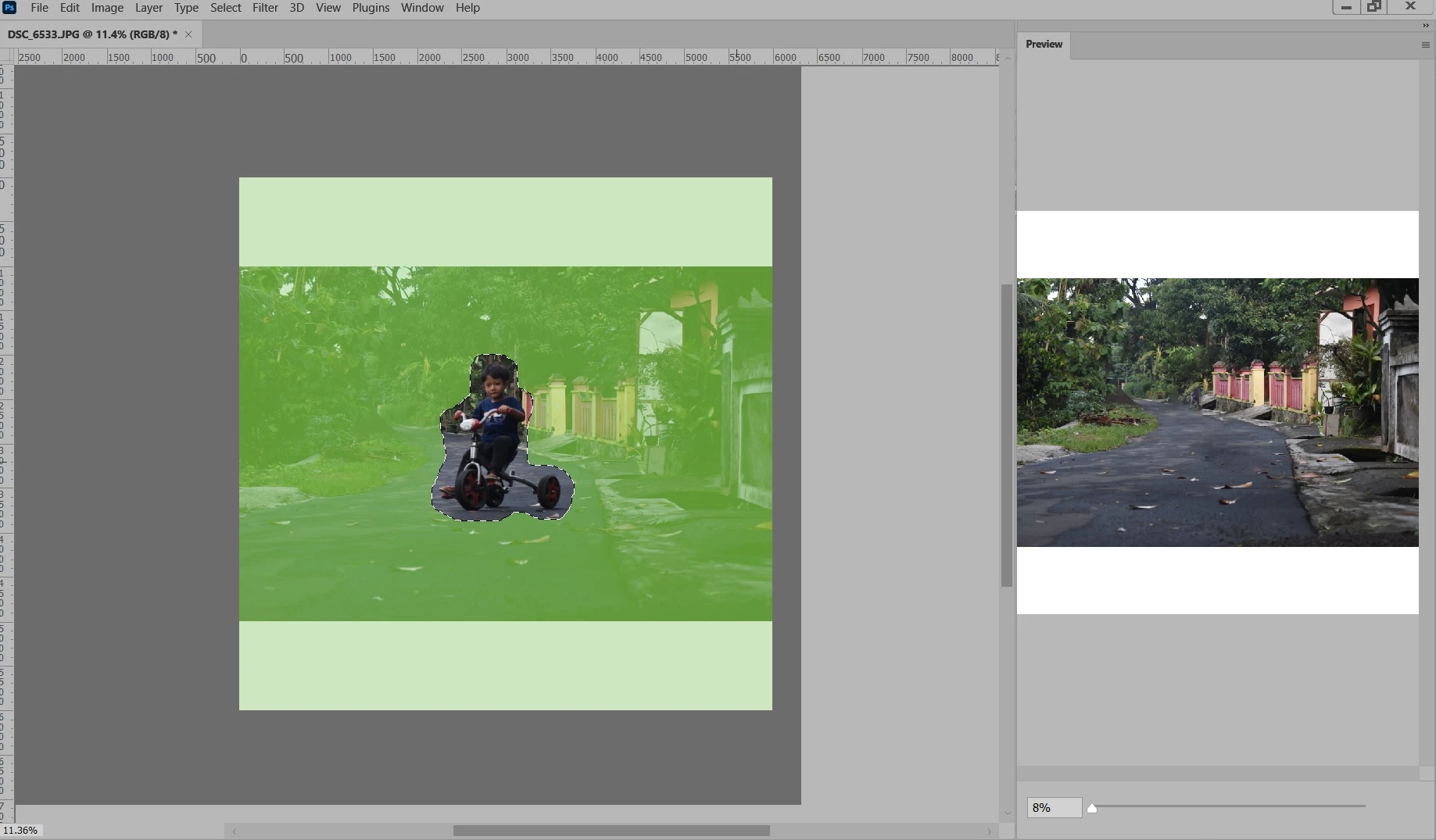
I try use Photoshop 2022 latest update (my dailly editor is Photoshop 2021). Can somebody tell me where is the ok button on Conten Aware fill?

Preview:

No ok button there. Did i miss something? thanks.

This topic has been closed for replies.
Correct answer Conrad_C

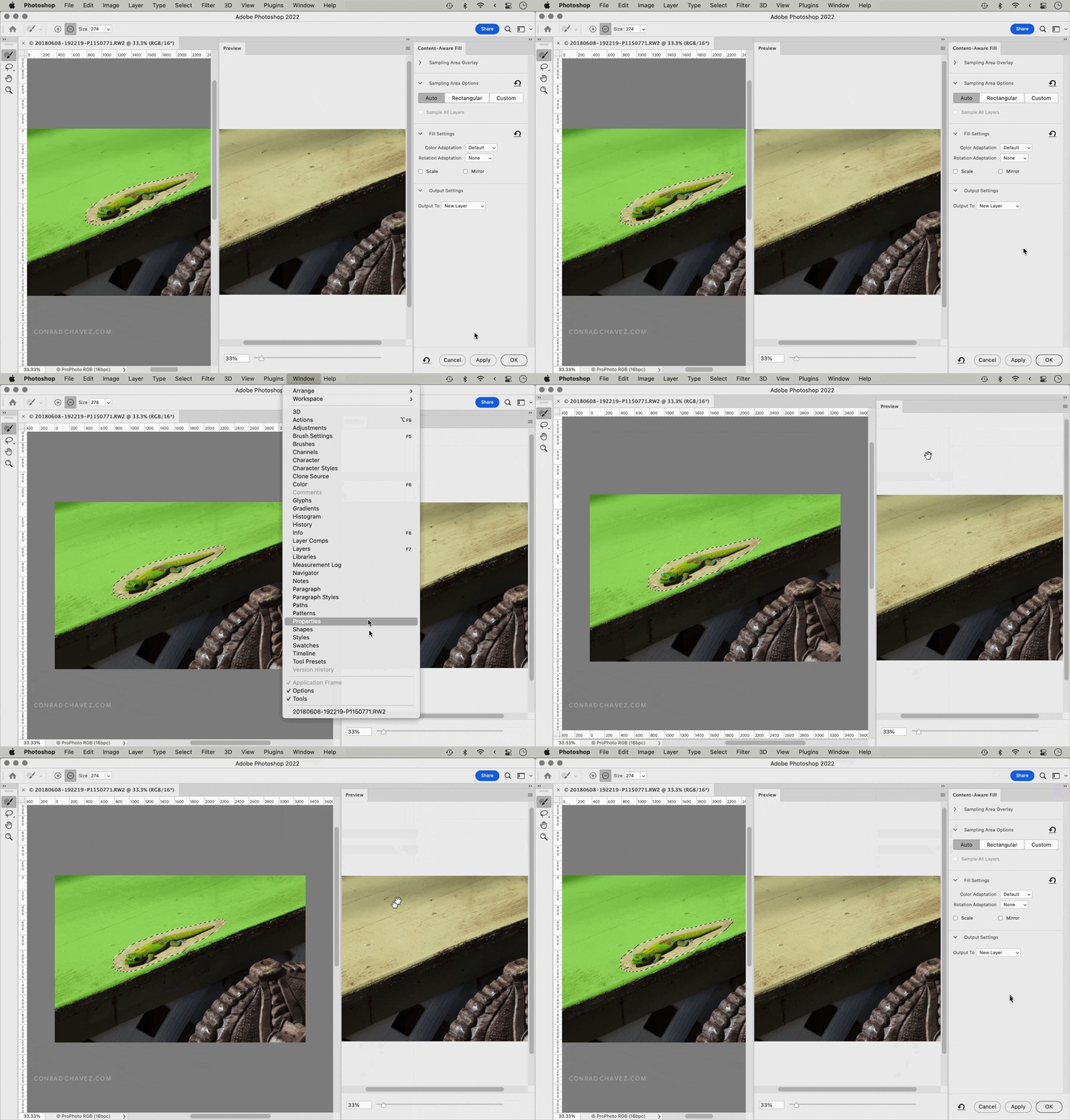
It looks like you aren’t cutting off any part of the Photoshop window, and the UI scaling seems OK, but there are two things missing:  The Content-Aware Fill panel that contains the settings, and the options bar across the top. So part of the problem is that some panels have been hidden; maybe there were some accidental clicks or key presses that hid them.


Try this:


First, choose Window > Options to make the options bar visible again. Then, click the workspace reset button and choose Reset Content-Aware Fill. In the demo below, the first half shows you how the panels might have gotten hidden to match what you showed, and then the second part shows how to make the options bar and Content-Aware Fill panel visible again.

 

3 replies

Conrad_C
Community Expert
Conrad_CCommunity ExpertCorrect answer
Community Expert
March 17, 2022

It looks like you aren’t cutting off any part of the Photoshop window, and the UI scaling seems OK, but there are two things missing:  The Content-Aware Fill panel that contains the settings, and the options bar across the top. So part of the problem is that some panels have been hidden; maybe there were some accidental clicks or key presses that hid them.


Try this:


First, choose Window > Options to make the options bar visible again. Then, click the workspace reset button and choose Reset Content-Aware Fill. In the demo below, the first half shows you how the panels might have gotten hidden to match what you showed, and then the second part shows how to make the options bar and Content-Aware Fill panel visible again.
 

Inspiring
March 18, 2022

Wow amazing @Conrad_C , thanks so much.... solved

######Raizen 7, 40Gb Ram, RTX 3060, Win 11 -- All of Software in the world are just tools. Buy it if it works for you :)
Ged_Traynor
Community Expert
Community Expert
March 17, 2022

Hi

When things go a little strange in Photoshop, first thing to try is resetting the preferences

Inspiring
March 17, 2022

thanks @Ged_Traynor , i have resett it, and still no ok button. There must be something i missed.

######Raizen 7, 40Gb Ram, RTX 3060, Win 11 -- All of Software in the world are just tools. Buy it if it works for you :)
Ged_Traynor
Community Expert
Community Expert
March 17, 2022

Try enabling this option in preferences and restarting Photoshop to see if it helps

Inspiring
March 17, 2022

Also, when i click 'neural filter', there is no dialog box display, nothing happend there.

help.

thanks

######Raizen 7, 40Gb Ram, RTX 3060, Win 11 -- All of Software in the world are just tools. Buy it if it works for you :)