

Johan240456801yuv
Participant
August 22, 2022
Answered

Where is the chat?

  • August 22, 2022
  • 2 replies
  • 619 views

Hi,

I'm still having the problem with the not functioning option 'Zoom by dragging' - simply doesn't work anymore since the upgrade from a few days ago.

I would like to contact Adobe through chat, but that feature is nowhere to be found.

On the help page I can click on 'Contact us. Real help from real people', but after that I'm led to a page on which no chat can be found.On that page, there are to help related links. I can go to 'How to make contact', but that leads to the former page; I also can go to 'Adobe Help Center', but then I'm arriving again on my starting point. So I'm turning in circles without finding the chat.

How and where can I find the chat option?

Best regards,

Johan
 

This topic has been closed for replies.
Correct answer jane-e

@Johan240456801yuv 

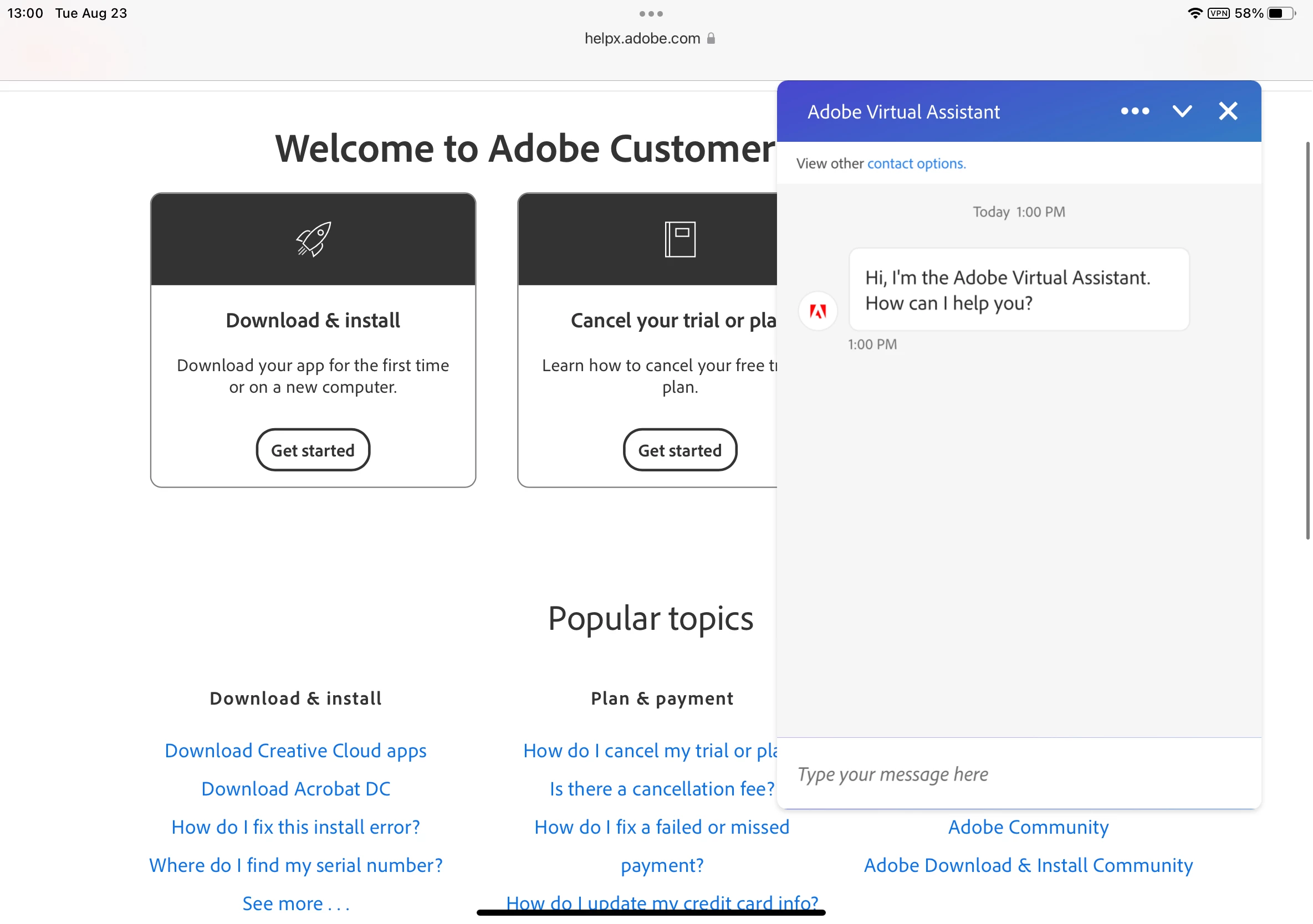
Something on your system or browser is blocking the chat. The auto-open link automatically opens chat and it looks like this:


Did you try the four troubleshooting steps from the link? I'll paste them here for you:


TROUBLESHOOTING: In the event the described window doesn’t appear, please try the following


Can you try sending a tweet to @AdobeCare? That always works.


Jane


2 replies

jane-e
Community Expert
Community Expert
August 22, 2022

@Johan240456801yuv wrote:

How and where can I find the chat option?

Johan


Hi Johan

1. Here is the link to auto-open the chat window:

https://helpx.adobe.com/contact.html?rghtup=autoOpen

2. If your browser blocks auto-open for the Chat window, try the tips under the Troubleshooting heading:
https://community.adobe.com/t5/creative-cloud-services/how-to-contact-adobe-support/td-p/11875703

3. You can also send tweet to @AdobeCare.

~ Jane

Johan240456801yuv
Participant
August 23, 2022

Hi Jane,

Thanks for your answer, but the links lead to the same page I mentioned before.

There is no chat option on that page.

I disabled my antivirus temporarily, but I don't find any chat option.

Where should I click on this page: https://helpx.adobe.com/contact.html?rghtup=autoOpen

Best regards,

Johan


jane-e
Community Expert
jane-eCommunity ExpertCorrect answer
Community Expert
August 23, 2022

@Johan240456801yuv 

Something on your system or browser is blocking the chat. The auto-open link automatically opens chat and it looks like this:


Did you try the four troubleshooting steps from the link? I'll paste them here for you:


TROUBLESHOOTING: In the event the described window doesn’t appear, please try the following


Can you try sending a tweet to @AdobeCare? That always works.


Jane


Myra Ferguson
Community Expert
Community Expert
August 22, 2022

You should be able to click the chat icon in the lower right of this page for a virtual assistant:


Zoom by dragging, or scrubby zoom, may not be working based on your GPU settings. Try the recommendations from this thread: