Participant
April 13, 2020
Question

Where Is the 'Get More Brushes' Option?

  • April 13, 2020
  • 2 replies
  • 888 views


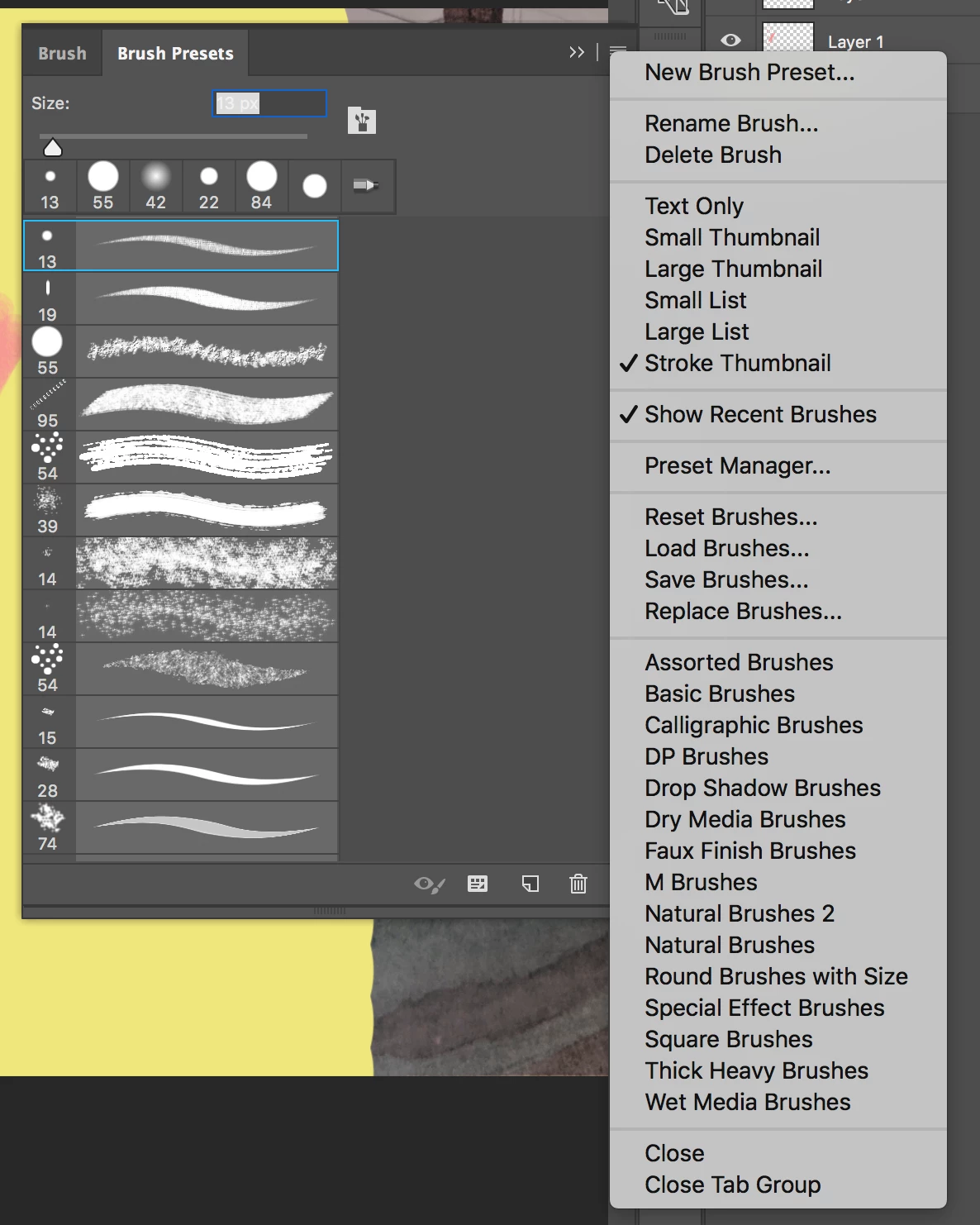
I'm trying to download the Kyle T. Webster brushes in Photoshop CC. I have a Creative Cloud subscription. In every how-to I've seen to get these brushes, you have to select 'get more brushes' in the brush settings drop down menu. When I go to this menu, there is no 'get more brushes' option. I am stumped as to how to access these brushes without it. Anyone know how to do this? 
 

This topic has been closed for replies.

2 replies

Jeff Arola
Community Expert
Community Expert
April 13, 2020

You need photoshop cc 2018 (photoshop version 19) or newer in order to have the Get More Brushes menu item and also to use the Kyle T. Webster brushes as intended.


In photoshop go to Help>System Info and look at the to line for the Adobe Photoshop Version.

jane-e
Community Expert
Community Expert
April 13, 2020

Hi

In Photoshop 2020, it is in the Brushes panel (not Brush presets)

~ Jane