
davidc1815
Legend
January 30, 2018
Answered

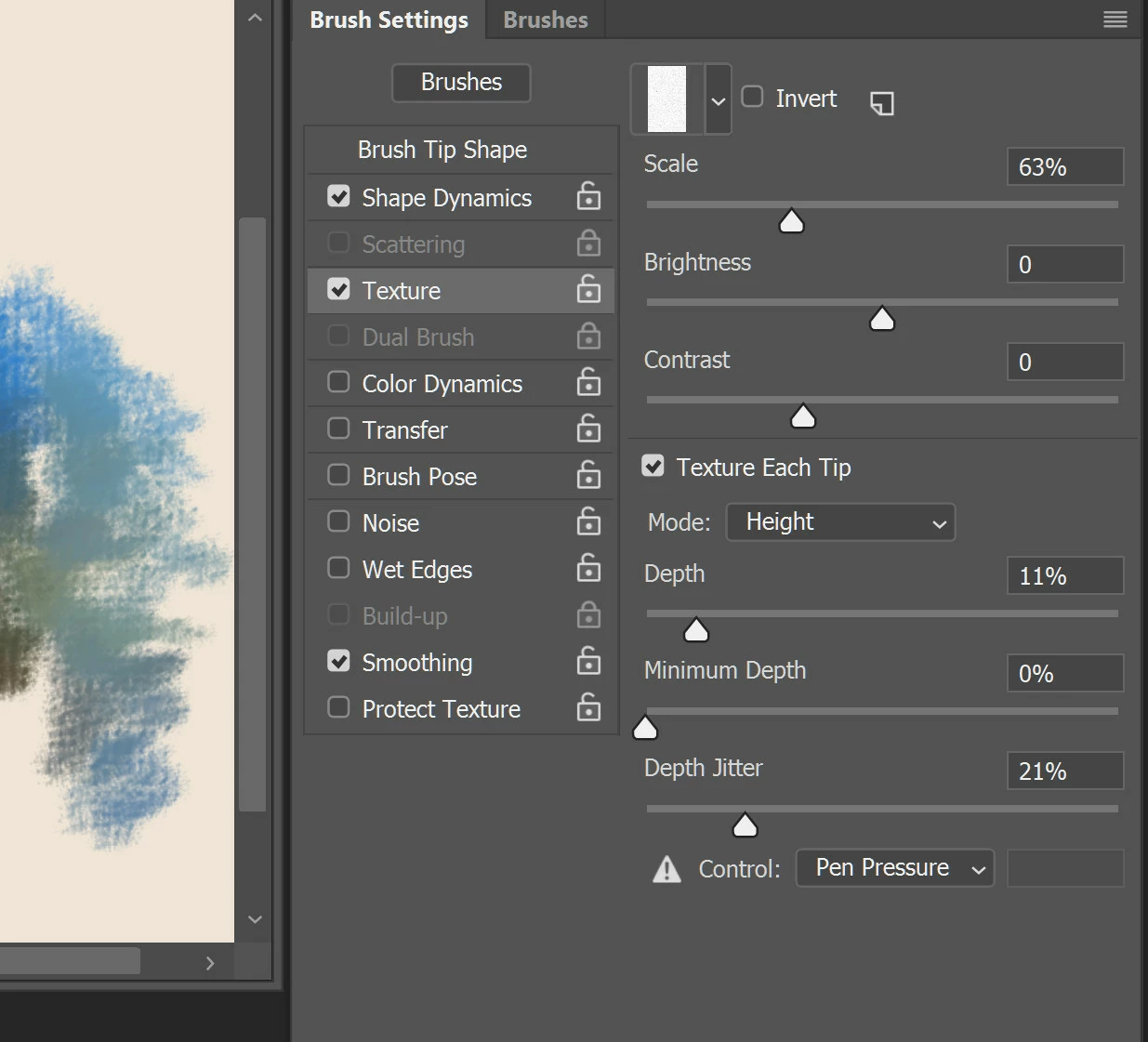
Where is the texture illustration in the Textures Page of the Brush Settings Panel?

  • January 30, 2018
  • 1 reply
  • 312 views

I use textures in brush strokes a lot and have just noticed that the illustrative image in the Texture Settings Panel - that show you how much brushstroke and texture will show with different depths of texture, is completely missing? Did this happen while I was out of the room?  Has it been hidden in CC18 and update?

Grateful for help, please. 

David

I tink the illustration was under the "depth" slider - see CC18 below where it is missing.
    This topic has been closed for replies.
    Correct answer davidc1815

    Thank you.  I am an idiot.  Your response encouraged me to look again, and I see that the bottom of the brush settings panel had become so elongated downwards that the preview window had disappeared below the edge of the screen window.  I am relieved, thanks.

    1 reply

    davidc1815
    Legend
    January 31, 2018

    This is what I was thinking of (I reinstalled CC 2017);

    Simple.  Clear.  That's progress for you....

    Jeff Arola
    Community Expert
    Community Expert
    January 31, 2018

    The small Preview window is still there for me using photoshop cc 2018 (19.1) on windows 10.

    Try resetting the photoshop cc 2018 preferences in Edit>Preferences>General>Reset Preferences On Quit and then restart photoshop.

    davidc1815
    davidc1815AuthorCorrect answer
    Legend
    January 31, 2018

    Thank you.  I am an idiot.  Your response encouraged me to look again, and I see that the bottom of the brush settings panel had become so elongated downwards that the preview window had disappeared below the edge of the screen window.  I am relieved, thanks.