Known Participant
June 13, 2018
Answered

Whipping effect ?!

  • June 13, 2018
  • 2 replies
  • 6709 views

Hello,

I'm a tattoo artist and i just got a xp pen tablet 15.6.

I downloaded some set on deviant art.

All are really nice but i'm looking for a specific brush.

In the tattoo industry we have a technique to do shadow who is called whip shading, or whipping.

Needle_example_page.jpg?v=1519834724

I found some brushes but not for photoshop.

Is there a way to do this in photoshop ? 

Thank you !
    This topic has been closed for replies.
    Correct answer c.pfaffenbichler

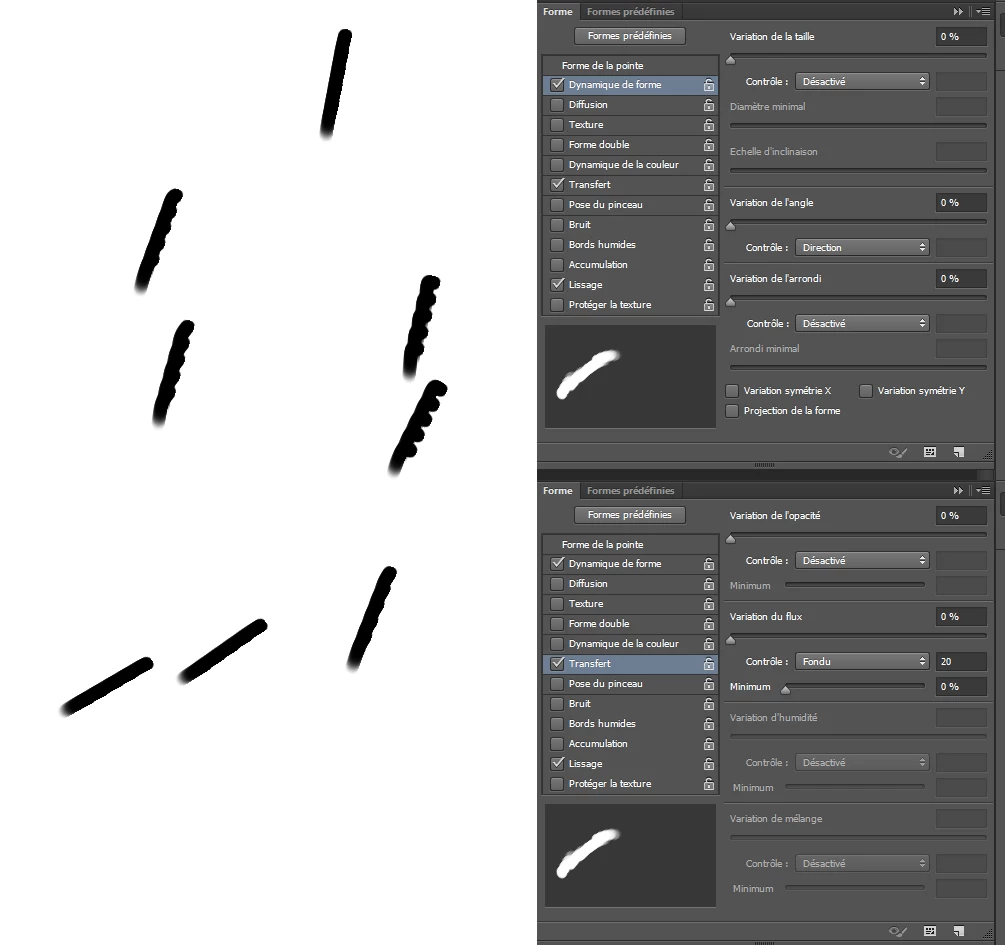
    That's exaclty what i want to achieve, but i must do something wrong.

    That's the result i have with your settings.

    And when i said i tried to tweak the settings before i had the exact same results. It's really weird because like you can see, it seems to not work properly.


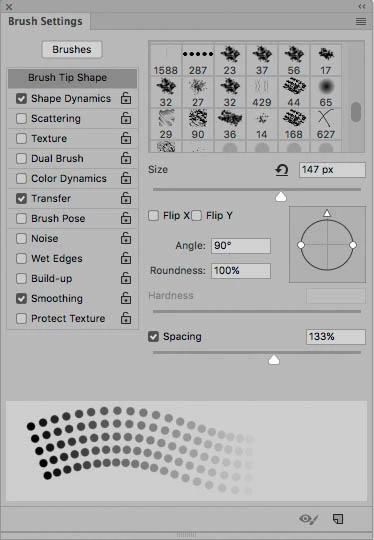
    What is your »Angle« setting (Edit: the one under »Brush Tip Shape«)?

    2 replies

    Known Participant
    June 14, 2018

    up

    melissapiccone
    Community Expert
    June 14, 2018

    The first screenshot you posted is a brush being used over and over starting from the same spot. You used your brush in a line, once. I don't have my tablet right now so my screenshot isn't what you want, but I'm showing you It's the painting technique...

    Melissa Piccone | Adobe Trainer | Online Courses Author | Fine Artist
    WILDCAT54
    Inspiring
    June 13, 2018

    Try these settings.

    The shape and style of your brush will obviously be different.

    Let us know if you need help creating a dotted brush like what you have pictured.

    Known Participant
    June 13, 2018

    Hi,

    Making a dotted brush is indeed my main problem.

    Thanks  !

    WILDCAT54
    Inspiring
    June 13, 2018

    Start by drawing your circles withe the Ellipse Tool (U)

    Then go to Edit > Define Brush Preset

    And then give your brush a name

    After you have done this, you may now access this brush on any document by clicking on the brush tool or (B)

    You can also alter the behavior of this brush in the brushes menu as shown in my first post