
arslana88259416
Participant
August 8, 2018
Answered

White lines appearing when duplicating layer Photoshop CC

  • August 8, 2018
  • 2 replies
  • 2159 views

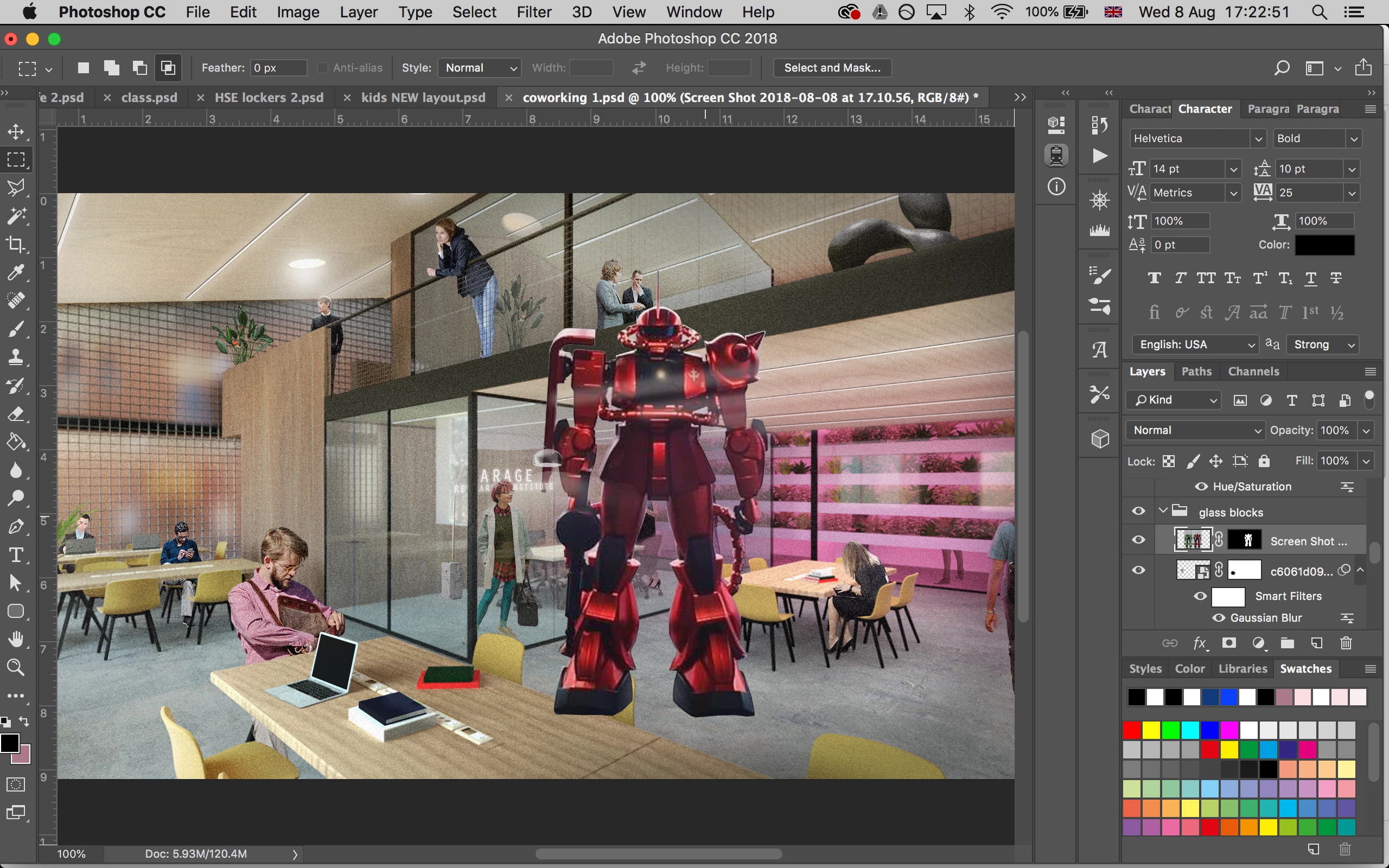
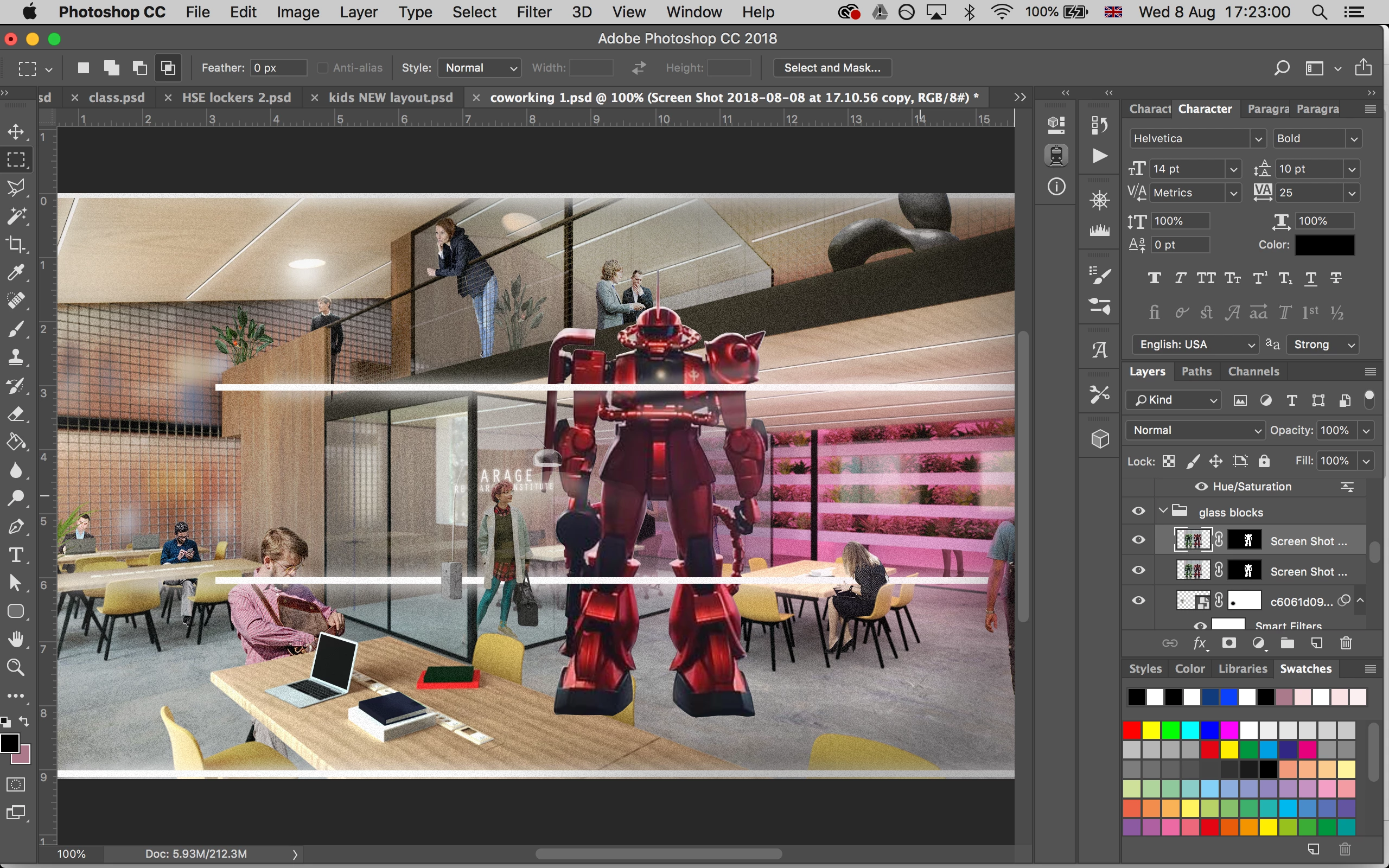
For some reason, I get strange white lines randomly appearing on some layer when duplicating an object in Photoshop. My version is the latest Photoshop CC. My laptop is a MacBook Pro 13 inch (early 2015) running High Sierra. If I press CTRL+Z and go back the lines disappear again. PLEASE HELP!
This topic has been closed for replies.
Correct answer Mike_Gondek10189183

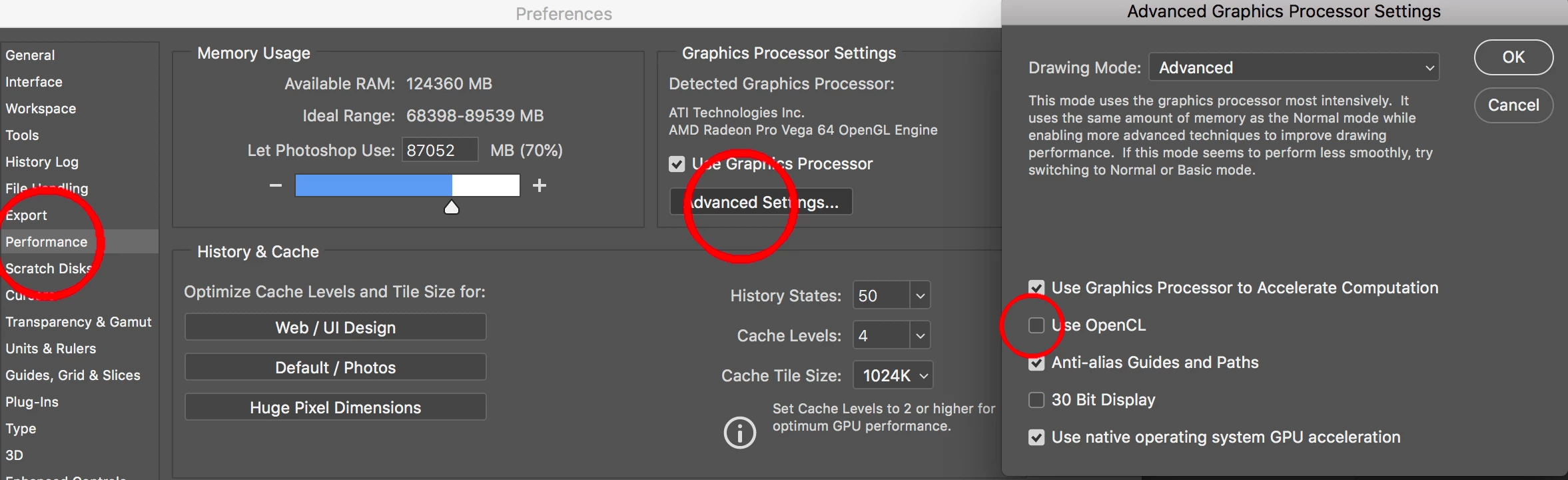
Looks like a redraw issue. Try turning off Open GL.

If that does not help try forcing the redraw by zooming in or out and let su know what happens.

2 replies

Mike_Gondek10189183
Community Expert
Mike_Gondek10189183Community ExpertCorrect answer
Community Expert
August 8, 2018

Looks like a redraw issue. Try turning off Open GL.

If that does not help try forcing the redraw by zooming in or out and let su know what happens.

arslana88259416
Participant
August 8, 2018

Thanks. Ill try that.

Sahil.Chawla
Adobe Employee
Adobe Employee
August 8, 2018

Hi Arslana,

As there are white lines appearing on the image, could you please let us know does it happen with multiple files or only this file?

Also, which exact version of Photoshop are you using?

Are there any other layers above the Glass Blocks group? Could post a screenshot of the expanded layer panel with all layers?

Regards,
Sahil

arslana88259416
Participant
August 8, 2018

It seems to be just this file atm. It also happens when I try to copy an object from another file into this one.