
dont61379783
Participant
June 20, 2021
Answered

White Screen in Photoshop

  • June 20, 2021
  • 2 replies
  • 3400 views

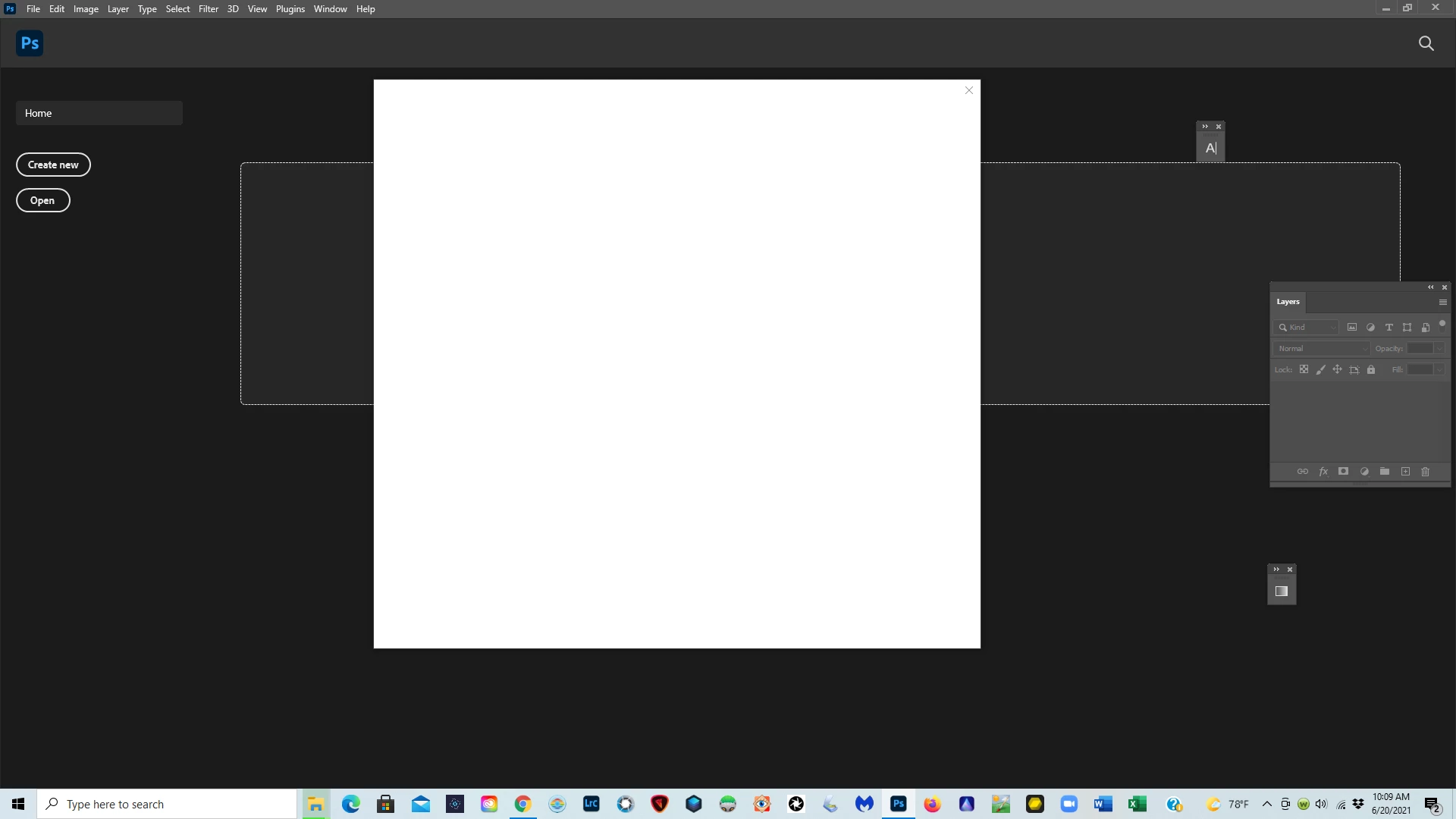
When I open Photoshop or Lightroom Classic I am getting a white screen.  When I close the white screen, Photoshop and Lightroom close.  I have attached a screen shot that shows what I am seeing.  Can anyone help me with this?


Thanks
{Edited the thread title}

This topic has been closed for replies.
Correct answer dont61379783
Thanks, but I was able to chat with someone from Adobe and he logged on to my system and took care of the problem.

2 replies

TheDigitalDog
Inspiring
June 21, 2021

Maybe try this :  Go to Preferences >Technology Previews and check Deactivate Native Canvas. Then quit and restart Photoshop; any better? 

Author “Color Management for Photographers" & "Photoshop CC Color Management/pluralsight"
dont61379783
dont61379783AuthorCorrect answer
Participant
June 21, 2021
Thanks, but I was able to chat with someone from Adobe and he logged on to my system and took care of the problem.
PECourtejoie
Community Expert
Community Expert
September 5, 2022

Can you share what exactly did the support executive do to fix the white screen? I am having this problem after the recent update. I appreciate any help.


Hi, try this help document: https://helpx.adobe.com/uk/creative-cloud/kb/fix-blank-white-screen-sign-in.html

Akash Sharma
Legend
June 21, 2021

Hi there,


Sorry that Photoshop on your computer running Windows OS loads a white screen and a blank interface.


Would you mind checking out the steps mentioned in this article https://helpx.adobe.com/photoshop/kb/troubleshoot-home-screen-issues.html and let us know if that helps?


Also, try restoring the app preferences to default, see: https://helpx.adobe.com/photoshop/using/preferences.html#reset_preferences 


Also, please check that you are using the latest version of Photoshop v 21.2.4 & Lightroom 10.3 from the Creative Cloud desktop app. See https://helpx.adobe.com/photoshop/kb/uptodate.html


Thanks,

Akash