bartonlew
Legend
September 23, 2018
Answered

white space versus transparency

  • September 23, 2018
  • 2 replies
  • 782 views

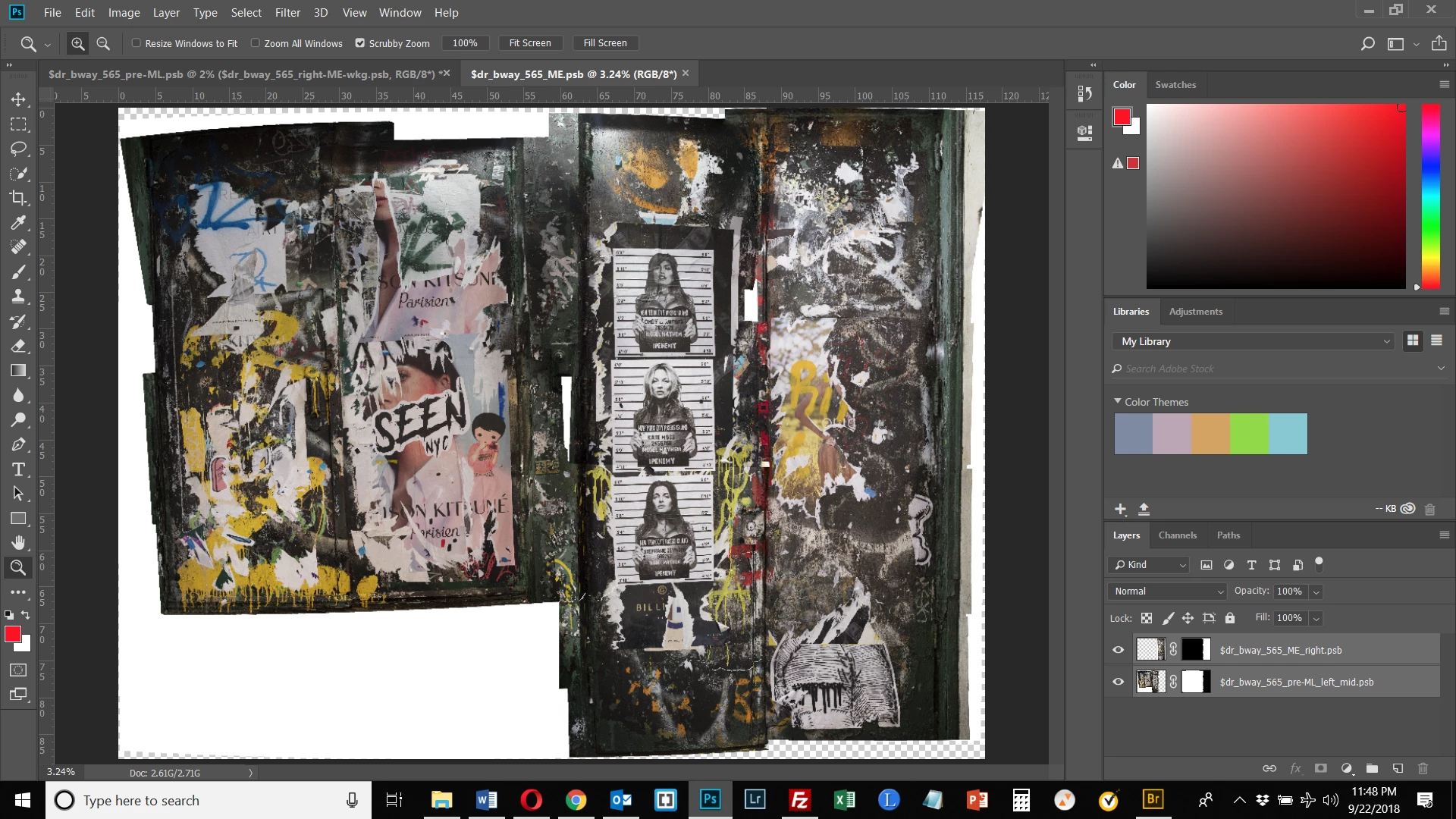
In the image below, there is white space around parts of it and transparency (checkerboard) around others.  What is the difference between the two?  Can I just fill in these areas in the same fashion (e.g. spot healing brush, adding additional selections from layers etc.)?  Many thanks.
This topic has been closed for replies.
Correct answer Theresa J

Transparency means absense of any pixel information. White means white pixels. This matters a lot when you are doing composites. If you place an image or graphic on a layer below, you will see through to the lower layer where there is transparency, but not where there is white.

Think of transparency as a piece of glass, or plastic Mylar. Think of white as paper. Put several sheets of paper in a stack and you will only see the sheet on the top.

This isn’t going to make a lot of sense until you start working with multiple layers.

2 replies

JJMack
Community Expert
Community Expert
September 23, 2018

The white area has 100% opacity white pixels the transparent area has no pixels the area is empty

JJMack
Theresa J
Community Expert
Theresa JCommunity ExpertCorrect answer
Community Expert
September 23, 2018

Transparency means absense of any pixel information. White means white pixels. This matters a lot when you are doing composites. If you place an image or graphic on a layer below, you will see through to the lower layer where there is transparency, but not where there is white.

Think of transparency as a piece of glass, or plastic Mylar. Think of white as paper. Put several sheets of paper in a stack and you will only see the sheet on the top.

This isn’t going to make a lot of sense until you start working with multiple layers.

bartonlew
bartonlewAuthor
Legend
September 23, 2018

Thanks. This is a totally concept for me.  I thought adding a Layer to something meant blocking out what is underneath.  You said "If you place an image or graphic on a layer below, you will see through to the lower layer where there is transparency, but not where there is white."  Can you illustrate this?  I am having a hard time visualizing it.  Thank you.

Theresa J
Community Expert
Community Expert
September 23, 2018

Do you know how to make a new layer? Do you know how to fill it with a color, or paint on it with a brush?

When you create a layer it will be completely transparent. It will sit on top of the current contents of your document, but it won’t change anything because it’s clear. Paint or draw something on the layer, and wherever you put pixels, you won’t see the contents below. Try it with white.