Inspiring
January 8, 2021
Answered

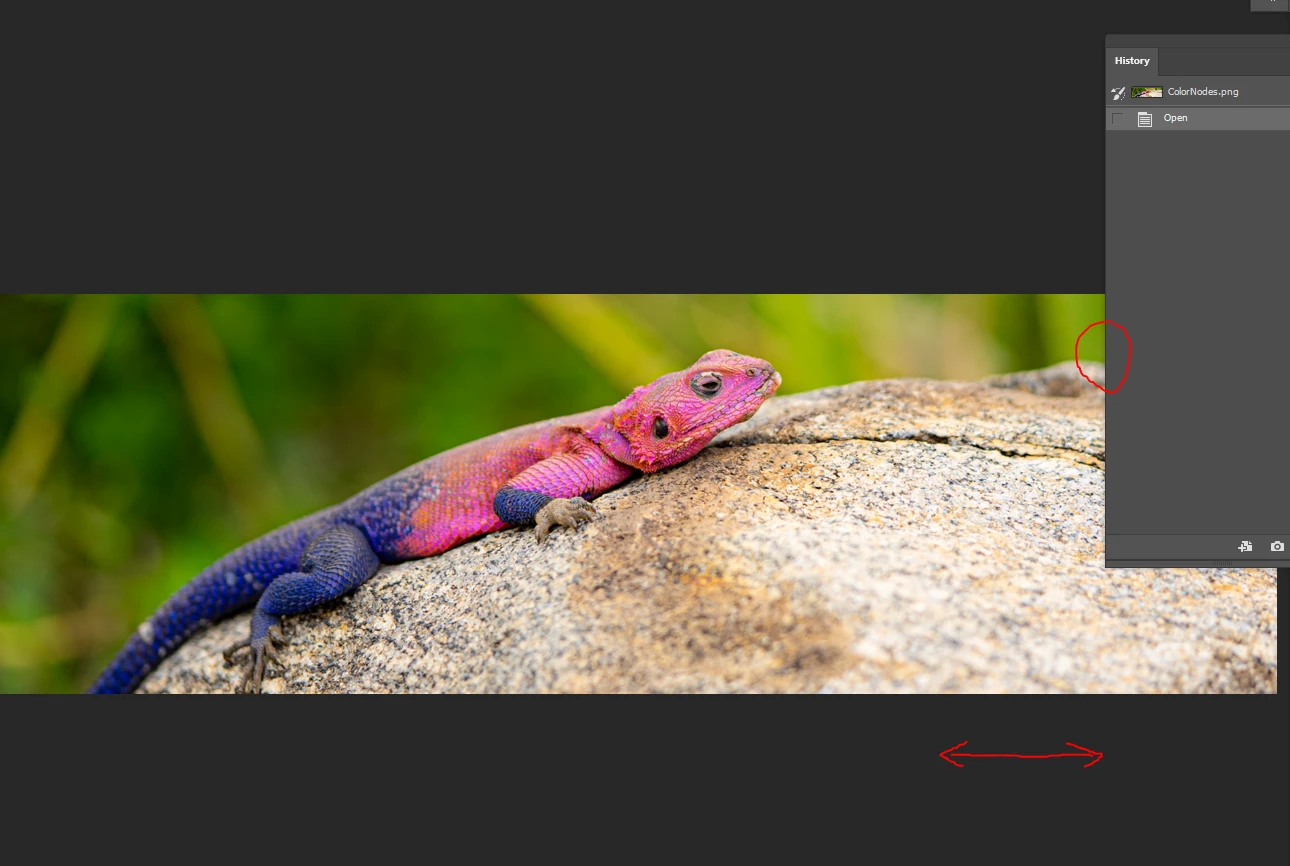
Why can't I side-scroll when my image is smaller than the screen
  • January 8, 2021
  • 2 replies
  • 667 views

I want to paint something in the area where a panel is. I have to zoom in like crazy in order to even move the image, so I can see the sides. I should mention, I don't like floating image windows.

Krita, GIMP and others can do this, no problems btw.
This topic has been closed for replies.
Correct answer Per Berntsen

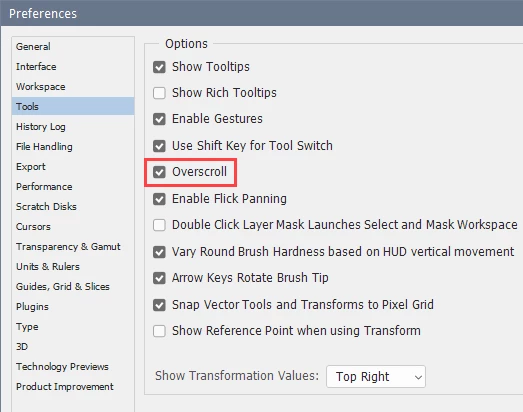
Go to Preferences > Tools, and check Overscroll.

You can also press Tab to hide the panels.


2 replies

JJMack
Community Expert
Community Expert
January 8, 2021

If you dock your histoty panel it will not be over your image . However your imags screen area will be smaler.

setup you workspace the ways you want and save your own workspace.

JJMack
Inspiring
January 8, 2021

Yes, but it's the same as floating tabs for each images. I don't have to disable all my tool so I can check smth. on the image and then re-enable them. Thanks anyways, but @Per Berntsen nailed it.

Per Berntsen
Community Expert
Per BerntsenCommunity ExpertCorrect answer
Community Expert
January 8, 2021

Go to Preferences > Tools, and check Overscroll.

You can also press Tab to hide the panels.


Inspiring
January 8, 2021

Thank you, that's exactly what I wanted. Still not sure why it's not the default.