Participant
December 20, 2017
Question

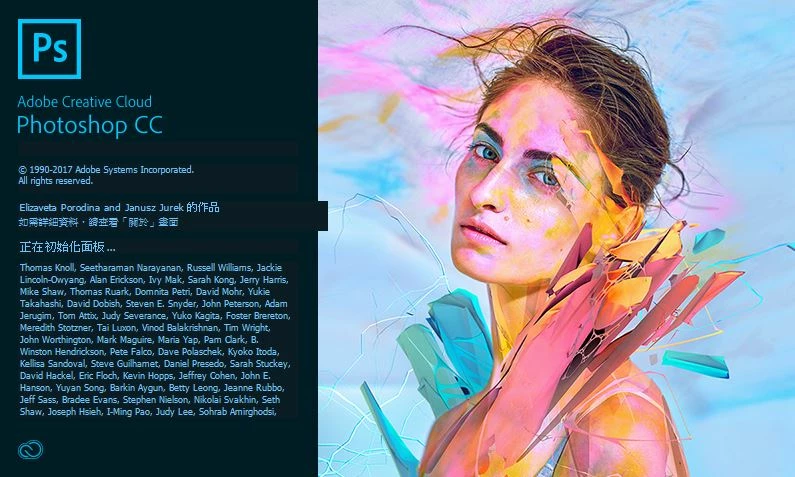
Why can't I start to use my photoshop?

  • December 20, 2017
  • 3 replies
  • 486 views

Why can't I start to use my Photoshop?

It' always at this screens! Almost an hour!

Is there any reason or advice to solve it?
    This topic has been closed for replies.

    3 replies

    KShinabery212
    Community Expert
    Community Expert
    December 21, 2017

    Interesting.....  can you provide more info about your device....

    Not just the model... but how old it is and how much memory you have left.

    I am sure this has to be frustrating and trust me I would freak out if it happened to me... so I feel your pain!

    If your device is older you might have to install one of the older versions of Photoshop.  I know that sucks to hear, but I know on my old Mac I can not run any of the new stuff.  Luckily I have a Wacom Cintiq Companion 2, so everything runs fine on it.  But if it is an old computer then that could be the issue.

    Let's connect on LinkedIn. https://www.linkedin.com/in/kshinabery/
    Abambo
    Community Expert
    Community Expert
    December 21, 2017

    Windows is more permissible on this point then MacOS.

    ABAMBO | Hard- and Software Engineer | Photographer
    Per Berntsen
    Community Expert
    Community Expert
    December 20, 2017

    If you can provide an English translation of the text circled in red, that might give us a clue to what is preventing Photoshop from launching.

    Participant
    December 21, 2017

    English version.

    Derek Cross
    Community Expert
    Community Expert
    December 20, 2017

    Which operating system?

    Try resetting your Photoshop preferences:

    Close Photoshop. Then hold down Ctrl + Alt + Shift (Windows) or Cmd + Ctrl + Opt + Shift (Mac), and relaunch InDesign. Respond in the affirmative to the dialog asking if you really want to replace the preferences.

    Participant
    December 21, 2017

    My system is Window10.

    After I updated my Win10 system to version 1709, I could't open my Photoshop.

    Derek Cross
    Community Expert
    Community Expert
    December 21, 2017

    Uninstall Photoshop CC2017 or CC2018 using the drop-down menu in the Creative Cloud app (see screen shot below), then reinstall Photoshop. If that doesn't sort it out, uninstall Photoshop again and run Adobe Cleaner before reinstalling Photoshop Use the Creative Cloud Cleaner Tool to solve installation problems
