Answered
Why Color Replacement tool isn't available?
Image Mode = RGB
Workspace = Photography.
Adobe Photoshop Version: 2017.1.1 20170425.r.252 2017/04/25:23:00:00 CL 1113967 x64
Version: 10 or greater
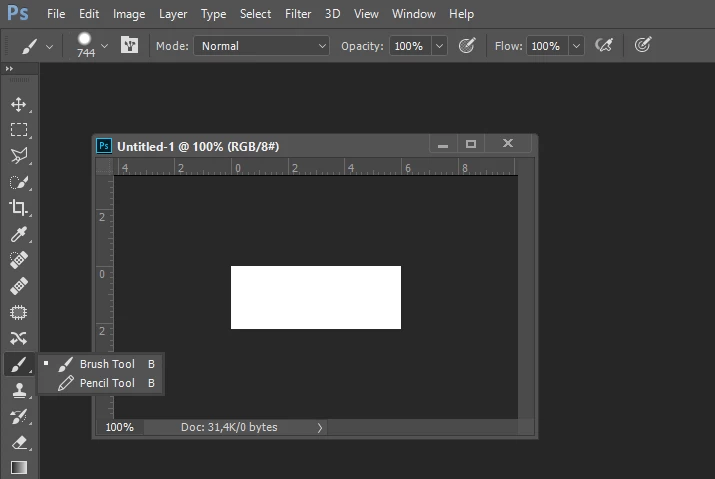
Many thanks.

Image Mode = RGB
Workspace = Photography.
Adobe Photoshop Version: 2017.1.1 20170425.r.252 2017/04/25:23:00:00 CL 1113967 x64
Version: 10 or greater
Many thanks.
Use the »Edit Toolbar«-button (three squares) to raise the dialog and see if the tool has been hidden.
Already have an account? Login
Enter your E-mail address. We'll send you an e-mail with instructions to reset your password.
 AdChoices