
Participating Frequently
February 23, 2023
Answered

Why does my polygon have a white stroke even though stroke is blank?

  • February 23, 2023
  • 1 reply
  • 2498 views

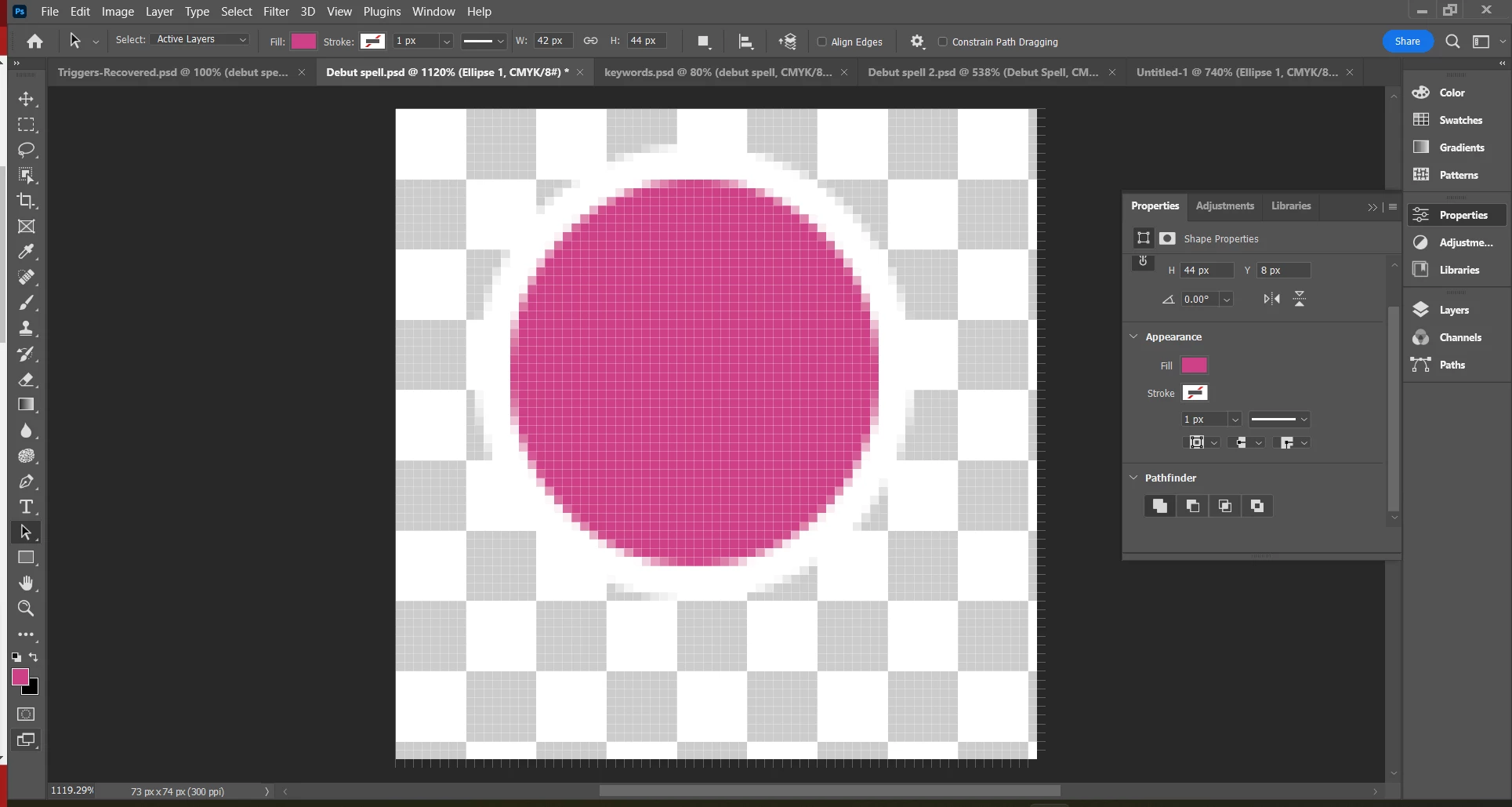
I just created this circle using the polygon tool. The fill is magenta and the stroke is blank, but for some reason there's a white stroke around the circle. Where could this be coming from? How do I get rid of it?
This topic has been closed for replies.
Correct answer Bojan Živković11378569

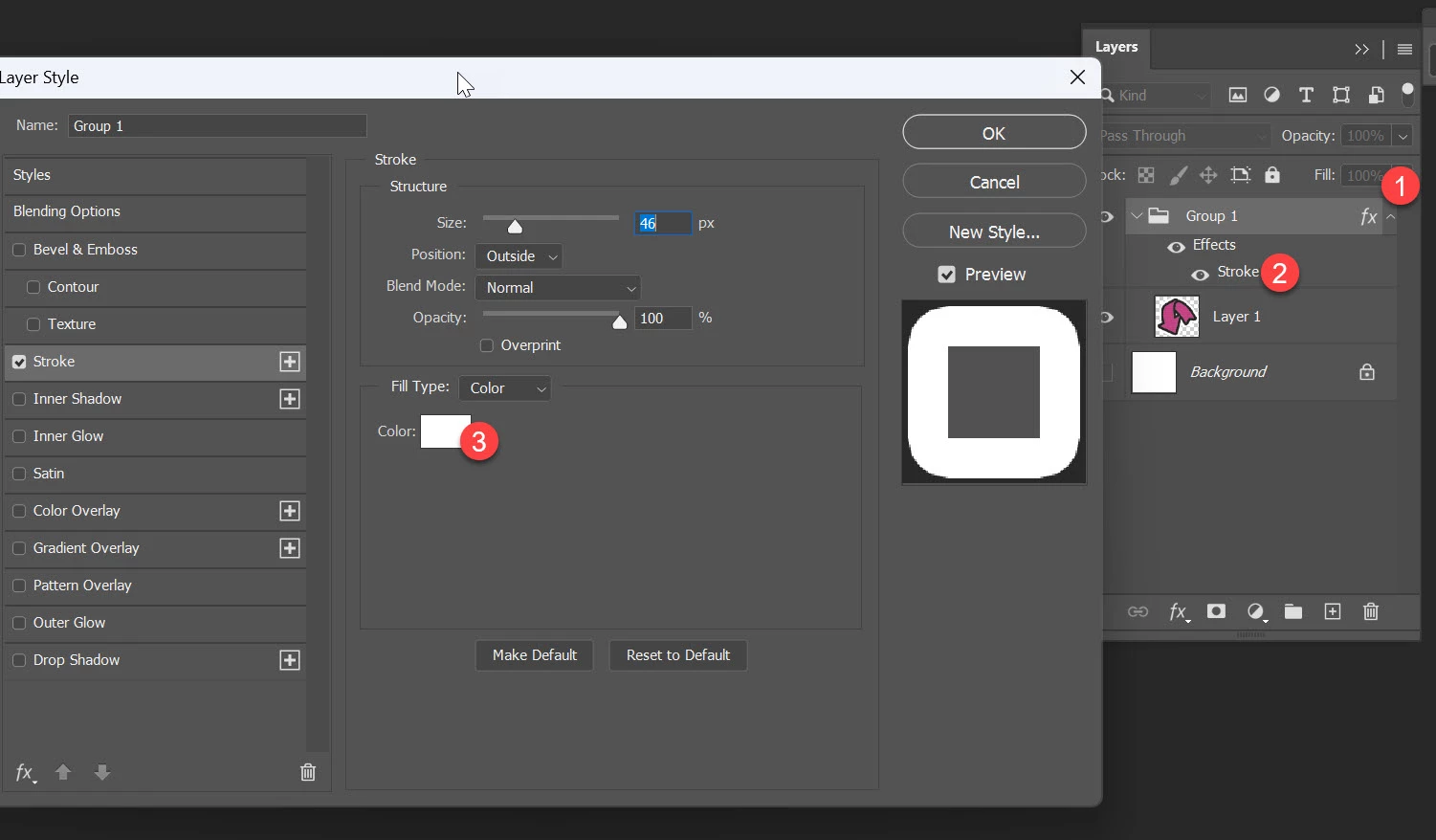
It seems there is Stroke probably applied to group not to shape layer. Do you see that fx on the righ side of Debut Spell layer group? That indicates that layer effect is applied to group. Click on triangle on the right side of fx to expand and see Stroke layer effect. Double click on Stroke and change color, if you have problem post screenshot after double clicking on Stroke.

1 reply

Bojan Živković11378569
Community Expert
Community Expert
February 23, 2023

Do you have applied Stroke effect from Layer Style dialogue? To ensure expand Layers panel and see if Effects > Stroke appears beneath shape layer. Otherwise reset preferences Preferences in Photoshop (adobe.com)

By the way, how many sides you enter for Polygon to get perfect circle?

Participating Frequently
February 23, 2023

Nope. I did try looking at that.

I did discover something which is that if I put a fill color behind it, the "white" border doesn't show up against it. The trouble is that the white border does show up when I import this file into InDesign.