
ChrisGander
Participant
July 19, 2021
Answered

Why does Photoshop change the resolution from 120 to 72 when saving?

  • July 19, 2021
  • 1 reply
  • 1232 views

I'm trying to create signs for a client who has a TV screen that can only display images in 2500x5670 pixels at 120 resolution. If I supply an image that is 72 resolution, it doesn't work.


I create a new template in Photoshop at the right settings, with 120 set as resolution, but then when I save the image as a JPG... the end result is an image with 72 and it doesn't work.


I've tried to alter all the settings - turning resampling off, no optimisaton, 100% quality and so on - nothing seems to work.


Help?
This topic has been closed for replies.
Correct answer J E L

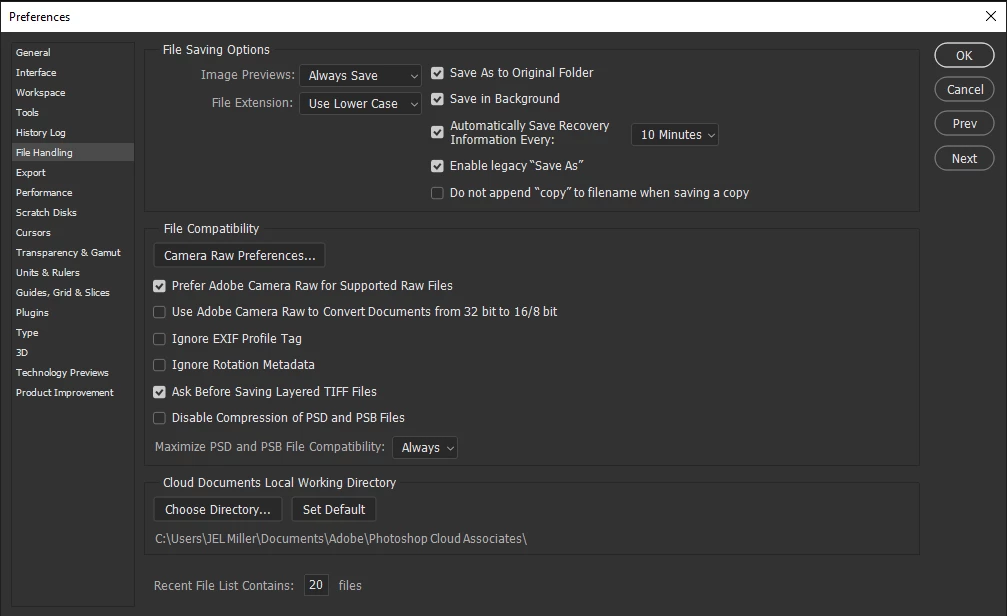
Also check your file handling options. Mine look like this:


1 reply

J E L
Community Expert
Community Expert
July 19, 2021

Hmm. It's working properly for me. I created a new document with 120 resolution. Added something to it. Saved it as a jpg. Opened the jpg and the resolution remains at 120. Are you saving to the same jpg type as seen here? What do your jpg options look like?


ChrisGander
Participant
July 19, 2021

Thanks Jain - see attached. Still changes from 120 to 72 upon save.

J E L
Community Expert
Community Expert
July 19, 2021

Ah! You are using "save for web" and that will totally change your resolution back to 72. Use the save as instead.