PlanetsFutureNow
Participating Frequently
February 22, 2018
Answered

Why does Ps open in such a strange way for me, with no work area, no options?

  • February 22, 2018
  • 2 replies
  • 924 views

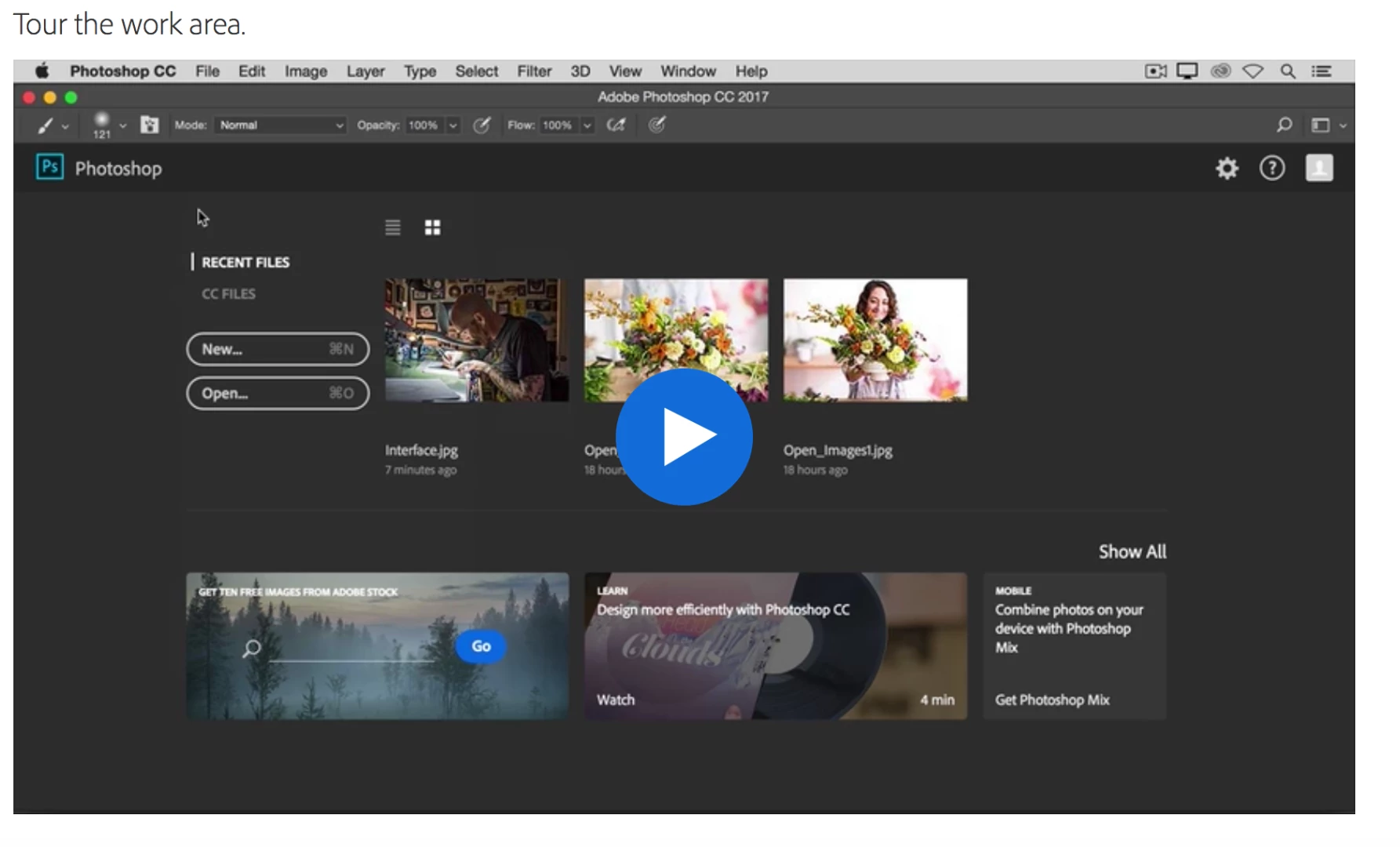
When I start Photoshop, I do not get the Work Area I see in the tutorials.

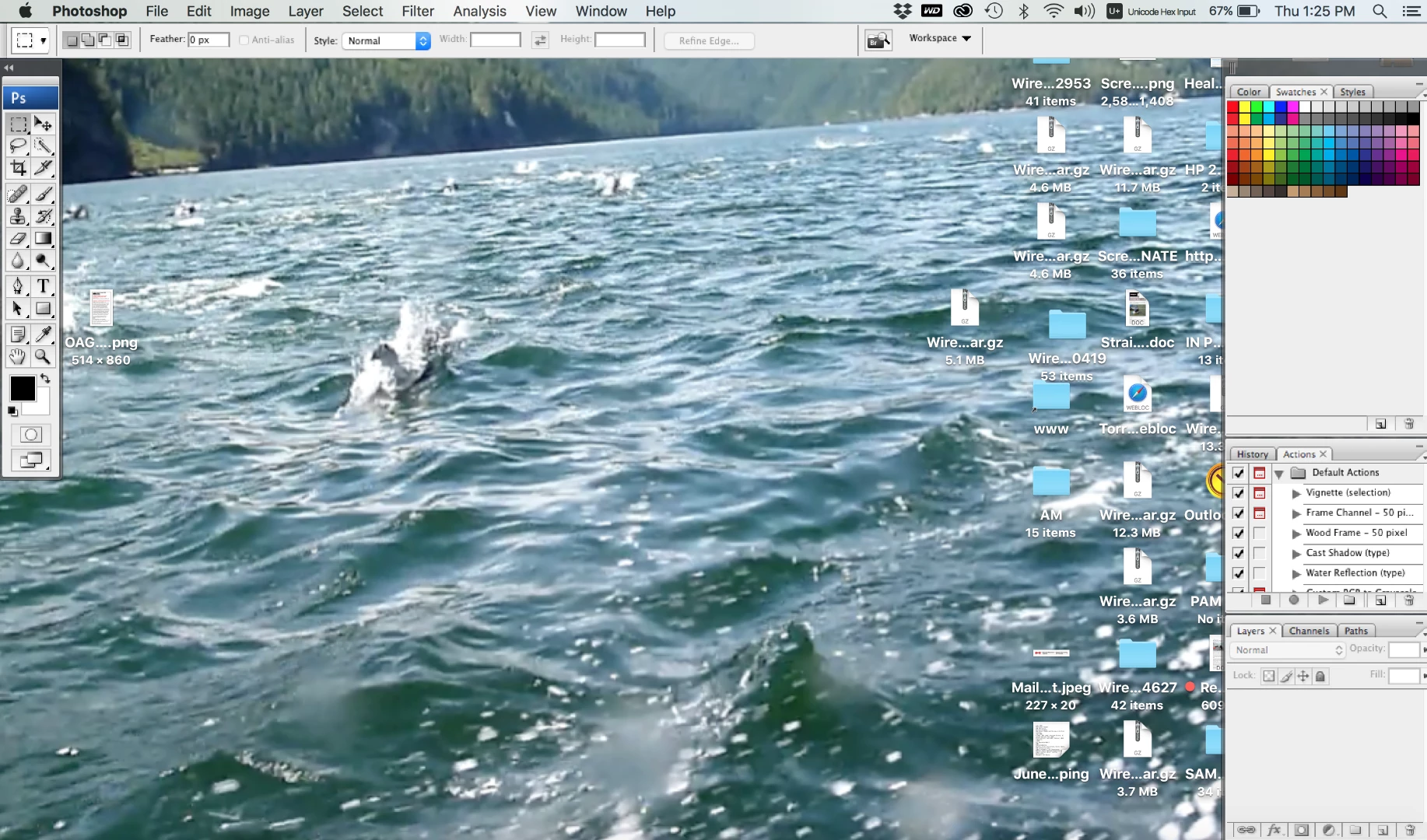
Instead, I get a menu along the top and along the left side, sometimes down the right side as well, with whatever is on my desktop the central area. What is going on? How can I get to the work space, or even the template options on Ps?

My Work Area shows up like this, with my desktop always visible:   Why can't I get the work area shown in most tutorials?
Thank you, SW

    This topic has been closed for replies.
    Correct answer Norman Sanders

    The Application Frame option was introduced in a later version (CS4).

    A workaround worth trying would be to choose the Mac System Preferences > Desktop and Screen Saver and choose a flat gray tone rather than an illustration

    2 replies

    Norman Sanders
    Legend
    February 22, 2018

    What version of PS are you using? What Mac or PC?

    PlanetsFutureNow
    Participating Frequently
    February 22, 2018

    Norman Sanders
    Norman SandersCorrect answer
    Legend
    February 22, 2018

    The Application Frame option was introduced in a later version (CS4).

    A workaround worth trying would be to choose the Mac System Preferences > Desktop and Screen Saver and choose a flat gray tone rather than an illustration

    Norman Sanders
    Legend
    February 22, 2018

    Choose Window and down at the bottom of the list, make sure Application Frame is checked.

    Does that solve the problem?

    PlanetsFutureNow
    Participating Frequently
    February 22, 2018

    Thank you Norman.

    Choose Window menu:

    This is the Window for Legacy Workspace... in the Basic Workspace... only Options and Tools are open... but no change to my workspace.

    Default Workspace Window is a bit different, but no change to my problem.

      The Change Screen mode at the bottom left adds a grey border on both sides, but not in the middle.