


Why does the gradient tool black out EVERYTHING instead of a gradient
Well another pesky wall of inexplicable behaviour of Photoshop has just hit me smack in the face.
Learning via an online tutorial, I was introduced to the gradient tool.
Now, in the tutorial the mask was selected and then the gradient tool, and a perpendicular line was drawn across the photograph as you can see in the attached below.
Problem is, when I do the exact same maneouver, I get completely different and frankly inexplicable results.
The "gradient" tool, as the name implies, hopefully, has the sense to generate a gradient - which is the case in the tutorial. Seemed simple enough.
Funnily, when I do it Photoshop completely ignores whatever angle, length I draw the line and wants to black everything out. Covers the whole photograph with a black mask and if my eyes aren't deceiving me, I wouldn't call this a "gradient"
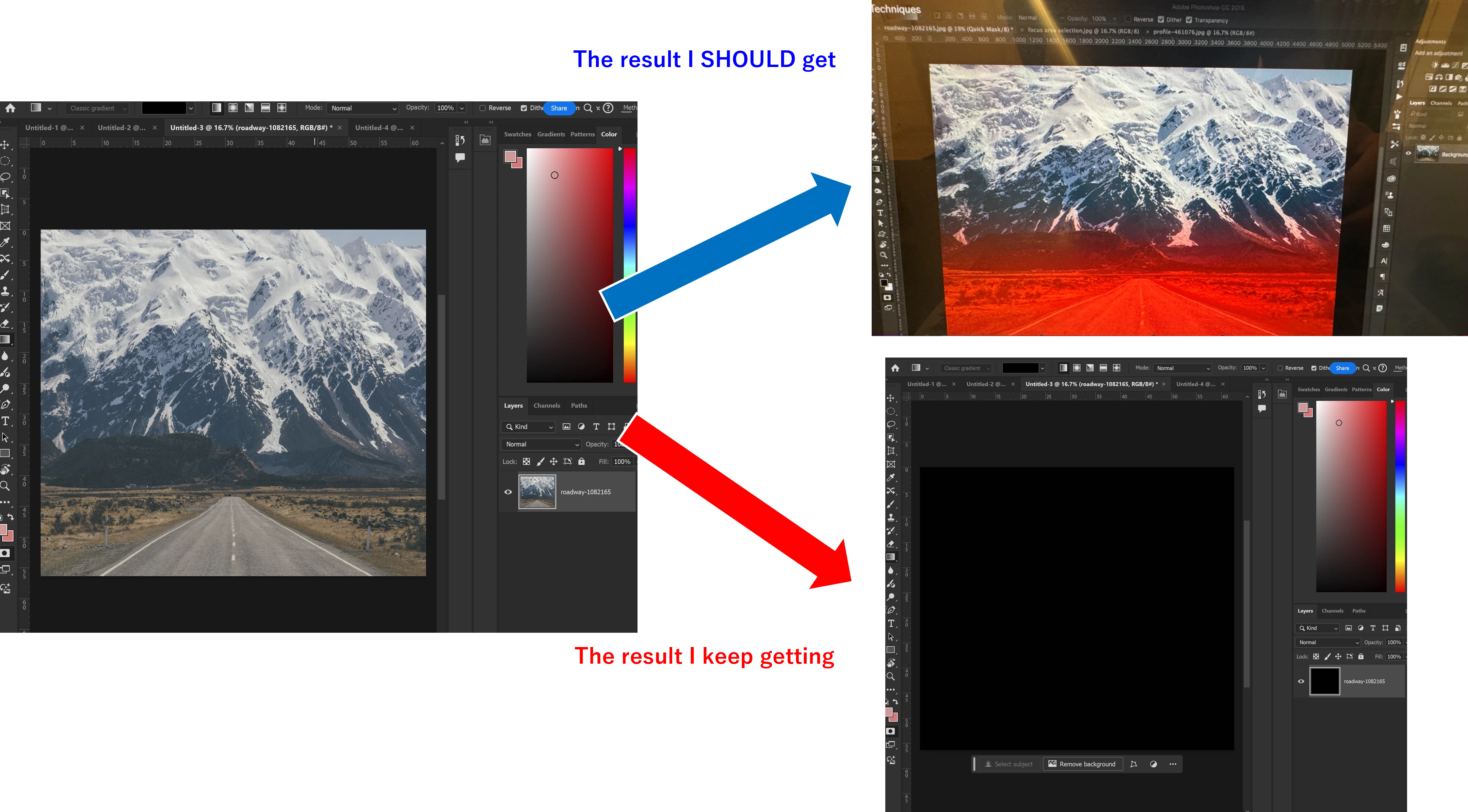
Left is the photograph both the tutorial and I start with, and the result from the tutorial is above (gradient highlighted in red to transparent) and my results are below (completed ruins the photograph and blacks out)
And I frankly hope people would agree it's not a gradient.
Well I have zero idea what on Earth other toggles, cables, switches, conditions and buttons I need to press to make the gradient tool function, aside from well, selecting the tool and using it.
Does the gradient tool come with a default "no-gradient" option? Do I have to further tell how to gradient to the gradient tool? I am very much lost as always....if there's any information I can refer to, it would be tremendously helpful...
 AdChoices