Answered
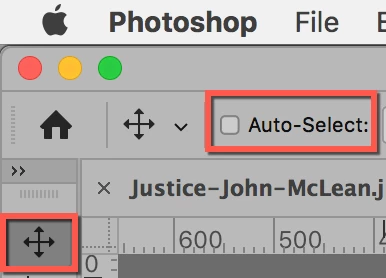
Why does the layer switch when using move tool?
I'm used to CS3 so switching to 2020 has been a learning cerve!
It used to be the case that I could click on a layer and move it around with the Move Tool.
Now it seems that the layer will switch to whatever the cursour is touching (usually the top layer) as if photoshop assumes this is the layer I want to move.
As a work-around, I've been switching the layer that I want to move to the top, move-tooling it to where I want it, then retuning it to the place in the layers where it origianally was.
There must be a way of disabling this function!
Any help would be appreciated.
 AdChoices