Question
Why doesn't light 3D text like in the video
Hello, Guys !
Could you tell me why doesn't it work like in the video (https://www.youtube.com/watch?v=IzMYiUZ_Y8A&feature=share&google_abuse=GOOGLE_ABUSE_EXEMPTION%3DID%3D63d2ca028b9e300b:TM%3D1603869168:C%3Dr:IP%3D51.83.141.81-:S%3DAPGng0uIKmRNvs3ZKgI060IqgQAc-110QA%3B+path%3D/%3B+domain%3Dgoogle.com%3B+expires%3DWed,+28-Oct-2020+10:12:48+GMT)?
My result 
And result like in video: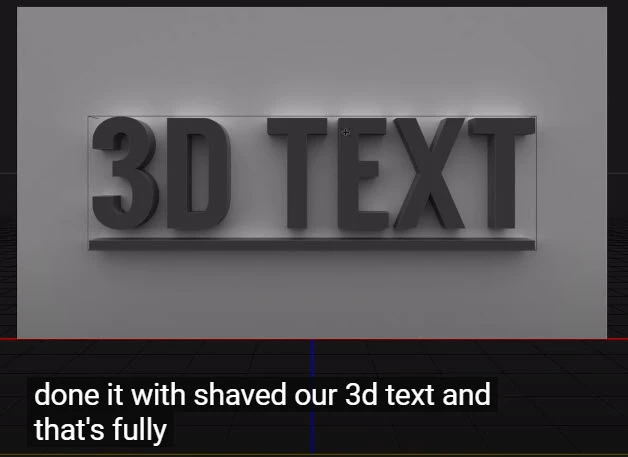
In the video, here it is brighter and the reflection from the letters on the background goes.
And there is no darkness in the center.
 AdChoices