cyzf13556743
Participant
December 5, 2019
Question

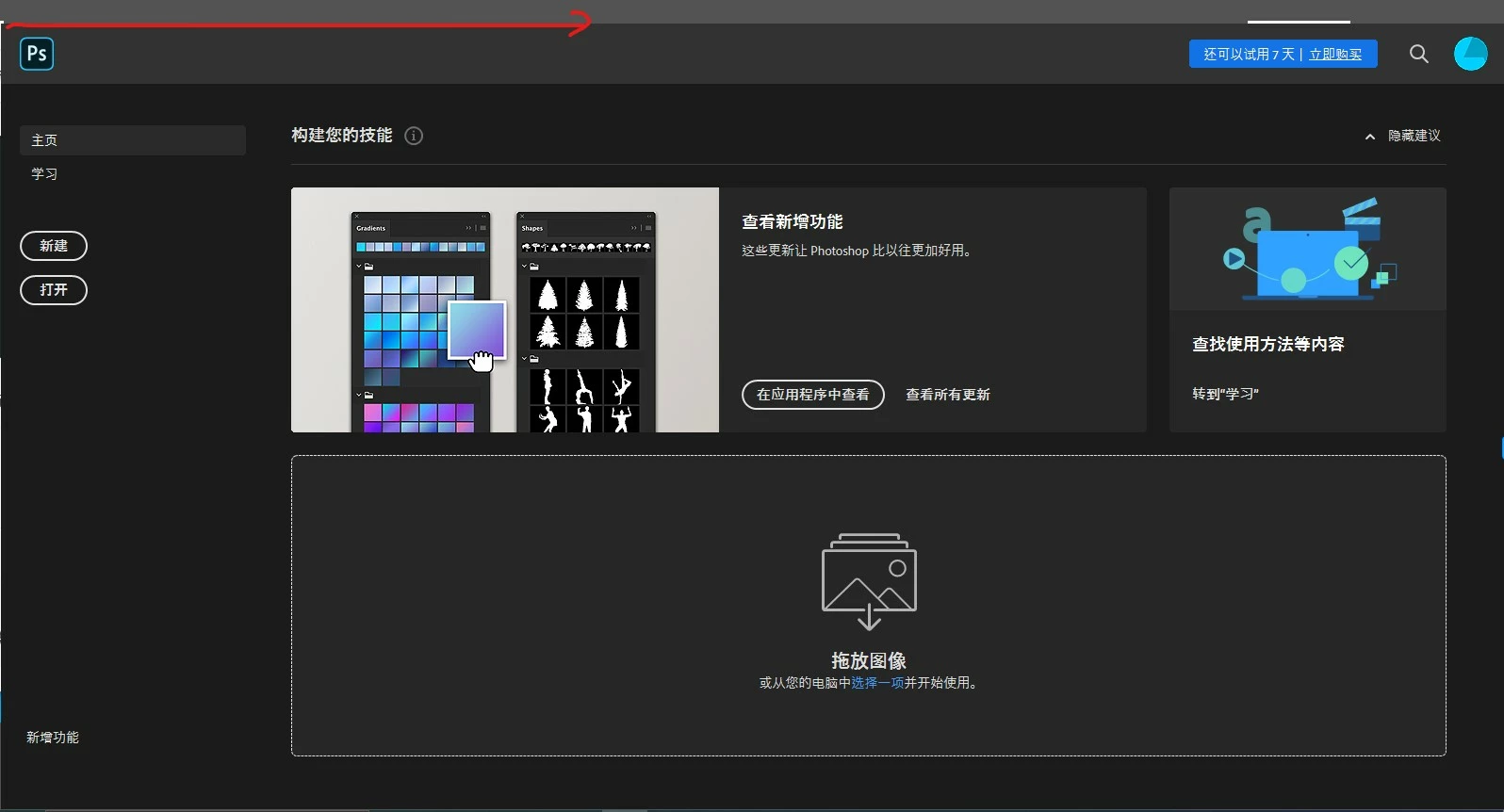
Why doesn't the menu bar of photoshop 2020 display?
  • December 5, 2019
  • 3 replies
  • 672 views


[Moving from generic Start/Help forum to the specific Program forum... Mod]
[To find a forum for your program please start at https://community.adobe.com/]

This topic has been closed for replies.

3 replies

Semaphoric
Community Expert
Community Expert
December 5, 2019

If you are running Windows, check to see if you have more than one graphics adapter active, like one for the video card (likely Nvidea or AMD), and one for the motherboard on-board graphics (likely Intel). If so, de-activate the one for the on-board graphics.

michelew83603738
Community Expert
Community Expert
December 5, 2019

Are you saying that the options for the tool bar doesn't show (that is where you are indicating) or that the menu like File>New doesn's show? If the option bar isn't showing, it is because you don't have a file open. If it is the whole interface, did this just happen or did it happen when you installed? If when you installed, I would uninstall and re-install.

Bojan Živković11378569
Community Expert
Community Expert
December 5, 2019

Strange, I can not tell you what exactly is hiding menu bar but I can recommend to you to reset preferences. Backup or save any unsaved actions, brushes... before reseting preferences.