muhammadfaizan
Participating Frequently
November 29, 2017
Question

Why in Photoshop content not moving with Artboard?

  • November 29, 2017
  • 3 replies
  • 1710 views

Content move along with artboard when changing position by dragging with the mouse, but changing position from properties panel only moves the artboard, not content.
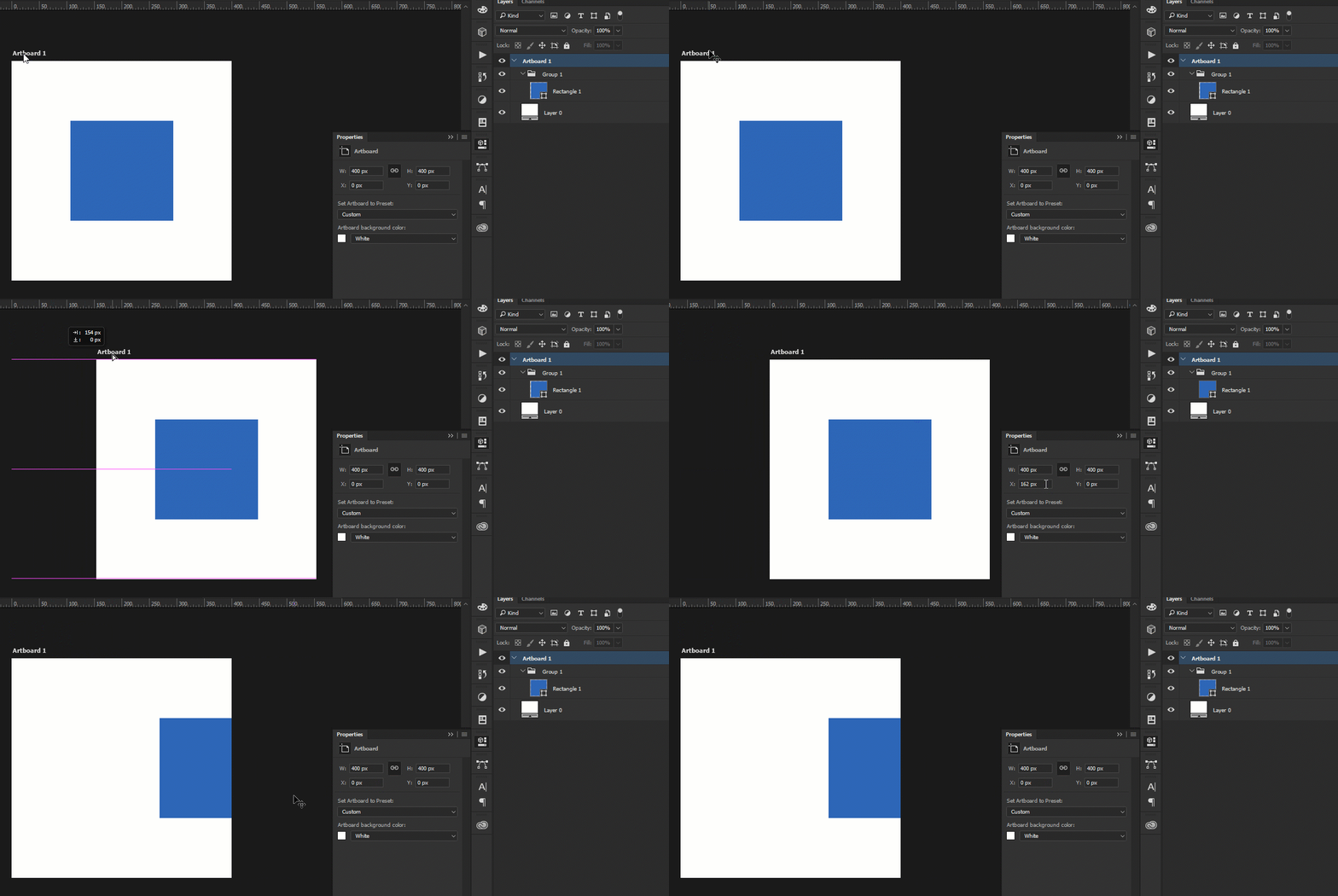

This topic has been closed for replies.

3 replies

10k Portraits
Inspiring
August 6, 2022

Uncheck 'Auto-select' check box and you can rearrange them.

10k Portraits
Inspiring
August 6, 2022


Participant
February 2, 2018

I just opened up a Photoshop file that heavily uses these artboards in photoshop and I'm having the same problem. I worked on this project 5 months ago and was able to adjust the X position value to move the board exactly where I want it. Now I can't do that since it'll only move the artboard and not bring the contents with it. Sure I can move the artboards with the move tool but it won't have the accuracy I loved with the X position value. It's extremely frustrating! Photoshop fix this please or give us a work around!

Inspiring
December 2, 2017

Having the same problem. Properties panel for Artboard is useless in terms of position — you can see artboard XY position, but changing doesn't affect artboard content.

muhammadfaizan
Participating Frequently
December 4, 2017

Really embarring, Photoshop is well-reputed software, none expects such silly issues from it.