
Why is my brush looking pixelated & dithered over transparent background?
This just started happening an hour ago and I'm pretty sure I must have done something to cause it, but for the life of me can't figure out how I did it. Can't seem to find a problem like this online either, all of them are usually solved by switching to the correct brush / changing blending mode.
Here's the gist: when drawing with a soft brush, or erasing with a soft eraser over a transparent background, the color appears to be distorted and edges pixelated. It looks just fine over a background, though.
Screenshot of the effect:
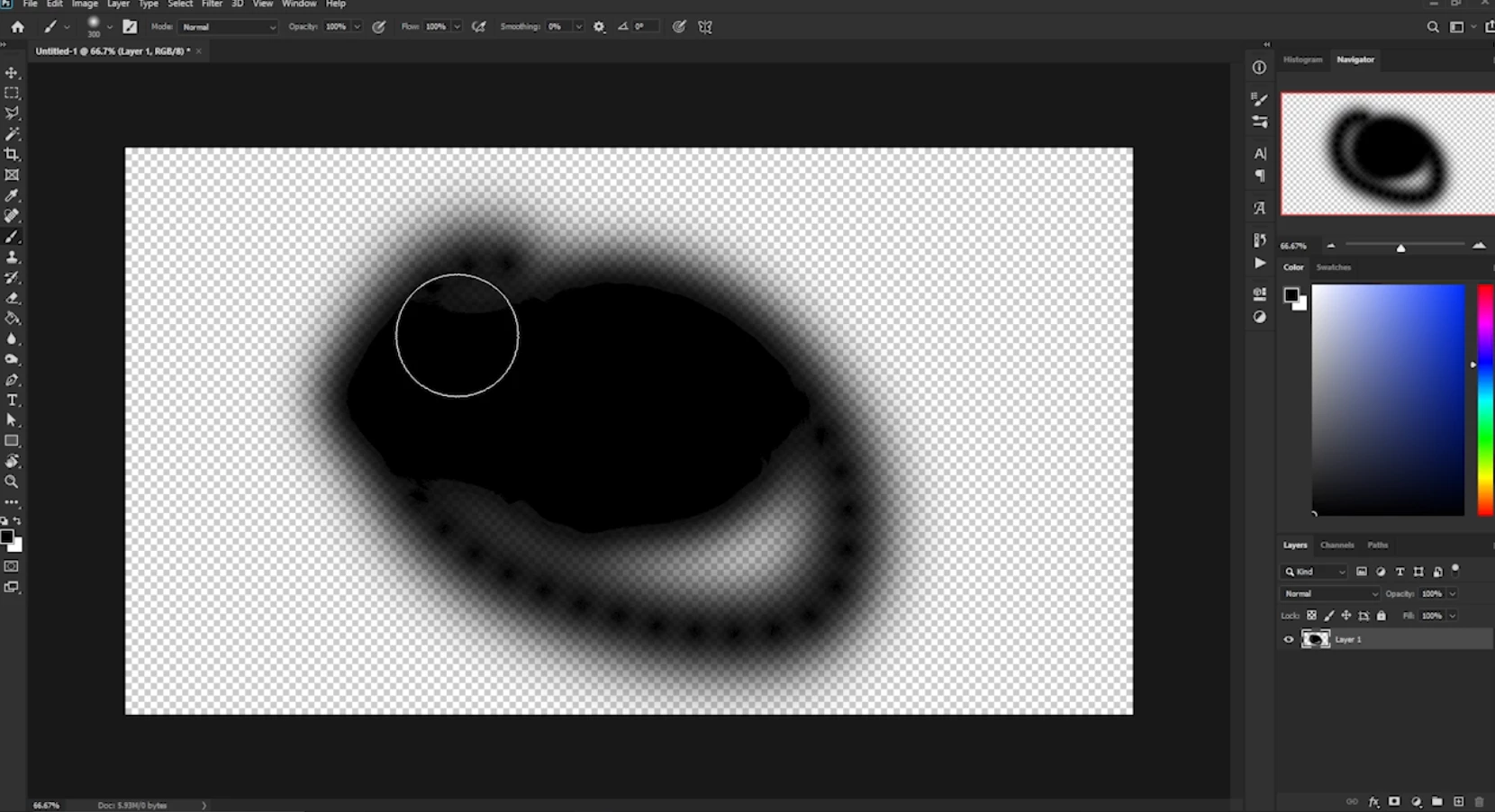
Video can be seen here.
Things I have tried: updated the drivers, checked & unchecked GPU acceleration, all to no avail, the issue persists. The files display fine in other programs, so it must be some view issue in Photoshop itself.
All help is greatly appreciated.


 AdChoices