


Participant
June 12, 2023
Question

Why is my photoshop file over 140MB when it is only one layer?

  • June 12, 2023
  • 3 replies
  • 1139 views

Hi, 


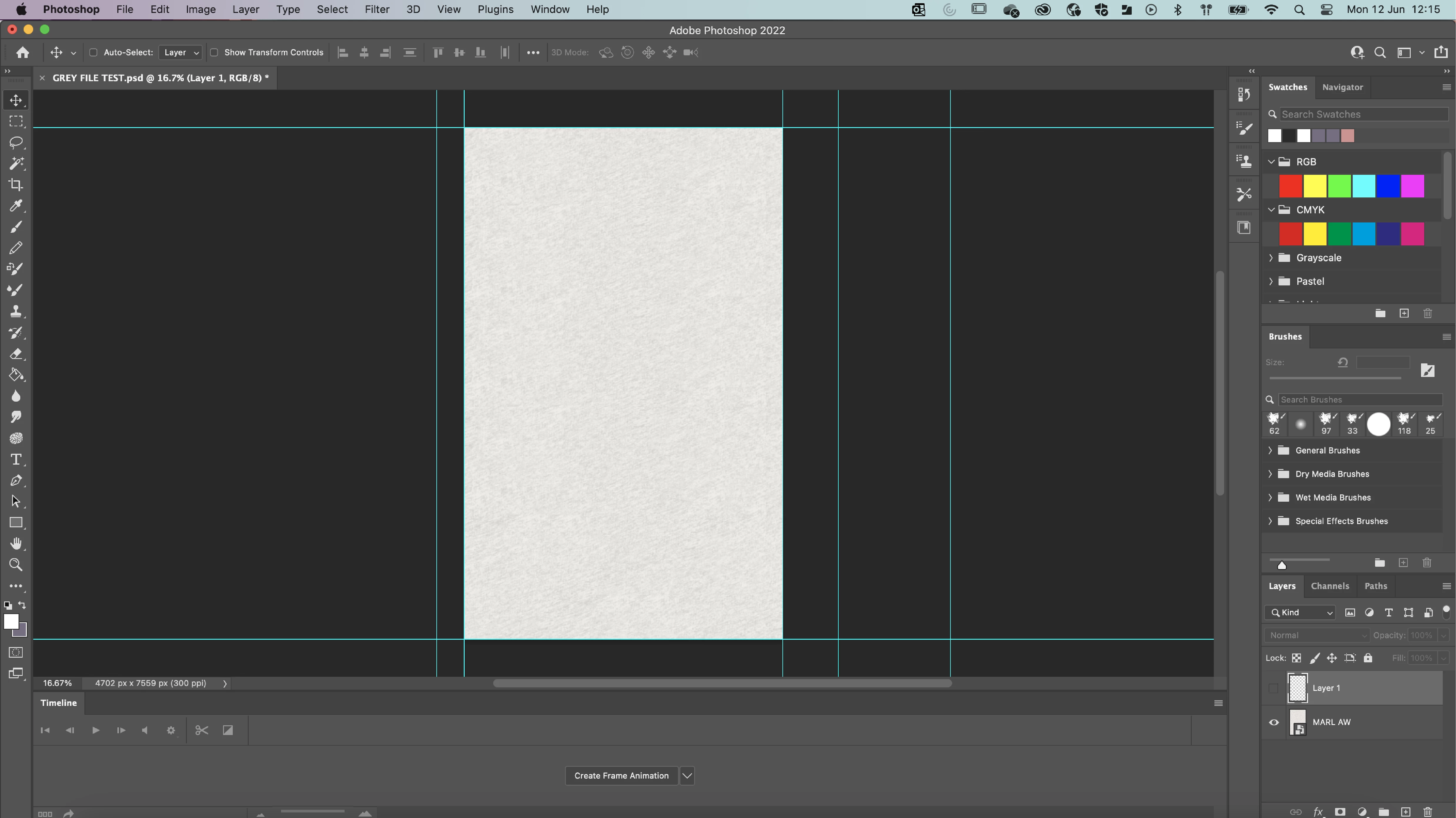
I am hoping someone can help with my query. I have a photoshop file that is 140MB. It only has 1 layer. The layer is a screenshot of grey marl. The screenshot that is the grey marl is 2MB. But once added to photoshop file and saved it is over 140MB. 


I can't figure out why the file size is so big! I know it is 300dpi but other PSD files with illustrations that are 300dpi and the same screen size are 100MB less in size. 


Please could someone advise why it is so large?


Thanks in advance!

Katy 
This topic has been closed for replies.

3 replies

Participant
June 12, 2023

Thanks everyone for your feedback! Is there a way to make the file smaller but keep it as a PSD and keep it to the same size? I have rasterized the marl so it is no longer a smart object but this only saved 2BG. 

Thanks!

Participant
June 12, 2023

Also, I have a follow up question. Why is this PSD doc 40MB when the page set up and DPI are the same as the PSD with just a MARL image on it?

D Fosse
Community Expert
Community Expert
June 12, 2023

There is nothing you can do about the base file size of an image at a given pixel size. That is given by pixel dimensions x bit depth x color channels. This just records the information in each pixel, and takes up so much space per pixel.


You can make the file smaller with compression. That doesn't reduce resolution, but encodes the data (the actual bits) in a more efficient way, throwing out redundant information.


There are different compression algorithms. Some of them are destructive, others not. PSD compression isn't very effective, but entirely non-destructive. The most effective compression of all is jpeg, but it tends to destroy the file permanently, a little bit with each new save. Jpeg compression can reduce file size on disk down to perhaps 1 -5 % (!) of native size.


The size gets bigger if you add properties to the file. Layers, smart objects etc, they all make the file bigger. Even a single floating layer produces a bigger file than a flattened one, because a lot of properties are recorded with a "null" value instead of just discarded.

D Fosse
Community Expert
Community Expert
June 12, 2023

EDIT: see above


Legend
June 12, 2023

The basic size of a single layer in this file is 101 MB or 106,627,254 bytes (4702 x 7559 x 3). That's not the size on disk, it's the number of bytes of memory needed to store an uncompressed layer. When saved, a PSD will contain a preview of the image - this size but compressed - and also since it's a smart object other things (maybe another copy, maybe not). Now, the PSD will have simple compression but the random image means that it will probably be bigger, not smaller, after compression. So, I'm not very surprised.

jane-e
Community Expert
Community Expert
June 12, 2023

@Katy3044697919pt 


The layer called "Marl AW" is a Smart Oject. A SO could potentially include many layers, effects, etc.


Jane


D Fosse
Community Expert
Community Expert
June 12, 2023

My first thought too, Jane, but a flat PSD at this size should in fact be around 100 MB. Plus smart object overhead (even if there isn't much in it).


But if the original is a screenshot, it could be that it opens with a ppi setting of 72 - and that's where the smart object gotcha comes in. A smart object will honor the physical print size given by the ppi number, which means that the original file could well be upsampled 4x.


Which goes to show how risky smart objects can be if you're not aware of this.


In any case, the final file size is correct. There is no evidence of anything wrong here.