
EBJ_Art
Participant
March 30, 2018
Answered

Why is the colour semi-transparent?

  • March 30, 2018
  • 1 reply
  • 560 views

Hello

I'm using Photoshop CS6

So right now I'm making a drawing and everything was going great.

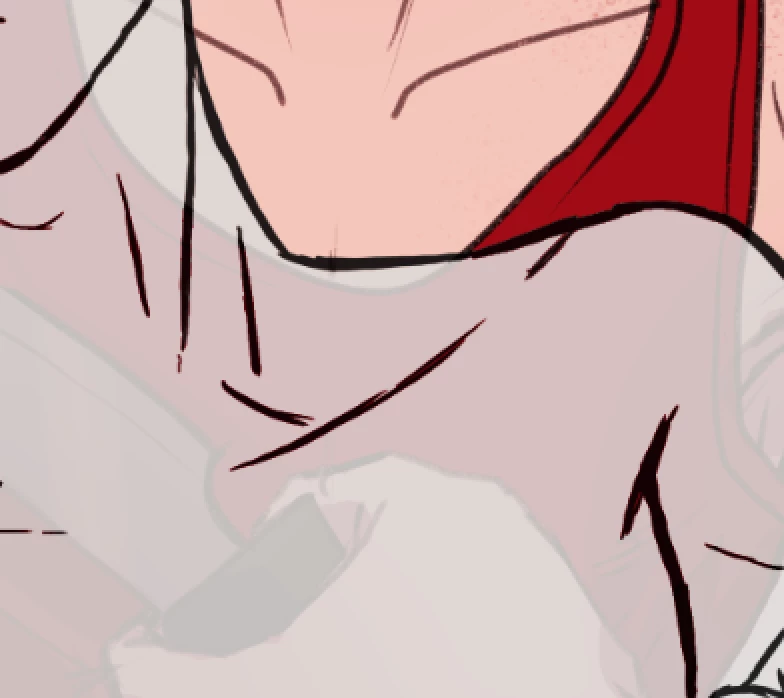
And then I want to make a base colour and I do that with the paint bucket tool, then I turn on the layer under, and the colour I've just made is semi-transparent.

Every colour I try to put over the person behind gets semi-transparent, and I don't know how to fix it. The layer is on full opacity and the opacity of the brush is on 100% too.

Anyone who could tell me how I can fix it??? If it isn't clear, I'm a beginner and really bad at using photoshop.

Here is a pic of what I'm talking about:
Regards

Emilie

This topic has been closed for replies.
Correct answer davescm

It looks like that layer is part of a group. Scroll up and click the group folder. Is the opacity and fill of the group 100% ?

Dave

1 reply

davescm
Community Expert
Community Expert
March 30, 2018

Can you show a screenshot that includes the layer panel with the affected layer selected.

You say the opacity ios 100% - also check the fill  and the blend mode of the layer

Dave

EBJ_Art
EBJ_ArtAuthor
Participant
March 30, 2018

Is this what you mean?

davescm
Community Expert
davescmCommunity ExpertCorrect answer
Community Expert
March 30, 2018

It looks like that layer is part of a group. Scroll up and click the group folder. Is the opacity and fill of the group 100% ?

Dave