Participant
November 24, 2022
Question

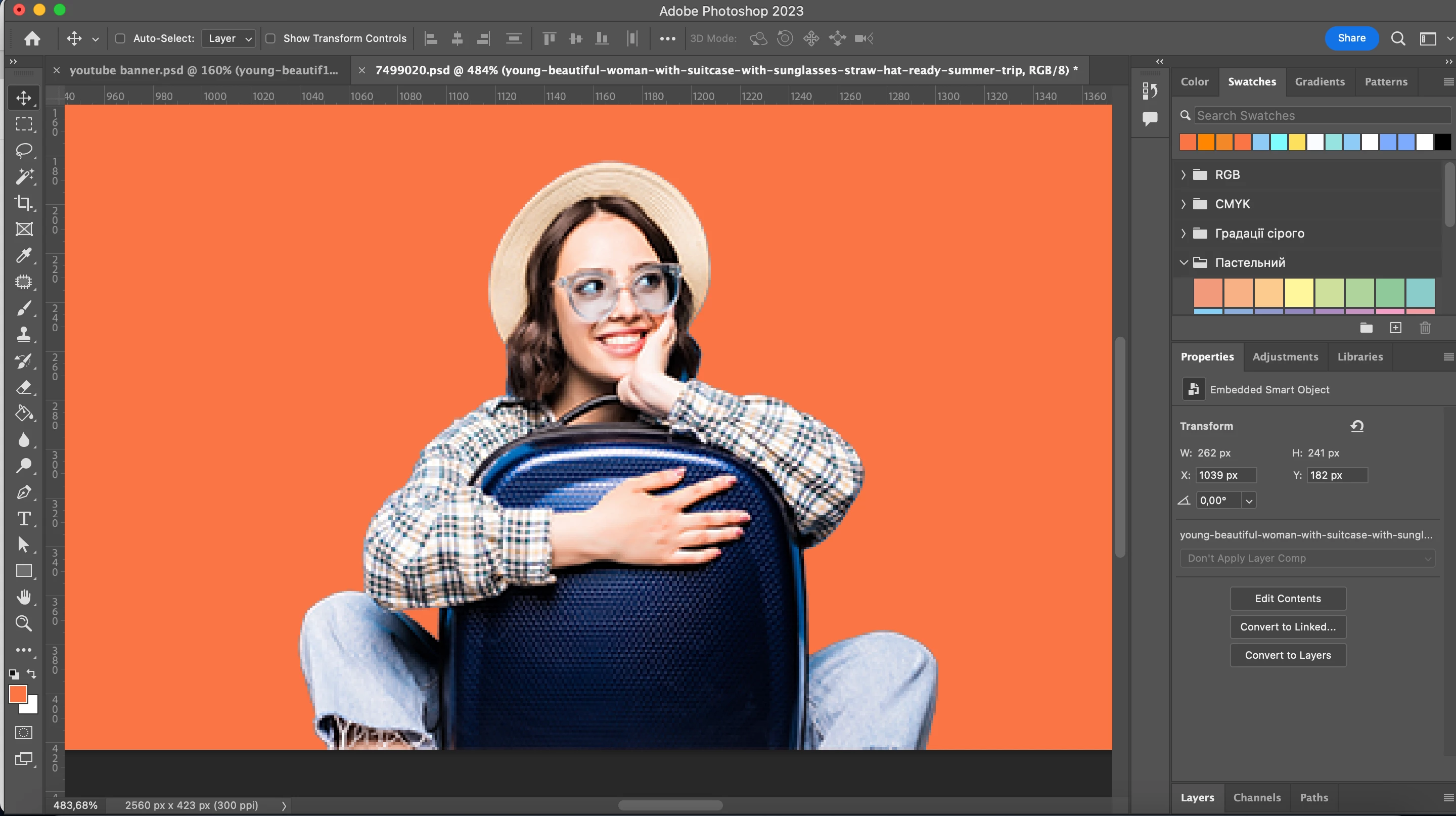
Why is the photo quality getting changed in Photoshop?

  • November 24, 2022
  • 4 replies
  • 989 views

Hi! 

Can anybody help me?

Why when I add a photo to photoshop it is of low quality? (as in the example)

The initial quality of the photo is high.

Thank you!
 

{Title edited by Moderator} 

This topic has been closed for replies.

4 replies

Simmer1
Community Expert
Community Expert
November 25, 2022

Hey,


Seems like this image has low resolution.


Here is a good link that breaks down images size and resolution: https://helpx.adobe.com/uk/photoshop/using/image-size-resolution.html 

TheDigitalDog
Inspiring
November 26, 2022
quote

Hey,


Seems like this image has low resolution.

By @Simmer1

2560x480, maybe, but what Olaf said is really the issue with the preview. And an odd zoom level too (483.68%). 

Author “Color Management for Photographers" & "Photoshop CC Color Management/pluralsight"
TheDigitalDog
Inspiring
November 25, 2022

What Olaf said. Plus double click on the Magnifier Glass icon (zoom tool) to view at 100%; should look fine.  

Author “Color Management for Photographers" & "Photoshop CC Color Management/pluralsight"
Olaf Giermann
Community Expert
Community Expert
November 25, 2022

You are looking at a small file at a zoom level of almost 500 % (see lower left corner of the window). That will always look pixelated. 😉

---------Adobe Community Expert: "Gewusst wie, spart Energie." 😉
Ranjisha Sengupta
Legend
November 25, 2022

Hi there,


Thanks for reaching out. What is the file size you're working with? I see the image is Zoomed in 484%; what is the resolution of the image? Does this happen with all the files? 


We're here to help, just need some info.

Thanks,

Ranjisha