
RichardL1967
Inspiring
August 12, 2021
Answered

Why is the smoothing box, in the brush tool, not working on the latest Ps?

  • August 12, 2021
  • 1 reply
  • 1282 views

I have the latest version of Photoshop CC and when the brush is selected from the toolbox, the smoothing options are unavailable. Anyone know why? I am running Windows 10 and have an XP-Pen 22" Artist pro.


Is this happening to you? I tried an old driver for the tablet and the smoothing option was also unavailable.


Any ideas?
This topic has been closed for replies.
Correct answer Jeff Arola

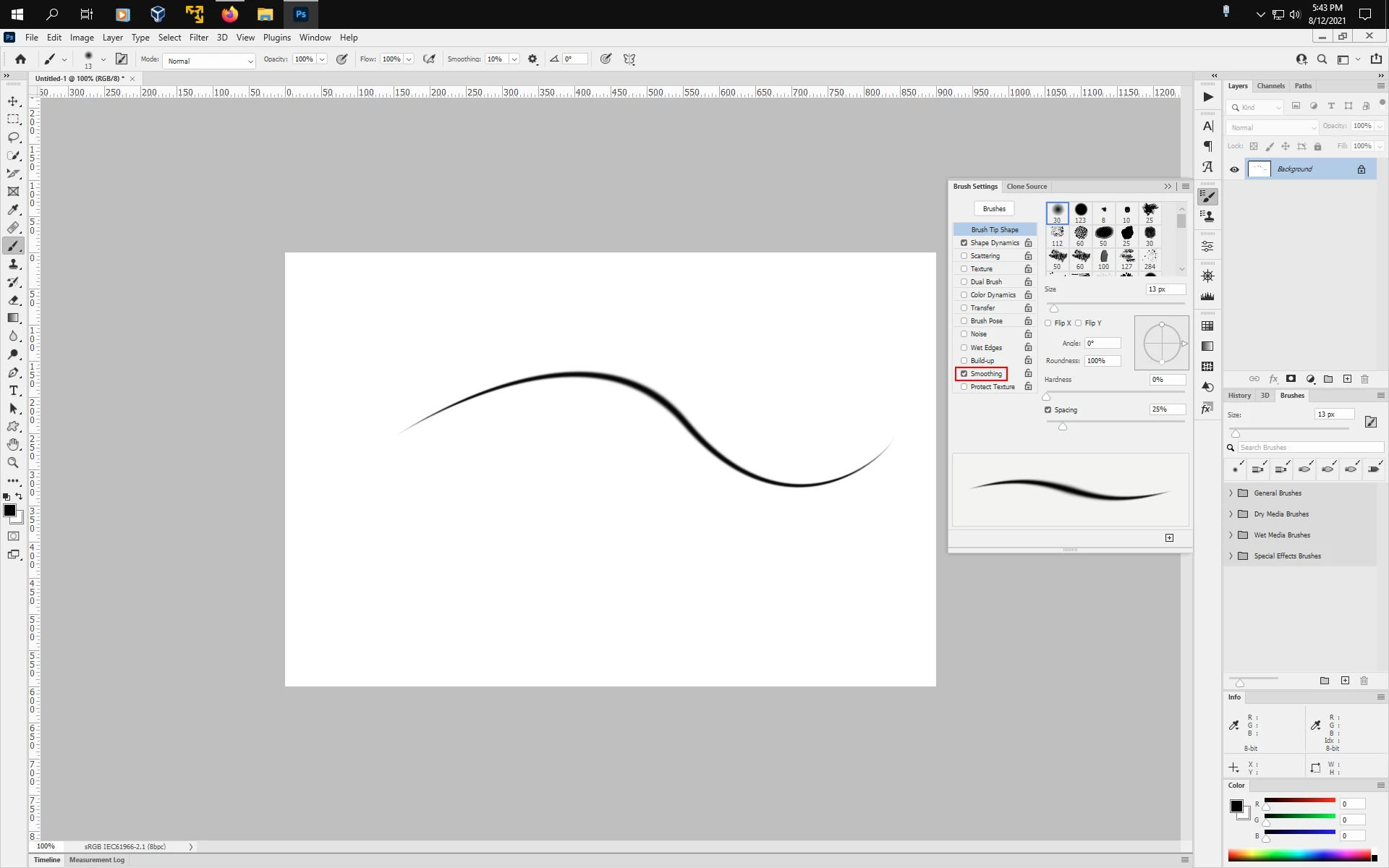
Do you have Smoothing checked in Window>Brush Settings?


1 reply

Jeff Arola
Community Expert
Jeff ArolaCommunity ExpertCorrect answer
Community Expert
August 12, 2021

Do you have Smoothing checked in Window>Brush Settings?


RichardL1967
Inspiring
August 12, 2021

Once "smoothing" is checked in the brush setting panel, you can then alter the smoothing options in the options panel for the brush.


Thank you for response Jeff! That is the correct answer!