Participant
November 24, 2021
Answered

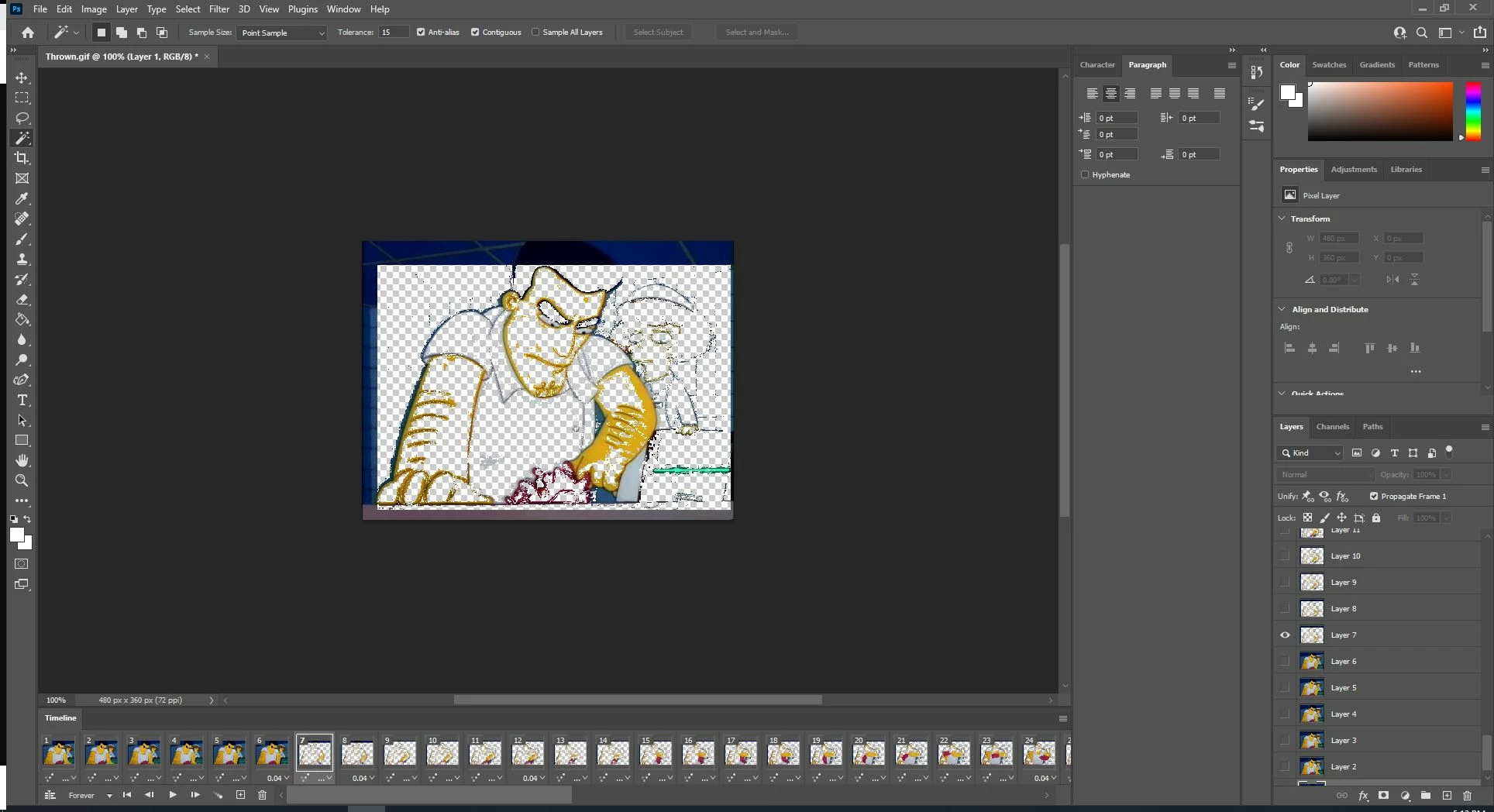
Why is this gif not loading in Photoshop with all its assets?
  • November 24, 2021
  • 1 reply
  • 2003 views


I saved a gif as normal and have worked with gifs before in Photoshop, but some gifs won't load everything normally like above. A lot of the assets to individual layers are outright missing and complicates a simple edit of adding static elements to an animated meme into something more complicated.

This topic has been closed for replies.
Correct answer J453

Only the delta (changes between frames) are used. https://stackoverflow.com/questions/13317092/frame-of-animated-gif-only-showing-deltas Photoshop doesn't support these types of algorithms that deal with just delta changes.

1 reply

JJMack
Community Expert
Community Expert
November 24, 2021

Can you post the animated gif the does not open in Photoshop with everything.  Let I see how that gif animation looks while it animates in our browser.

JJMack
Participant
November 24, 2021

Ok, I've both attached it and posted it.


JJMack
Community Expert
Community Expert
November 24, 2021

What created that animated gif.  While the browsers play it is well it does not open in any version of  Photoshop with all frames in layer that have content they should.  CS2 and CS3 open it like a normal Gif image not an Animation not and animated GIF.  CS6, CC ... Photoshop 2022 all open it the way you show.  Photoshop did create fully paint in layer for all frames.   While IE. EDGE and CHROME all display a good animation.

It seen the Photoshop can not handle the way the GIF is encoded. What application create the animated

JJMack