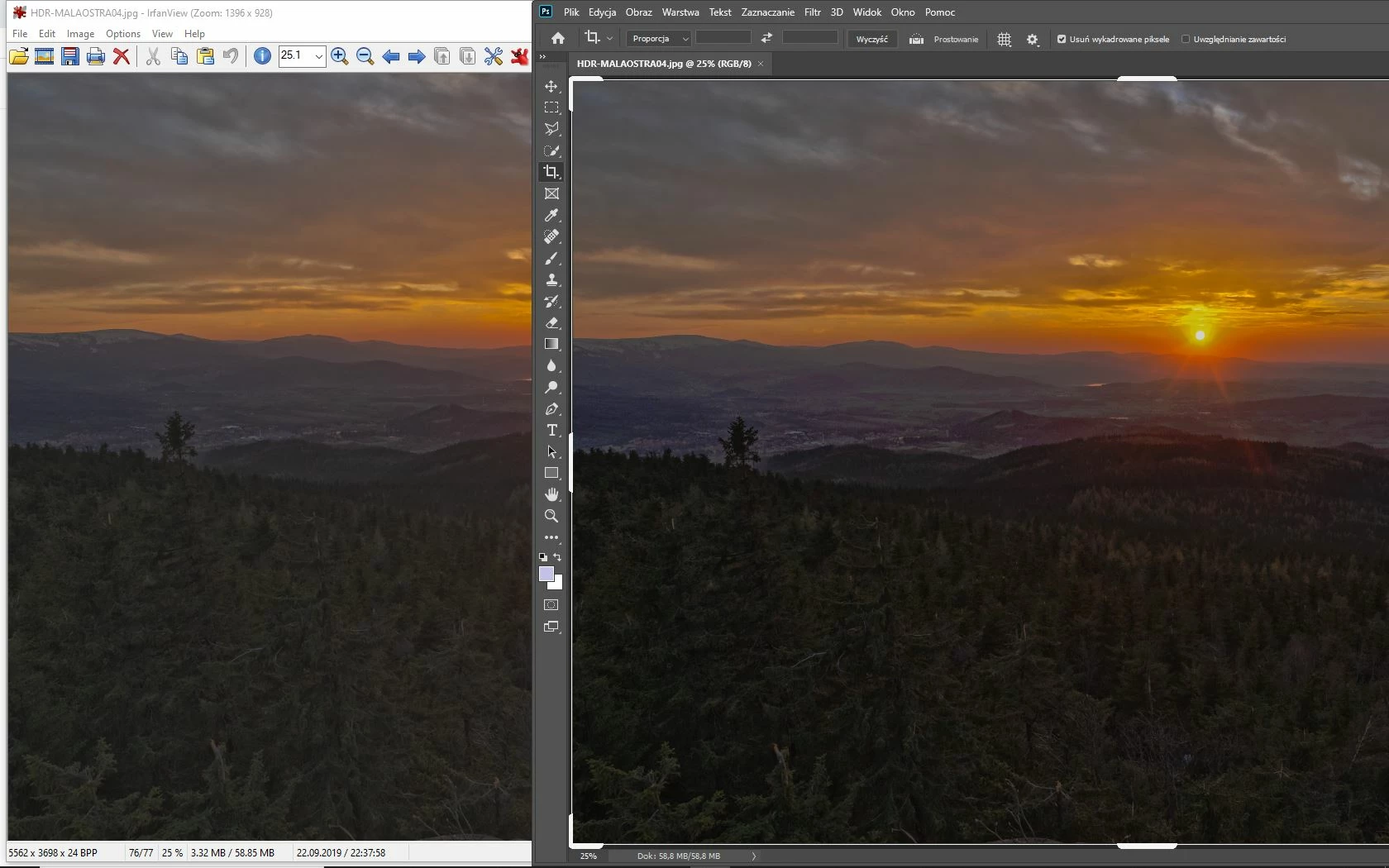
If your monitor profile is defective, you don't know how your photos look.
As troubleshooting, and as a possible temporary fix, try setting it to sRGB. (use Adobe RGB if you have a wide gamut monitor)
Close Photoshop, Chrome, and any other color managed application.
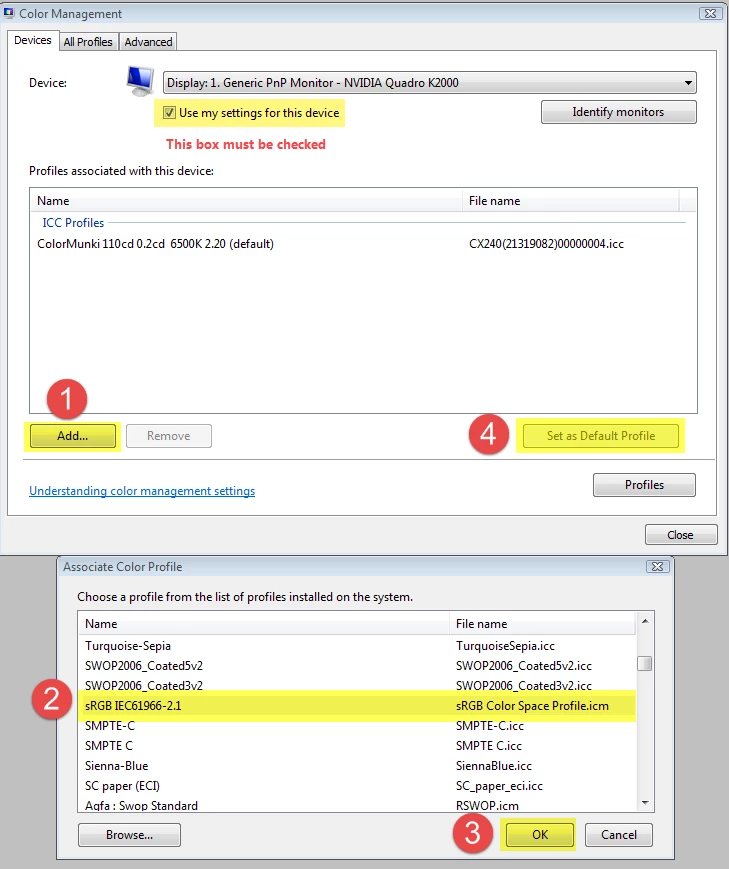
Press the Windows key + R, type colorcpl in the box and press Enter.
Add the sRGB profile and set it as default.
If this fixes the issue, it is recommended that you calibrate the monitor with a hardware calibrator.
This will also create and install a custom monitor profile that accurately describes your monitor.
Depending on your monitor, sRGB may (or may not) be be close enough, so for best results, use a calibrator.
I know how my photo looks, but people I share it with, they will see some deteriorated version of my work
You have no control over how your work looks on other people's monitors. They may be using applications without color management, using uncalibrated monitors, etc.
But you can make sure that your work displays correctly on your own monitor.


 AdChoices