Why won't Photoshop CS6 Timeline do a full 360° rotation of a non-text 3D object?
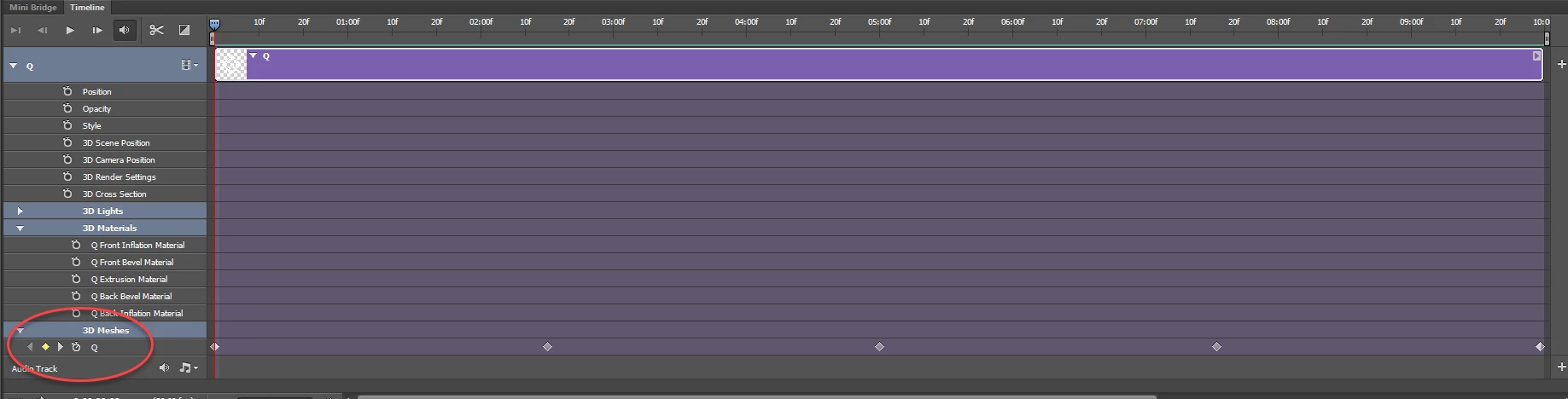
Hi, experts. For days, I have struggled (unsuccessfully) to get Photoshop CS6 (13.0.1) make a 3D, non-text object rotate a full 360°. I can get it to do a full 180°, and thought that, by some way of duplication of the track, it could be made to continue to do the other 180°, and thus complete the rotation (very naive of me, I'm sure, but, hey — I'm only learning how to do simple animations). The full rotation simply does not work. If someone could tell me where I may be going wrong, I should be very grateful.
With earlier projects, I have typed out a word (in this case, PHOTOSHOP) as a trial rotation, and, after it has been turned into a 3D object, it rotates the full 360°, with no problems. I have repeated this by typing other words, turning them into 3D objects, and making them rotate. They have all worked just fine.
To me, it seems that the main factor in the malfunction is the fact that the objects that will not complete the rotation were not typed — although they are 3D objects, they are not real text — they are just shapes that look like text.
It would be very helpful if someone much more expert than I am could comment on this difficulty, and (with luck), offer a solution of some kind. However, even if there is no solution available, I have to ask: why would Photoshop care whether, initially, a 3D object was typed or drawn — why should typing an object make such a difference?
With thanks in advance, to anyone that can offer some useful comment,
T.T.F.

 AdChoices