
Participant
November 20, 2019
Question

Window Reflections
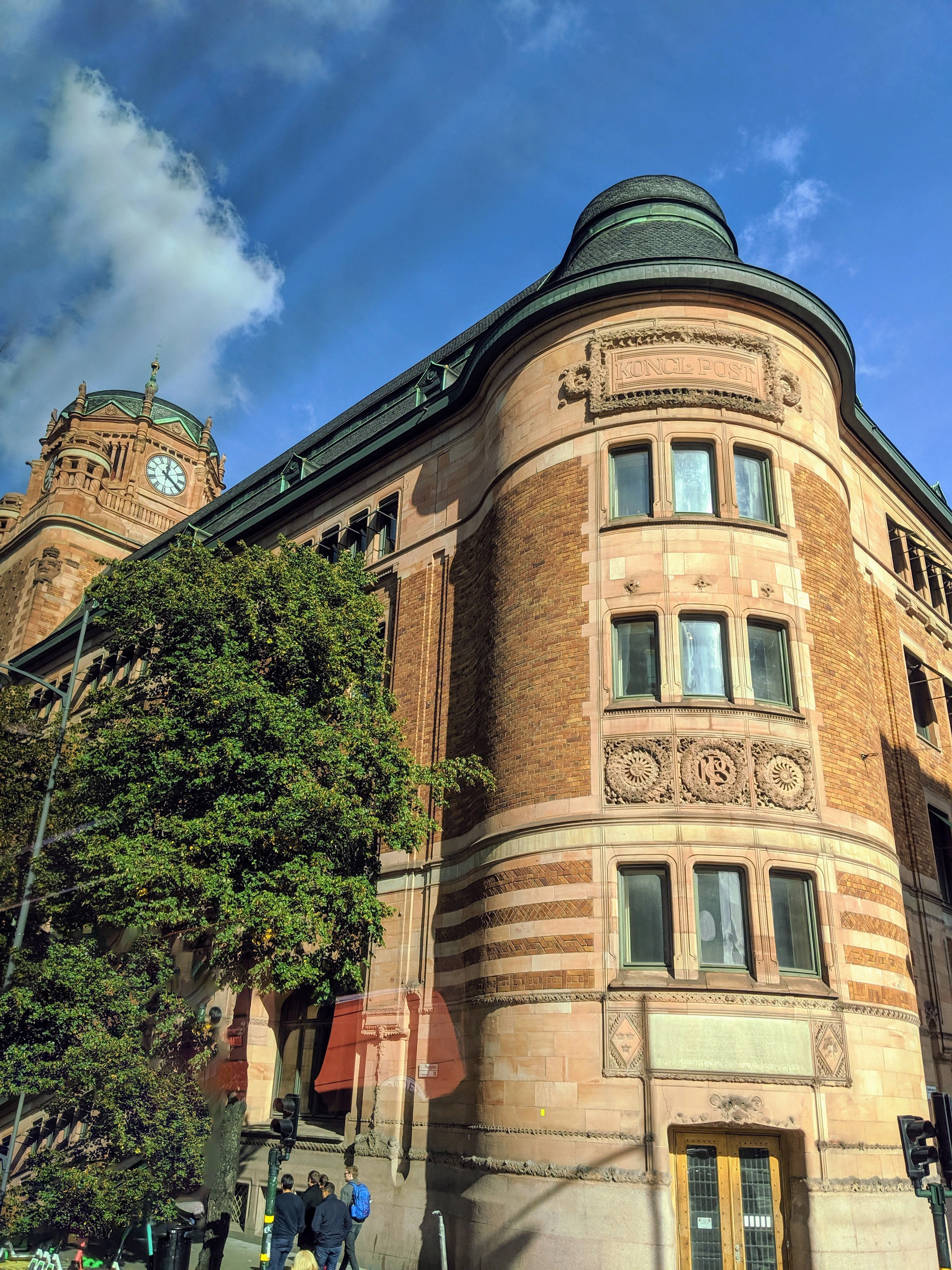
  • November 20, 2019
  • 2 replies
  • 518 views


I have several pictures like this one where I took them from a bus and there are reflections from the window (see bottom left above people). Also, there's streaks in the sky. I don't know how to remove these, but feel that there must be some relatively easy way to do that in Photoshop or Lightroom. Can anyone help me with this?

This topic has been closed for replies.

2 replies

D Fosse
Community Expert
Community Expert
November 20, 2019

Here's a tip for next time: use a polarizing filter on the lens. That's the only way to remove it (almost) completely.


There's no quick fix in Photoshop. It's baked into the pixel values. If the reflection is only partial, so that you can see what's behind, you can use a curves layer to increase contrast, mask it, and use a soft brush to paint in the correction gradually. This is intricate work that requires some skill and a good eye.


I'm sure there's some phone app out there that does this quick and dirty, but Photoshop doesn't work that way. It gives you the tools, but you have to do the work yourself.

Participating Frequently
November 20, 2019

Reflections: I am not sure which reflections, perhaps that reddish rectangle? You will need to select it first because you want to change only that part. The next step is to use Curves, for example, to match surrounding color, to change that reddish to brownish as nearby colors. Look for tutorial how to swap or change color.

Streak's in the sky you can try using Spot Healing but I am suspicious it won't work. Try rather with Healing Brush or Clone Stamp +Healing Brush after cloning to soften edges and blend cloned part with the rest or surrounding pixels.

Do everything on blank separate layers.