Participant
August 22, 2018
Question

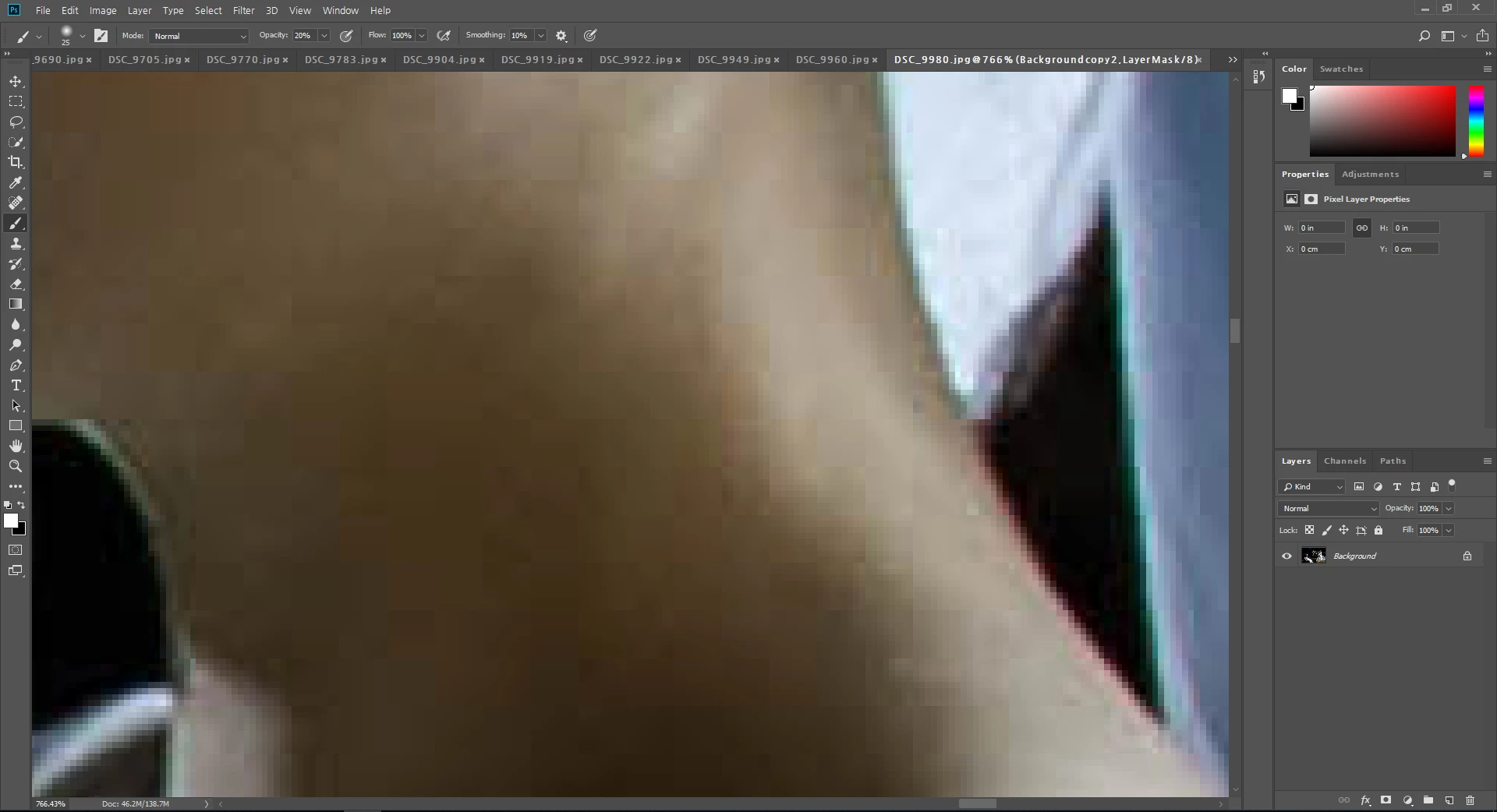
windows 10, photoshop 2018 CC installed... when zoom in image, rectangular blocks???

  • August 22, 2018
  • 1 reply
  • 309 views

It installed Windows 10 operating system and installed Photoshop 2018 CC version

Problem with the image of the file captured by Photoshop screen.

When zoom in the image(200%~ ),  see rectangular blocks that are not smooth.

What's the problem?

plz, help me

[Computer specifications]

Windows 10 64bit / NVIDIA GeForce GTX 750 Ti / RAM 16G

Photoshop 2018 CC

Edit > Preferences > performance > Use graphics processor check OK~

                                                       > Cache Levels "4"
This topic has been closed for replies.

1 reply

Theresa J
Community Expert
Community Expert
August 22, 2018

Your screen capture just looks like you are zoomed into a low res, poor quality jpeg image. What is it? Where did it come from? How many pixels does the image have?

Participant
August 22, 2018

Image size 4928 x 3280 PhotoShop brought you a file from lightroom to jpg.

That's what I've always done before.

However, this is a problem after an update to the Windows 10 operating system.

There was no such thing as a low-quality jpg image on the Windows 7 operating system.

davescm
Community Expert
Community Expert
August 22, 2018

Hi

You are zoomed in to 766% ! that means each image pixel is using approx 58 screen pixels.

Those blocky squares just look like image compression artifacts (I notice your image is a jpeg). Take a look at the quality settings when saving the original image to jpeg.

Dave