
Answered
Windows: Why does the Save Optimized save window have no address bar?
When I normally save a file, I see this:
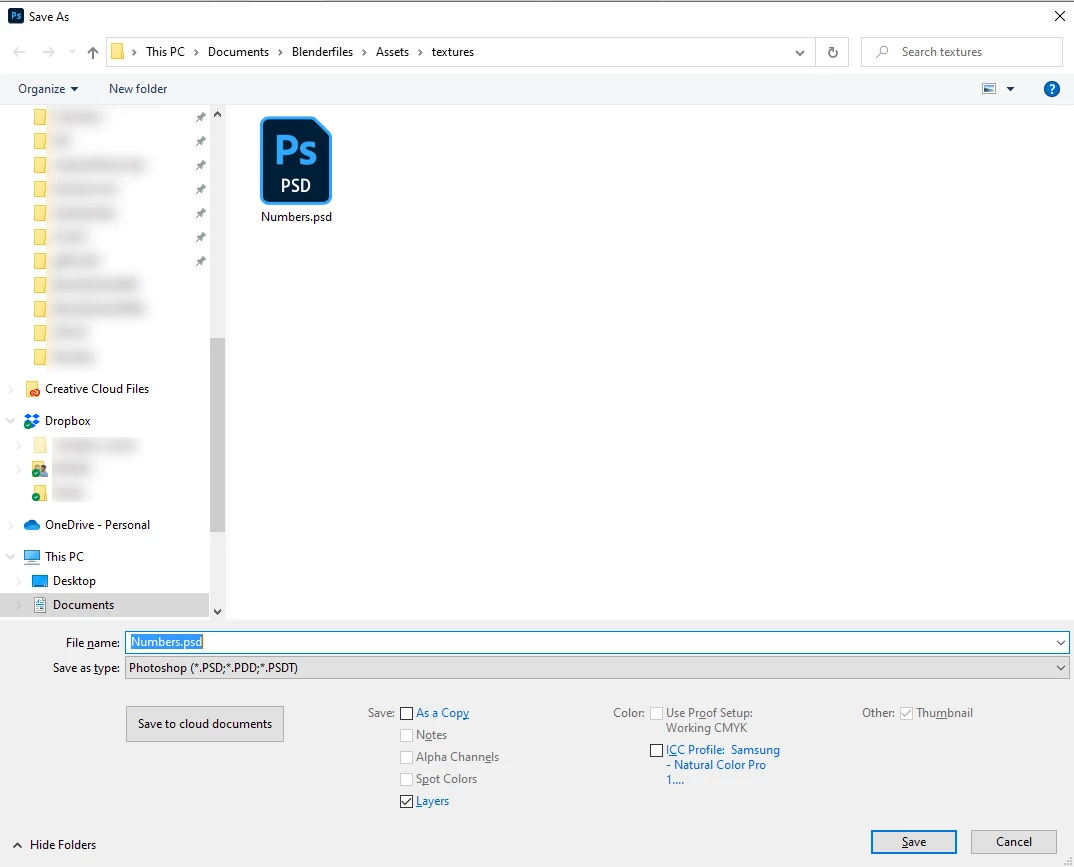
but when I do "Save for web and devices" then click"save" I get this:
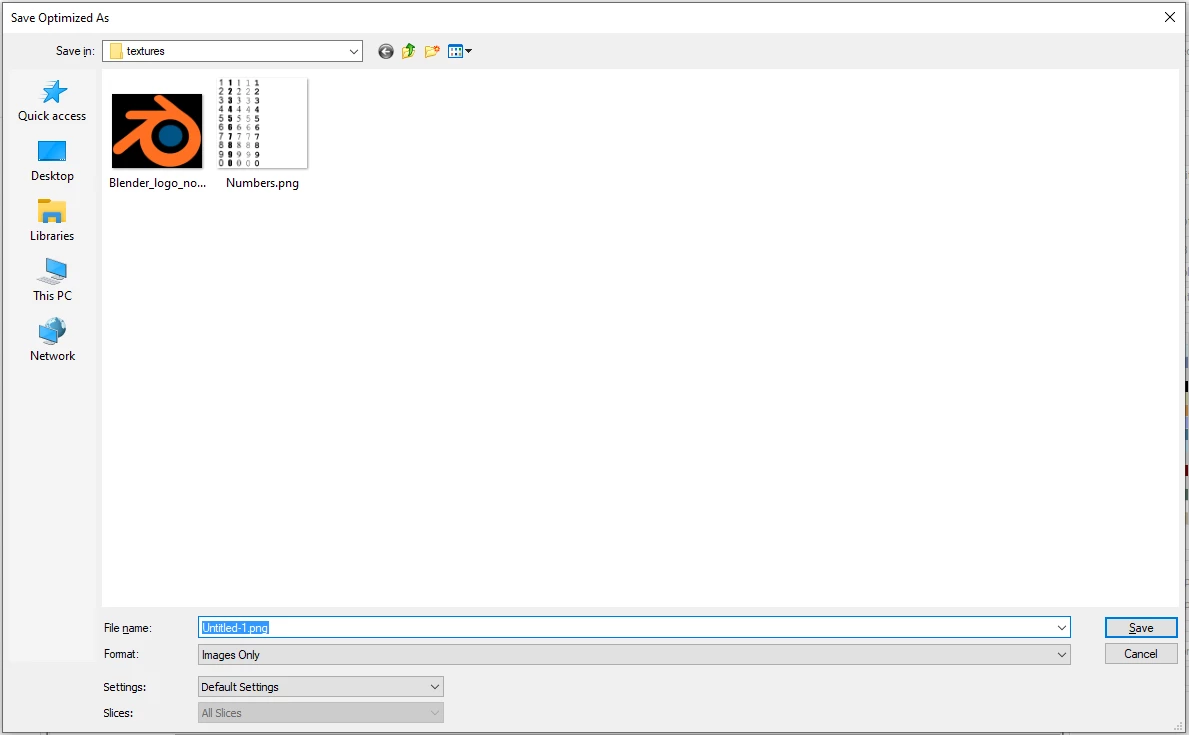
There is no address bar! Just a dropdown menu with the directory.
I copy and paste adress bars for files regularly. I had a ton of project folders and even more subfolders so when I navigate to the right one, I can quickly paste it in the "save" window and not have to navigate again.
Pretty much every other program I use lets you do that, including Photoshop for normal saves.
Why is the "Save Optimized" window different? Is there a way I can make it like the normal os window for saving?
 AdChoices