Participant
September 7, 2017
Answered

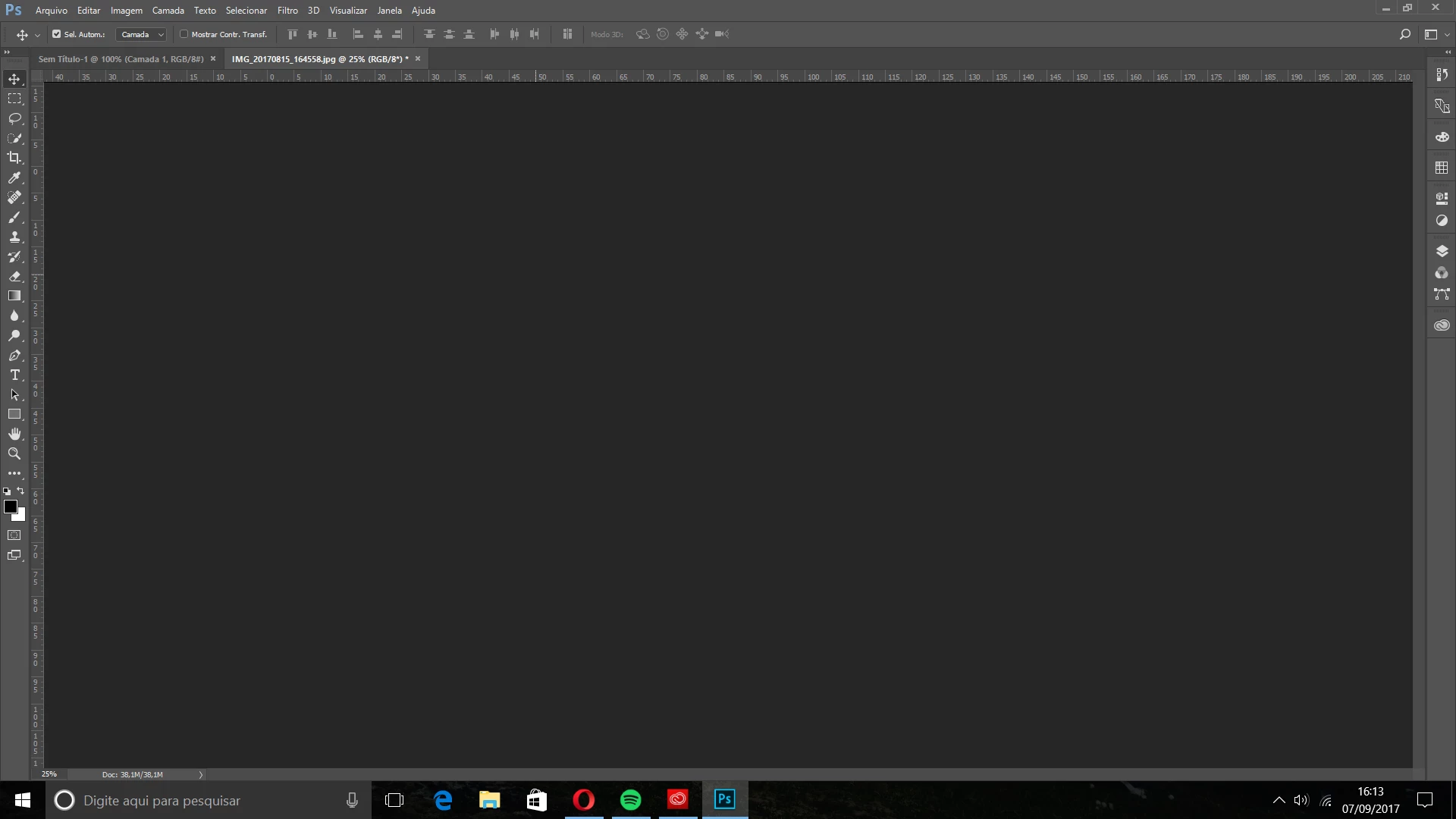
Workspace don't show nothing
  • September 7, 2017
  • 1 reply
  • 354 views

i open two files and in the workspace still gray

    This topic has been closed for replies.
    Correct answer ErickMallaco

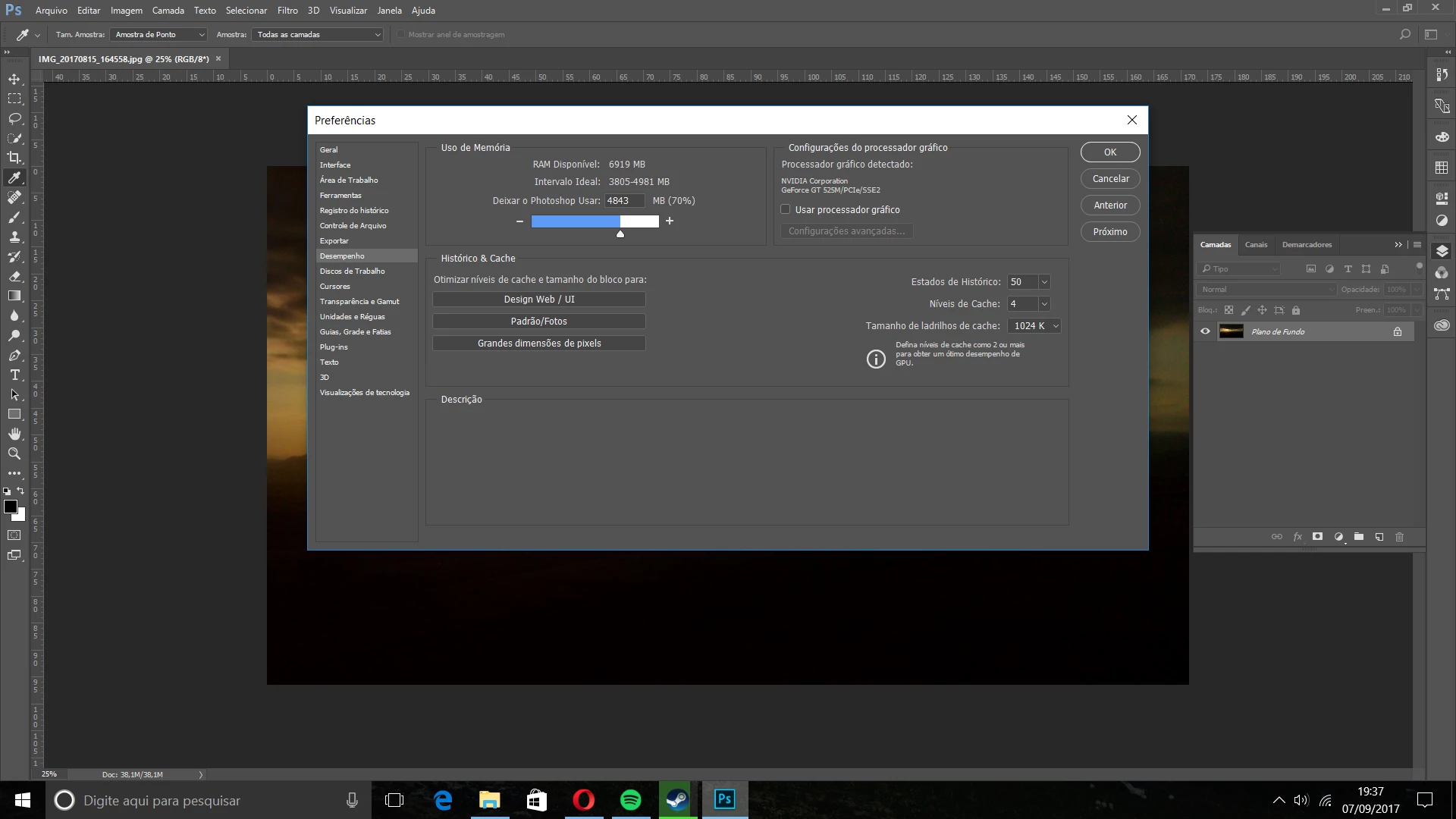
    SOLVED !! I just change the Preferences (ctrl + k >> preferences unmark the box) My Photoshop is in portuguese, sorry !
    1 reply

    JJMack
    Community Expert
    Community Expert
    September 7, 2017

    You have two open document in tabs the active document is not visible at 25% zoom and we can not see your layers palette to see your layers ]structures masking and visibility of layers.  What we see here could be correct.

    JJMack
    Participant
    September 7, 2017

    i have a photo in layer

    JJMack
    Community Expert
    Community Expert
    September 7, 2017

    In that screen capture zoomed to 100% the image window look like is has been scrolled. The Layer pallet shown you have a normal layer that has been locked. I do not know how you have your layer palette option set to display thumbnails layers content or whole document. Is Your Display device driver up to date?

    JJMack