
Participant
December 9, 2019
Question

Workspace issue PS2020

  • December 9, 2019
  • 1 reply
  • 308 views

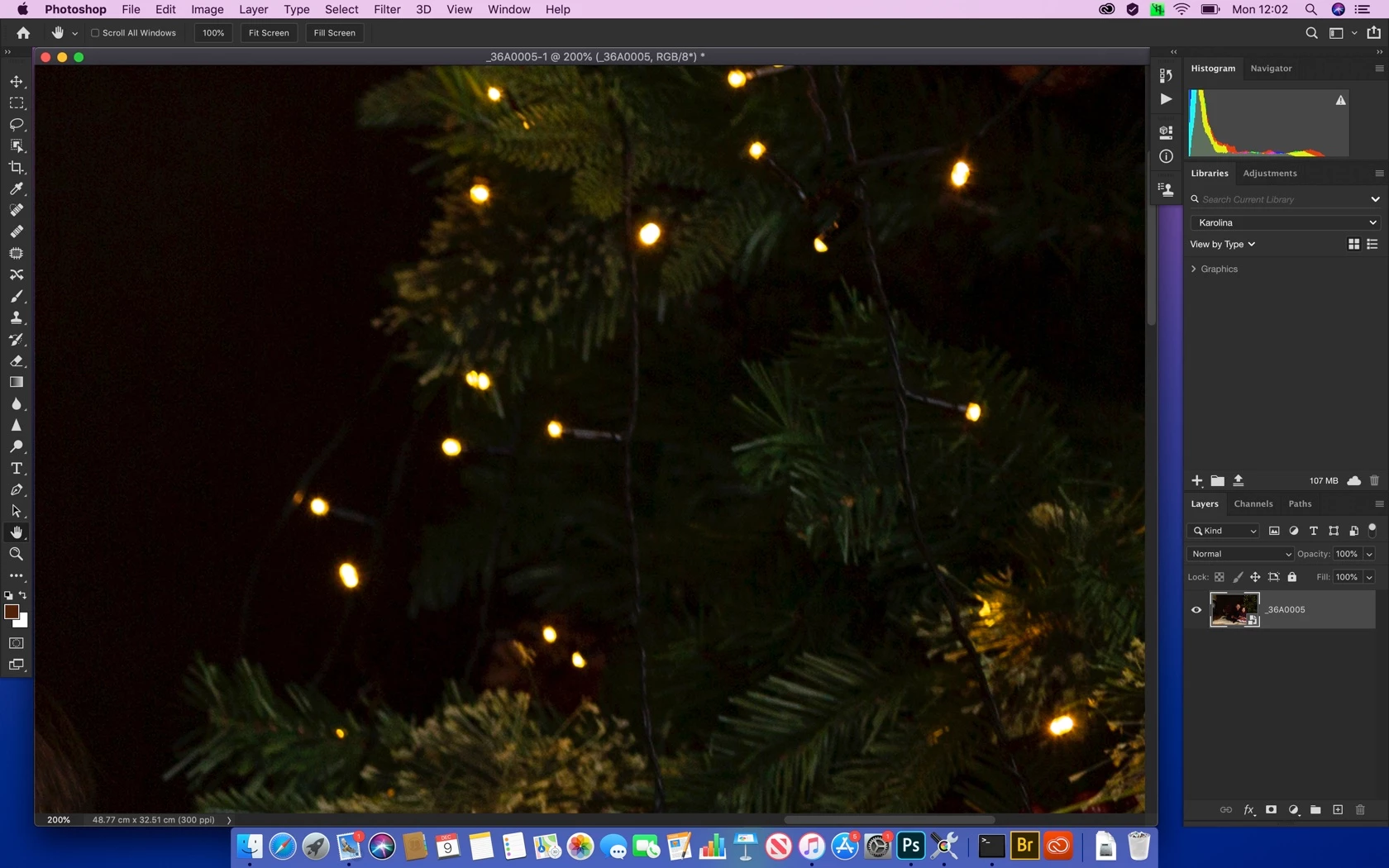
I'm new with Mac therefore not sure if this is a lack of experience, but haven't this problem while using PS in Windows while moving photo from Camera Raw into PS my workspace looks like in attachment, I compared workspace settings with my PS in Windows and looks same, can anyone help with it, as there is no framed workspace, all panels are on my photo and desktop it's visible. 
 

This topic has been closed for replies.

1 reply

D Fosse
Community Expert
Community Expert
December 9, 2019

This is how Mac works natively, it's the Mac version of floating windows. You can toggle "Application Frame" somewhere (IIRC the Window menu) if you prefer full-frame.

Participant
December 9, 2019

Thank you for your response, looks like it works my old way 🙂, do you know why choosing Photography workspace the Layers icons are not visible on the bottom left panel only available in Essentials workspace.

D Fosse
Community Expert
Community Expert
December 9, 2019

Had to check. It's there, just grouped with Channels and Paths. Whatever tab you click comes to the front.


In any case, they're all just a click away in the Window menu. Arrange them as you like, drag them around, group and ungroup - and then save the workspace. I'm so used to major rearranging of the panels whenever I start up a new version, that I no longer have any idea what the default panels are in each of the preset workspaces.