franciscapostu
Participant
July 4, 2018
Answered

Writing Text does not show up, layer empty

  • July 4, 2018
  • 3 replies
  • 2666 views

Hello,

I am using Adobe Photoshop Version: 19.1.4 20180507.r.325 2018/05/07: 1170750  x64, Operating System: Windows 10 64-bit

I am opening Photoshop, click on the Text tool, Write something.

Text won't show up. When clicking away, selecting the Text layer and trying to Transform it says "Could not transform because the initial bounding rectangle is empty" like nothing is on that layer.

I have tried on new documents, on existing documents etc. The ppi is correct, at 72 and all units are set to pixels. I have also reinstalled Photoshop CC from CC and it still does that.

Let me know if you guys know anything about this issue
This topic has been closed for replies.
Correct answer

Hi

Can you post a full screenshot with all the layers and panels opened and the Type Tool selected

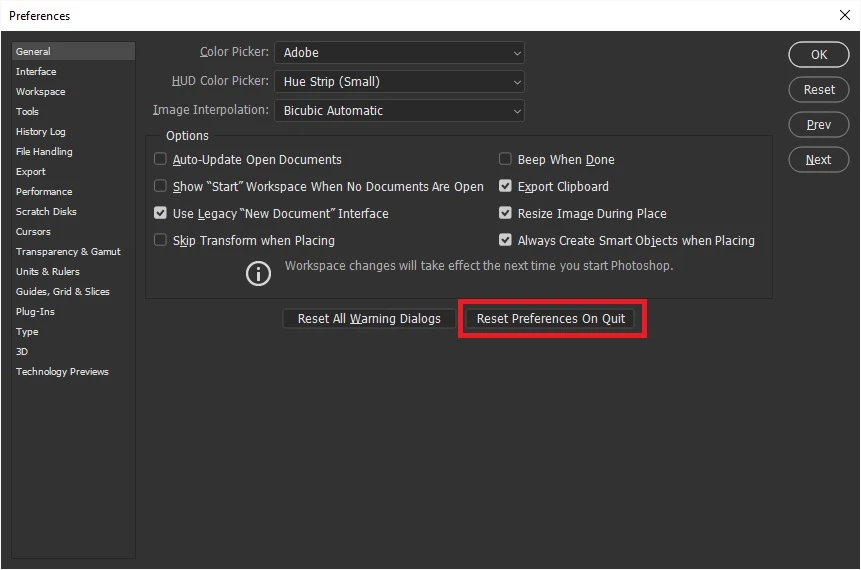
Have you tried resetting Photoshop preferences

3 replies

Participant
October 6, 2020

Writing Text does not show up, layer empty in photoshop 7.0 how can i fix this problem.

gener7
Community Expert
Community Expert
July 4, 2018

19.1.5 has been released. Latest stability and bugfixes.

Fixed issues in Adobe Photoshop CC

Correct answer
July 4, 2018

Hi

Can you post a full screenshot with all the layers and panels opened and the Type Tool selected

Have you tried resetting Photoshop preferences

franciscapostu
Participant
July 4, 2018

This worked! Thank you.

July 4, 2018

You're welcome