OK. As I said, "as long as you have a valid monitor profile". Yours is apparently broken, and the likely reason for that is a defective manufacturer profile distributed through Windows Update. This is a fairly common problem.
Photoshop uses whatever monitor profile the OS tells it to use. If it's defective, the wrong values get sent to the monitor.
A monitor profile has only one requirement and one purpose: it needs to be an accurate description of the monitor's actual, current response. That's it. But a lot of monitor/laptop manufacturers can't seem to get this right, don't ask me why.
This is why people buy and use calibrators. But until then, you can use a generic profile such as sRGB IEC61966-2.1. It won't be entirely accurate, but is usually close enough for most.
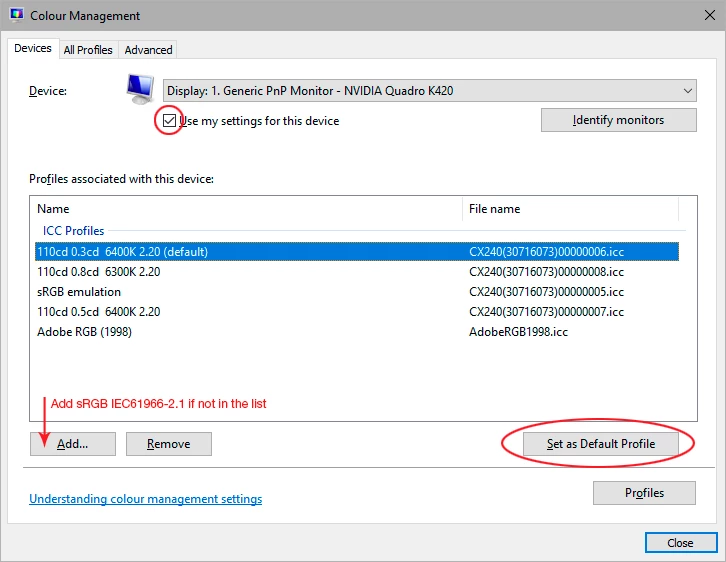
Remember to relaunch the application when done, it needs to load the profile at startup.


 AdChoices