Participant
January 6, 2017
Question

Wrong pixel size on Photoshop? Please help.

  • January 6, 2017
  • 4 replies
  • 2455 views

I got a new laptop, a 15 inch Macbook back in 2015 with a Retina display and I purchased some Adobe applications at the same time, but ever since that time and up until now I have had a hard time using Photoshop. I don’t need lessons on how to use it. I just want to fix a minor issue and I don’t know how to do that. When I download a picture from the Internet, it never shows up as the same size. I find this to be very frustrating because it completely ruins the quality of what I’m trying to work on. Even a 100x100 pixels image doesn’t look like its original size. Zooming in does nothing either. I have tried to come up with a resolution for two years now, almost 3. I just want to fix this minor issue so that I can use Photoshop normally again, just like how I used to starting from over 5 years ago. Please help me.

Here is an image to demonstrate what I'm trying to say here.
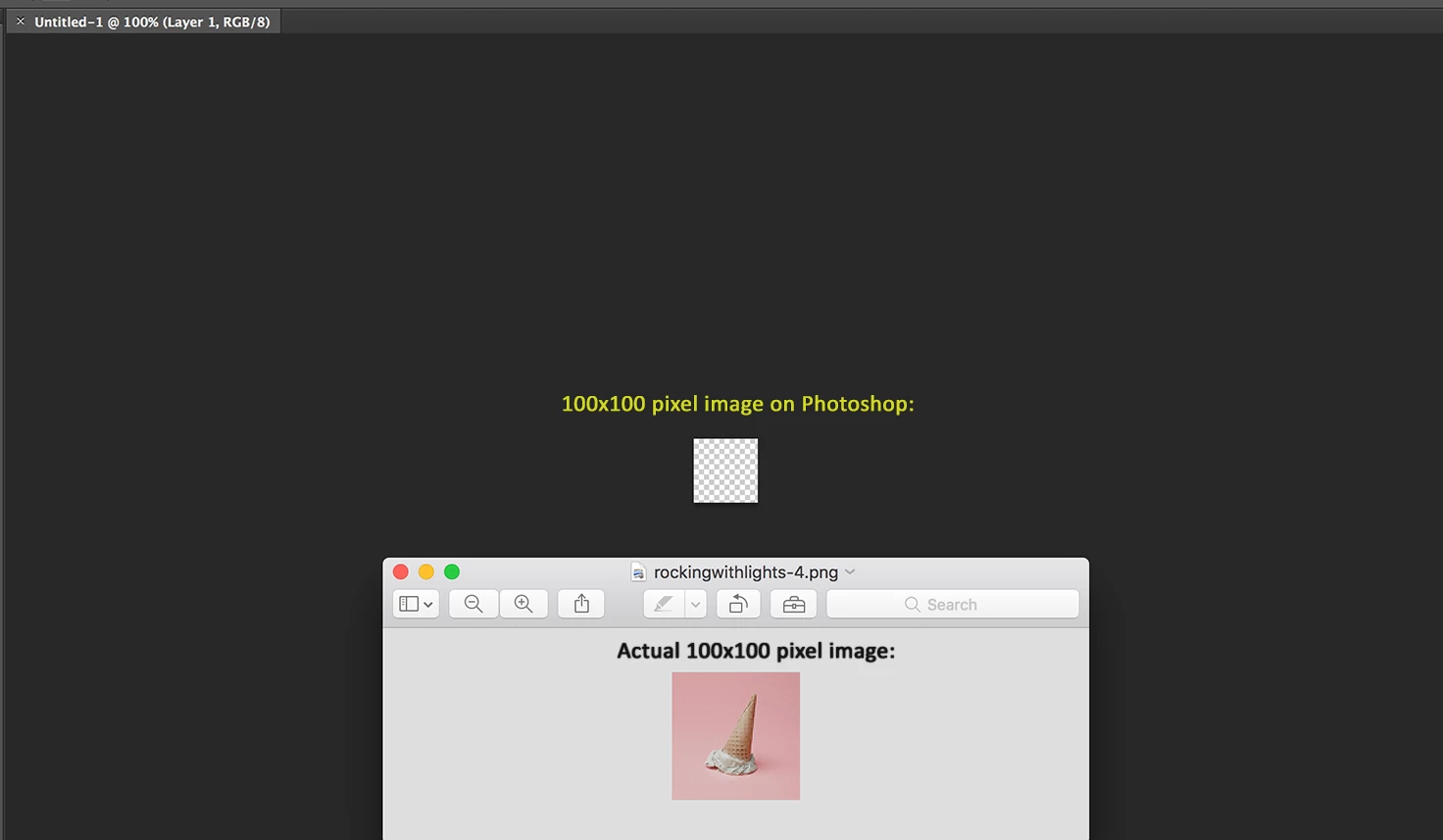
How do I fix this?? (Also, I have tried using both Photoshop CS6 and Photoshop CC. Still the same.)

This topic has been closed for replies.

4 replies

Legend
January 7, 2017

Let's compare what happens between Safari and Photoshop.

Safari doubles the size. But it does its best to make the result look smooth and high quality. It will do this with tricks like smoothing, aliasing and other things. Mac OS will actually be doing this, not Safari. But the Photoshop editor wants to know exactly what they have. So when you zoom in the pixels are kept sharp and separate, so you see them more. You will want to do regular previews of your work in all sorts of environments: browsers on Retina screens, browsers on regular screens, Mac and Windows, phones... all have different limitations which are very frustrating to the designer. Photoshop gives you access to the truth...

D Fosse
Community Expert
Community Expert
January 7, 2017

What this whole thing boils down to is this:

Photoshop maps one image pixel to one screen pixel. That these screen pixels are small, is exactly the point of a high resolution retina screen.

Safari maps one image pixel to four screen pixels. Thus the image appears twice as large - and at the same time turns the expensive high-resolution screen into a perfectly ordinary low-res one.

D Fosse
Community Expert
Community Expert
January 6, 2017

Your retina screen has more pixels per square unit, so things get smaller. Safari and other non-critical apps scale images up to compensate for this, so that it displays at roughly the same size that people are used to from traditional displays.

Photoshop displays correctly. Safari does not. There's nothing to fix.

Participant
January 6, 2017

Do you possibly know if it would be any different with a 13 inch Macbook?

gener7
Community Expert
Community Expert
January 7, 2017

What is the monitor resolution on your 13" Macbook, 1280 x 800? Then you are fine.

Nancy OShea
Community Expert
Community Expert
January 6, 2017

It's caused by your Retina display.   100px x 100px is very very small.

100% zoom is the actual size of image on your high pixel density device.

That's what PS displays, actual size on your device.

Nancy

Nancy O'Shea— Product User & Community Expert