Participating Frequently
August 14, 2024
Question

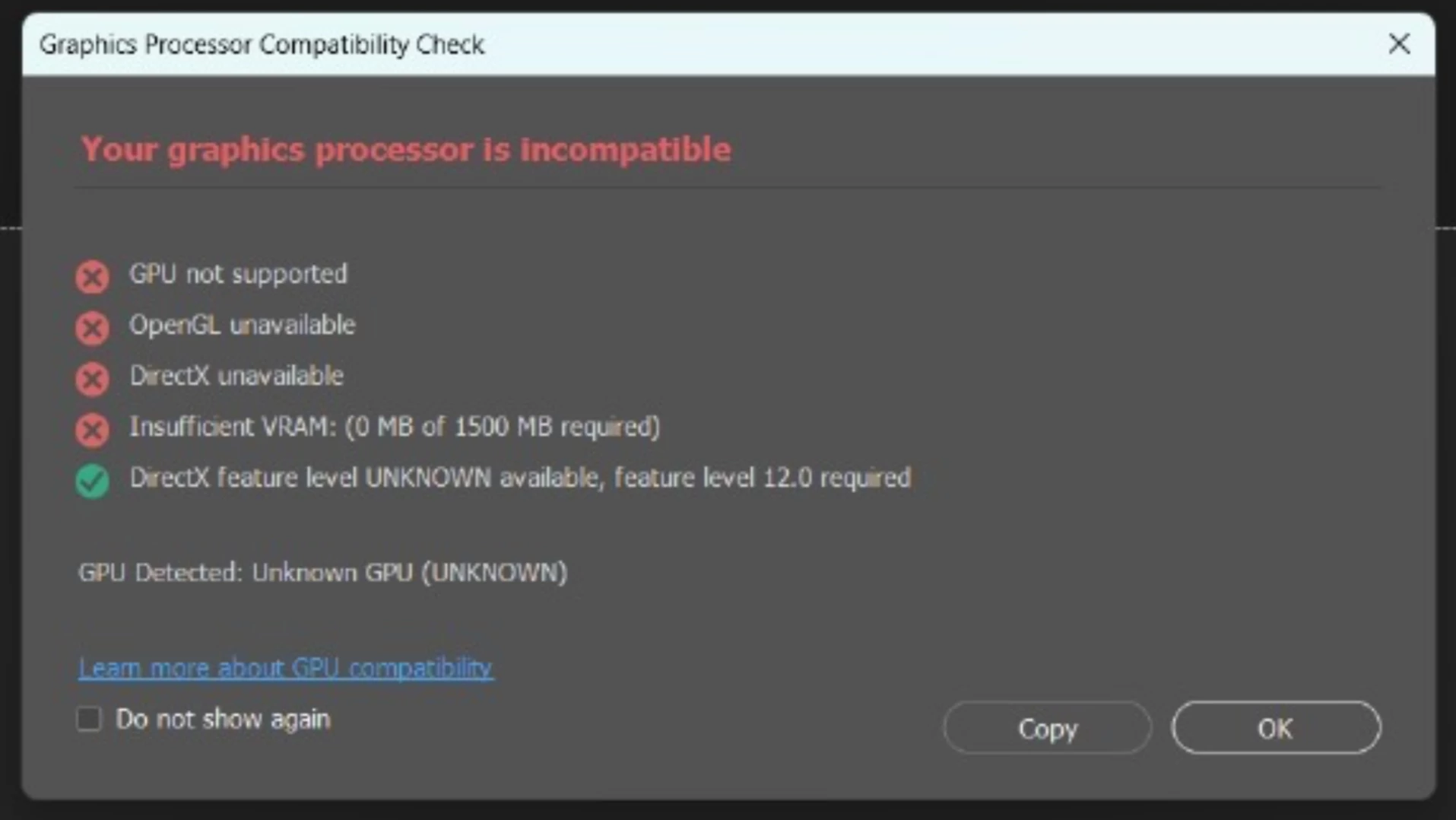
"Your Graphics Processor Is Incompatible", I'm using NVIDIA® GeForce RTX™ 4050, hp omen 16-wd0770TX

  • August 14, 2024
  • 4 replies
  • 2541 views

Hi all

 My GPU is NVIDIA® GeForce RTX™ 4050 and my laptop is HP OMEN 16-wd0770TX, still i am seeing this "Your Graphics Processor Is Incompatible" when opening photoshop. i think my PC is more than capable for GPU compatibility.

"Your Graphics Processor Is Incompatible" this is the popup i am seeing while opening(i will attach screenshot )

I am on Windows 11 with DX12.

i have checked the driver update in  device manager it is up to date and then i have updated my whole PC  in settings also i have set photoshop.exe to high performance in graphic usages also updated my graphic driver to latest in th NVIDIA app. soo yeah

the version of the photoshop is 25.9 (yes not updated but i didn't think this should cause a problem because this started from last week not from may 22(version release date))


the plaform is windows 11 with latest version and updates

 and the rest i have told what i am facing sooo.......

Can you help me fix this !!

Thanks all


This topic has been closed for replies.

4 replies

davescm
Community Expert
Community Expert
August 16, 2024

Make sure the NVidia high performance driver is set for Photoshop and sniffer.exe (which is the part of the app that detects the GPU).

You may need to disable any integrated graphics


Dave

Participating Frequently
August 17, 2024

Already done this.

D Fosse
Community Expert
Community Expert
August 16, 2024

Please post the full Help > System Info from Photoshop.


That GPU should work just fine, so there's something in the configuration that throws it off. It's not actually "incompatible" - it's not recognized or found at all.

Participating Frequently
August 17, 2024

here is the file

Peru Bob
Community Expert
Community Expert
August 16, 2024

Try updating or rolling back your graphics driver directly from the NVIDIA site.  Do a clean installation of the latest Studio Driver (NOT the Game Driver).

Participating Frequently
August 17, 2024

Yeah did this tooo.

jane-e
Community Expert
Community Expert
August 16, 2024

@Noob_Aloo0284 


Does your computer and graphics card meet or exceed the system requirements?


System Requirements

https://helpx.adobe.com/photoshop/system-requirements.html


FAQs

https://helpx.adobe.com/photoshop/kb/photoshop-cc-gpu-card-faq.html


Did anything change on your computer when it stopped working a week ago?


Jane


Participating Frequently
August 17, 2024

Yes it meet the system requirments and yes blender also stopped working