
Participant
December 30, 2023
Question

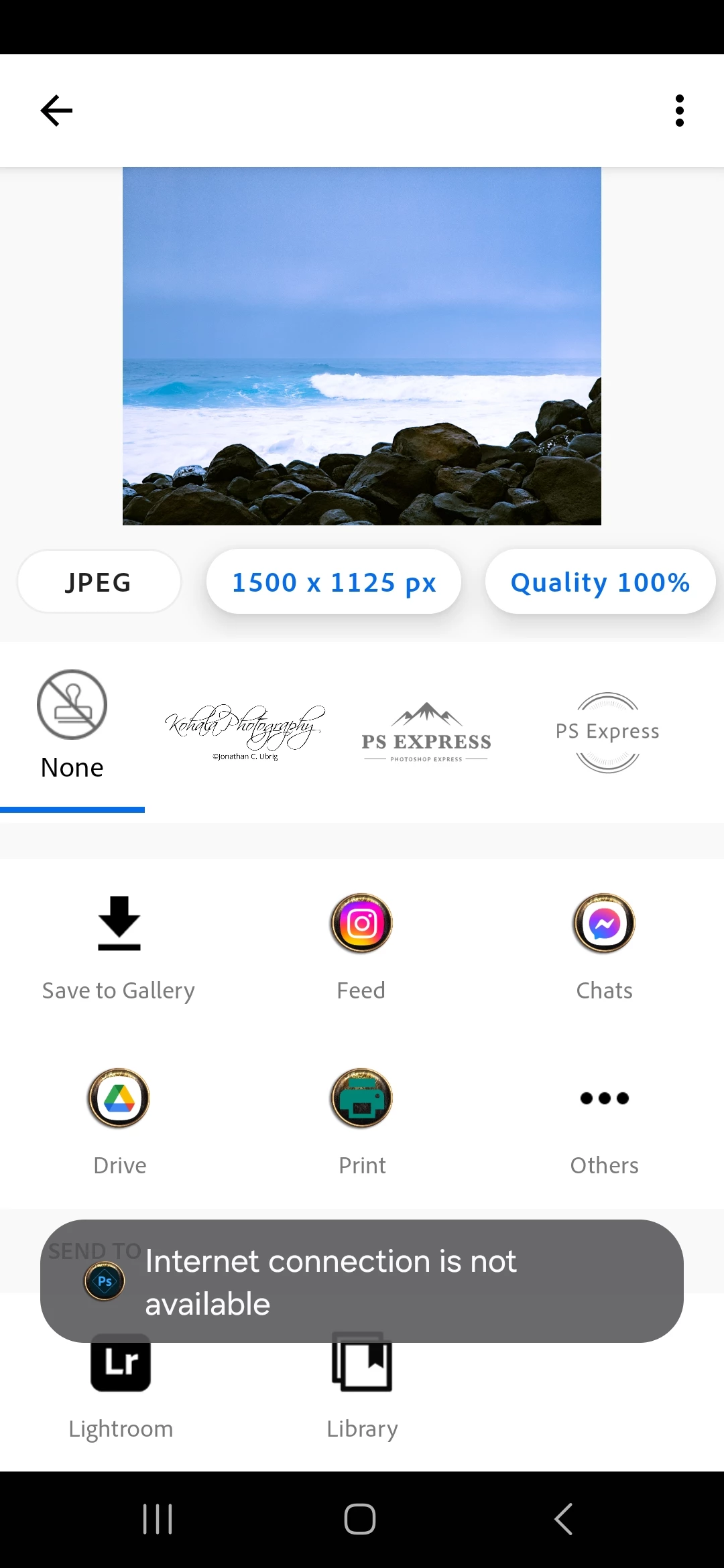
Can't save to library using data

  • December 30, 2023
  • 1 reply
  • 293 views

Hi. I don't know if this is a bug or on purpose.  When I try to save my edited image to the library using data (4G) i get the message no internet. When connected to wifi it wikl save with no problem to the library.  I can save to device or send it to lightroom but it will not save to library when im on the go and using data instead of wifi. I have a Samsung S23 with Android 14 on it and using Verizon.  I have deleted Photoshop express, rebooted phone and then reinstalled. Still no luck. It will only save to library if im connected to wifi. Is there a way to change that?
This topic has been closed for replies.

1 reply

Neelamk
Legend
January 9, 2024

Hi @Kohala Photography,


I'm sorry for the late response and the frustration & difficulties you faced with the Adobe Photoshop Express. Do you experience the same issue with any other application installed on your Android phone while you are on mobile data? I suggest checking the settings on your phone. Go to settings in your phone>> Apps >> Select  Adobe Photoshop Express >> then check if you find any settings that are for mobile data and allow it. 


Please let me know how it goes. We are here to help you.


Thank you,

Neelam

Participant
January 10, 2024
Hi thank you for the reply. Yes checked all settings under app and all
permissions are set and mobile data is allowed even in the background and
when data saver is on. It's the only app that says no internet connection
when im on data and i want to save it inot the library. When i looked into
the app setting it shows me that it is using mobile data. I did try all
the steps from clearing cache to deleting the app, restarting phone and
reinstalling. I had the problem when the phone was on android 13 and in
November it updated to 14 and the problem stayed. I have a Samsung S23 with
android 14 oneui 6.0.
Thank you for any help
Neelamk
Legend
January 13, 2024

Hi @Kohala Photography,


Thank you for the information. Please let us know the version of Photoshop Express installed and a screen recording showing the error so we can investigate further and let our development team know. Please share the application version .


Thank you,

Neelam