Participating Frequently
Oct 26, 2026 2:35 PM UTC
Answered

.CR3 files no longer being imported into Photoshop Express on Ipad

  • Issue summary: I get an error trying to open RAW .CR3 file. This worked fine until about a week ago.
  • Product and version: Photoshop Express 26.37.1
  • Operating system: IOS - on iPhone or iPad
  • Steps to reproduce:  
    1 Photo Editor &Retouch
  •  2 select photo to edit
  • 3 On Raw Image message, select Open Original
  • Expected result: Original Raw Image should open 
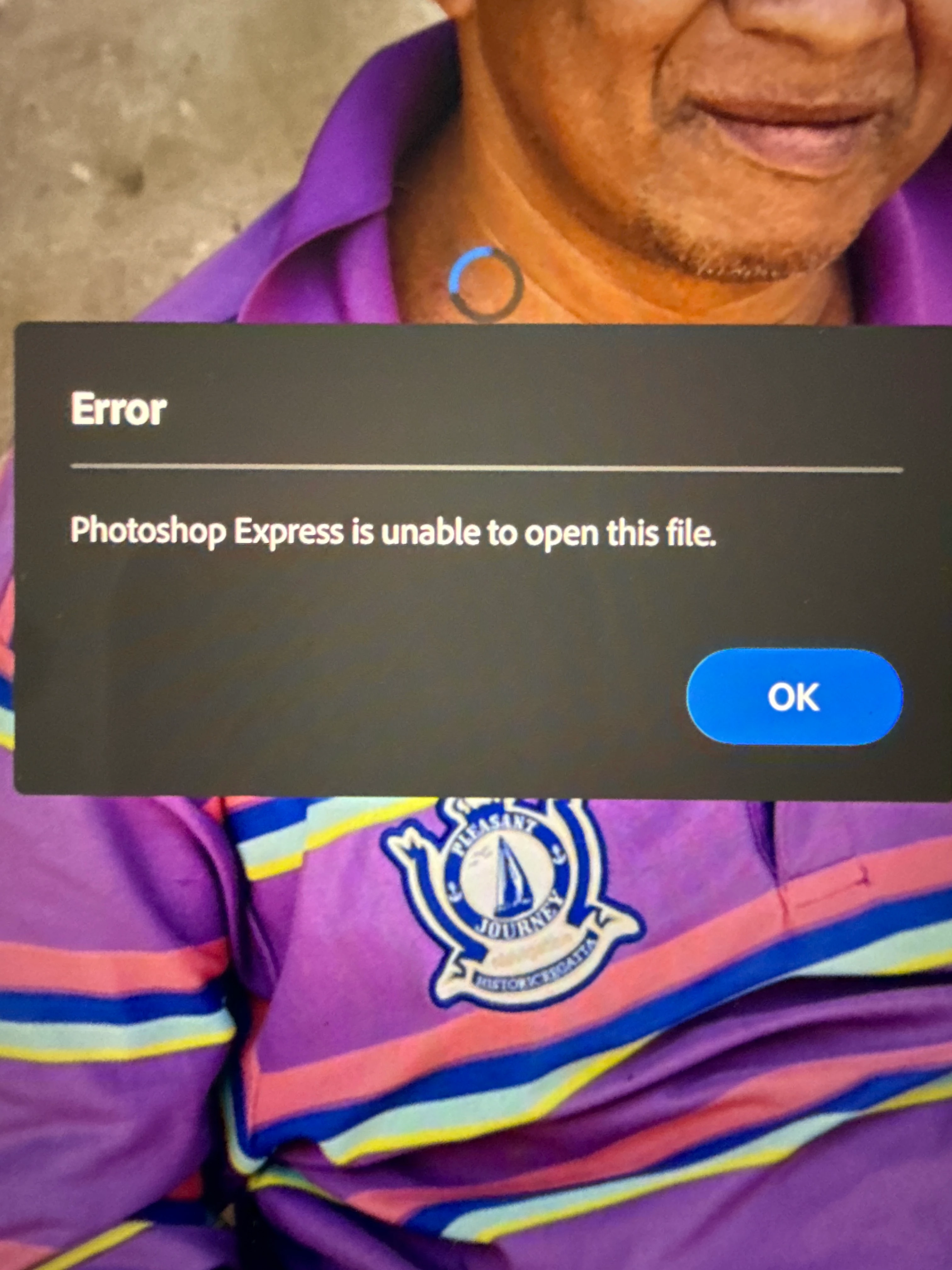
  • Actual result: Error message saying ‘ Photoshop express is unable to open this file’
  • Attachments (optional):


    Rose DV
    Rose DVCorrect answer
    Community Manager
    Nov 20, 2026 3:05 PM UTC

    Hi everyone - the team will push a fix for this in the next update, so you should see it in the next week or so! Thank you so much for your patience!

    Rose

    12 replies

    Rose DV
    Community Manager
    Rose DVCommunity ManagerCorrect answer
    Community Manager
    Nov 20, 2026 3:05 PM UTC

    Hi everyone - the team will push a fix for this in the next update, so you should see it in the next week or so! Thank you so much for your patience!

    Rose

    Translate
    Participant
    Nov 20, 2026 5:07 PM UTC

    Good news! Hopefully this fix will work and soon and perhaps there will also be a 2 month extension to subscriptions given the time this has taken?

    Translate
    Participant
    Nov 4, 2026 4:39 AM UTC

    Happening to me and the same issues, as i use my ipad heavily how do we arrange for a refund of subs for the last 2 broken months seeing as how Adobe have displayed no real interest in actually fixing the issue?


    issue affects all canon raw file, tested on M50 and R10 as well.

    Translate
    Participating Frequently
    Oct 31, 2026 11:41 AM UTC

    Can you confirm you have seen the above response ​@Rose DV 

    Translate
    Rose DV
    Community Manager
    Community Manager
    Nov 2, 2026 6:05 PM UTC

    Hello ​@kind_Flutterd529 - I’ve escalated this to the product team and will let you know what they say!!

    Rose

    Translate
    Participating Frequently
    Nov 4, 2026 8:22 AM UTC

    ​@Rose DV 

    When can we expect an update? 


    I have recently returned from holiday and have a lot of photos that I need to make a decision about whether I am going to wait for this update or look for a different solution. I also have other projects on hold.


    Also currently paying a Premium subscription for a non Premium service


    Translate
    Rose DV
    Community Manager
    Community Manager
    Oct 26, 2026 7:43 PM UTC

    Hey ​@kind_Flutterd529,

    Thanks for reporting this. Since your .CR3 files were opening previously and you’re now seeing “Photoshop Express is unable to open this file” in Photoshop Express 26.37.1, we’d like to narrow down whether this is specific to the latest app version, the camera model, or particular RAW files.

    Could you please share:

    • Your Canon camera model

    • Your iPhone/iPad model and iOS/iPadOS version

    • Whether this happens with all newly imported .CR3 files or older .CR3 files that previously opened as well

    • If possible, a sample .CR3 file that produces the error

    In the meantime, please make sure Photoshop Express is updated to the latest version available in the App Store and try reopening one of the older .CR3 files that worked previously.

    Thanks,
    Rose

    Translate
    Participating Frequently
    Oct 28, 2026 9:25 AM UTC

    Canon R7

    iPad Air 5th generation

    IOS 26.6.2

    It happens with all newly imported and with older CR3 files that previously opened as well. It also happens with CR3 files that I created with my previous camera Canon M6 Mark II.

    I have also copied a raw file straight into a folder and tried opening it from there as opposed from within Photos and the same error occurs. It does open properly if I send it to Photoshop as opposed to Photoshop Express.

    i have attached a sample .CR3 file

    I get the same error if I try from my iPhone (IOS V 26.6.1, model iPhone 16 Pro). PS Express version 26.37.1

    Translate