
emoto7
Participant
February 25, 2024
Answered

move colors

  • February 25, 2024
  • 1 reply
  • 161 views

Hi 

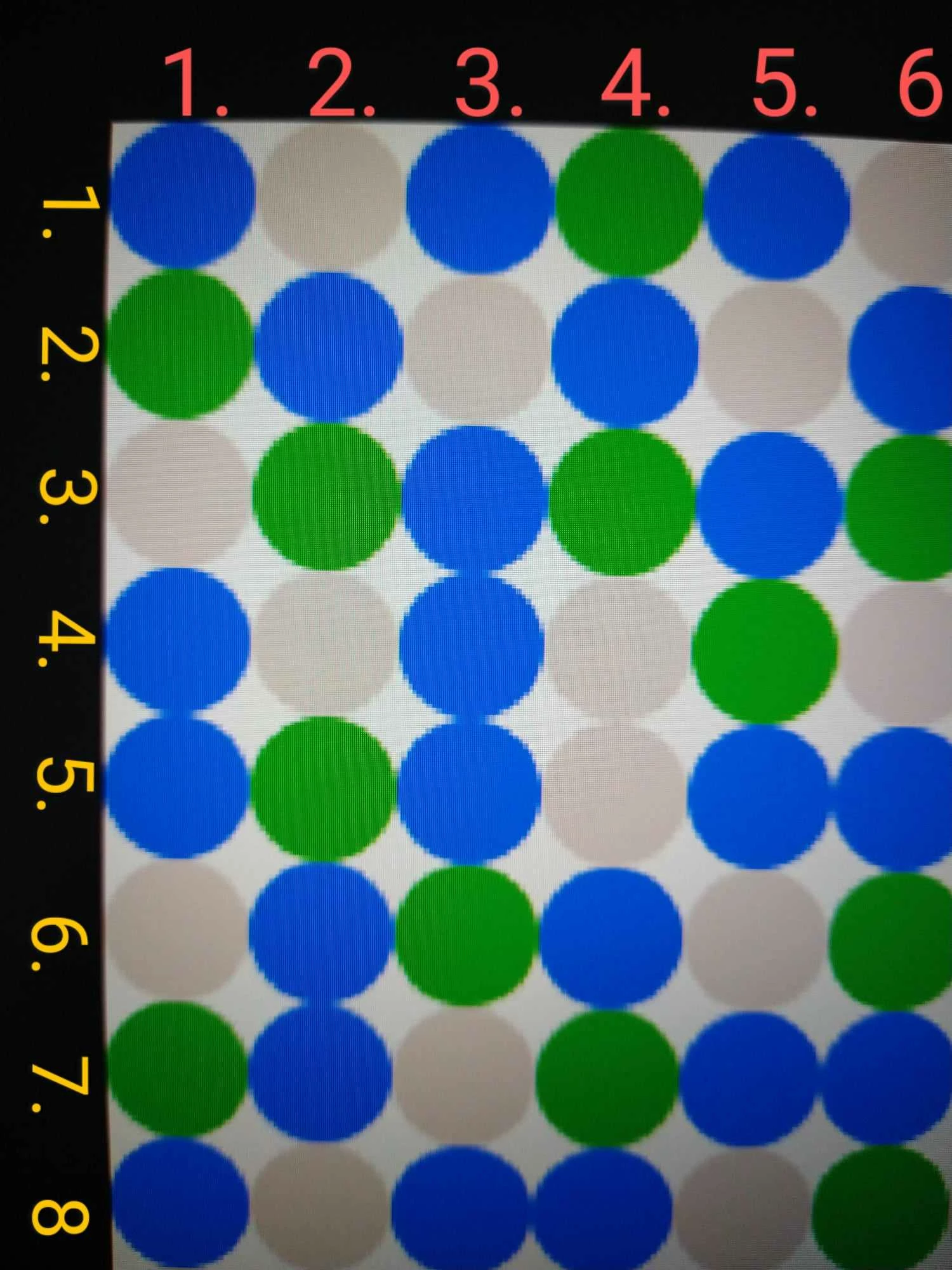
The photo I added is a section. The overall photograph consists of 700 horizontal circles and 700 vertical circles, that is, a total of 490,000 circles. question; How can I select only the circles in all the odd number columns in the vertical or horizontal columns or in all the even number columns and move the circles in the vertical columns up or the circles in the horizontal columns to the left?

This topic has been closed for replies.
Correct answer Neelamk

Hi @emree36575230,


Thank you for reaching out to us. Unfortunately, there is no option to select the circles according to your chosen axis; you might have to do each, not all together. Are you using the Photoshop Express application to make the required changes?


Thank you,

Neelam


1 reply

Neelamk
NeelamkCorrect answer
Legend
February 27, 2024

Hi @emree36575230,


Thank you for reaching out to us. Unfortunately, there is no option to select the circles according to your chosen axis; you might have to do each, not all together. Are you using the Photoshop Express application to make the required changes?


Thank you,

Neelam