
Participating Frequently
November 6, 2024
Question

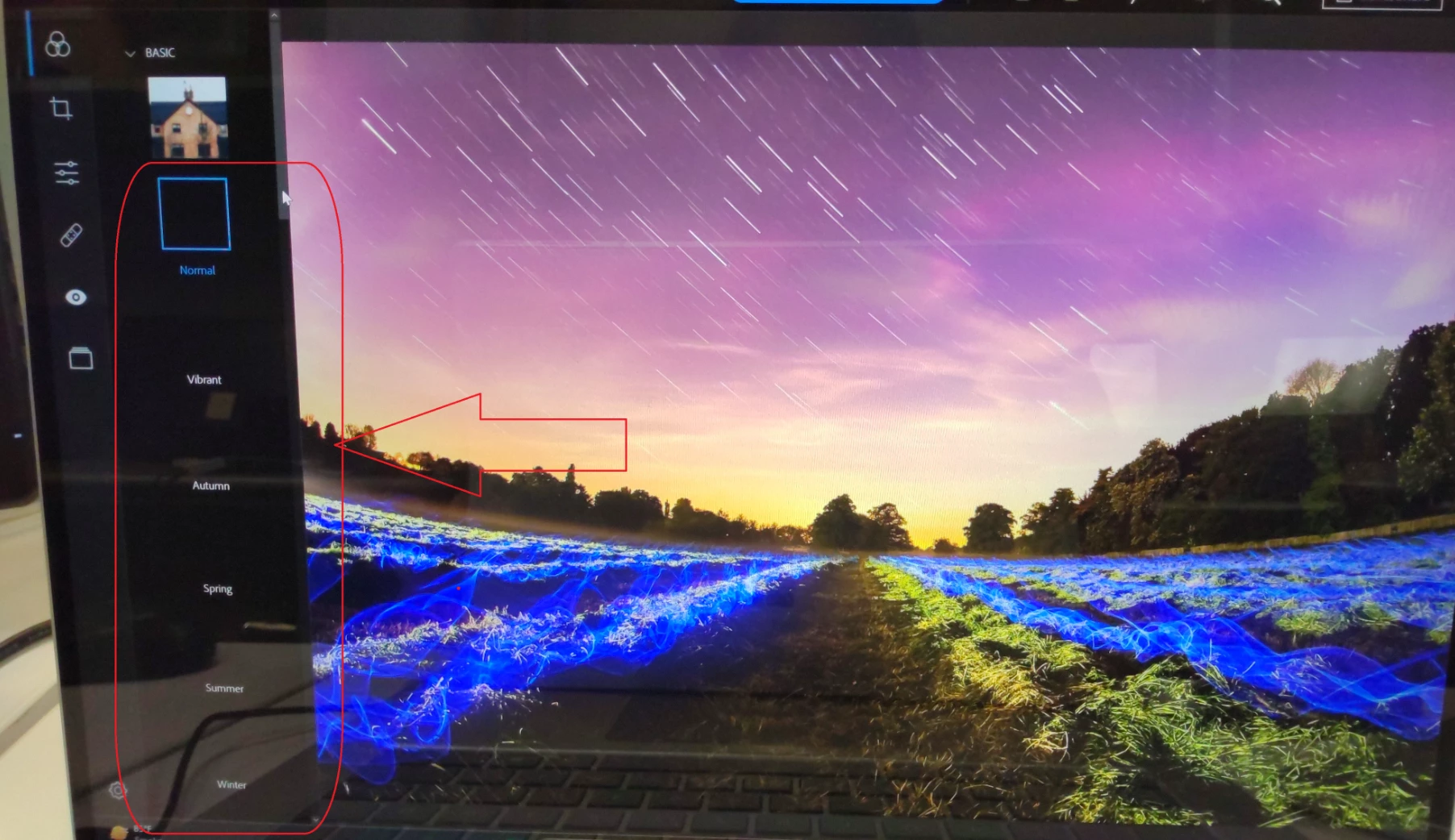
Observing blank & distorted filters while editing Images through Adobe Photoshop Express

  • November 6, 2024
  • 1 reply
  • 147 views

[Adobe Photoshop Express & V3.12.430.0]

Windows 11: 

Repro Steps

  1. Launch the app from start menu.
  2. Click on Sign in with Adobe ID.
  3. Click on Camera/Pictures Library.
  4. Browse any Image.
  5. Observe the filters present under BASIC/CHARM/B&W/PORTRAIT/NATURE etc


Observing blank & distorted filters while editing Images through Adobe Photoshop Express application.
 

This topic has been closed for replies.

1 reply

Amitej S
Community Manager
Community Manager
November 7, 2024

Hey @Hf388390968ami, It seems like there are some loading issues, Can you try restarting the application? You can also try switching to a different internet connection to see if that makes any difference, sometimes such errors gets resolved automatically when the device is rebooted. 


Do share your observations with us.


Thanks!