
Participant
January 3, 2025
Question

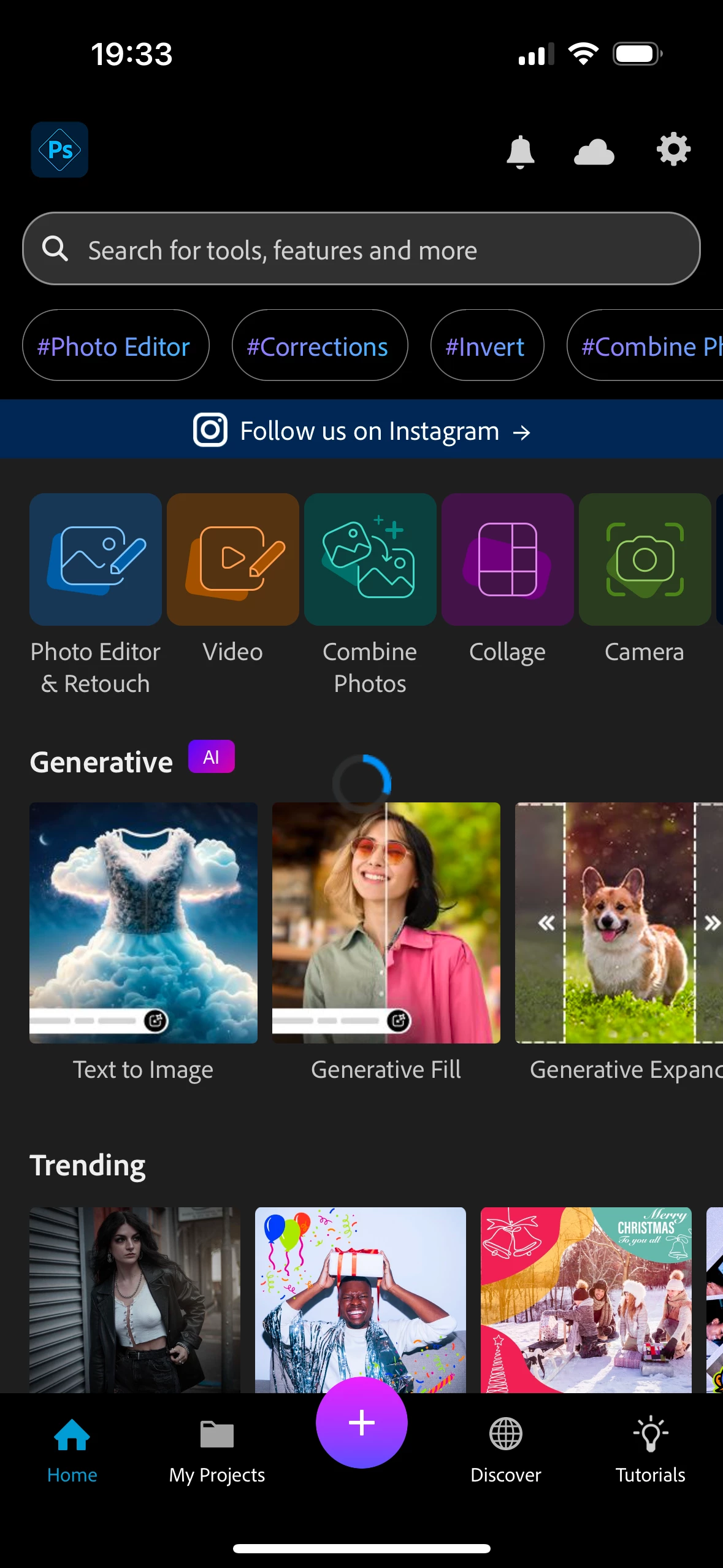
Photoshop express app won’t stop loading

  • January 3, 2025
  • 2 replies
  • 1051 views

I've used PS Express on my phone and ipad for few months. After that, the app just stopped working. Every time I opem the app there is a constant loading circle that doesn't go away. Because of that the app is stuck in this loading mode and I can't do anthing else in it. 

Yes, i tried to reinstall it, log out & log in, I also updated my apple software and reinstall it. It's just forever stuck in loading. Haven't used it for a year as a result. 

The same issue is both on my iphone and ipad. I gave up. 
2 replies

Participant
April 26, 2025

I have had the same issue for multiple years now on multiple different iPhone models and a whole swath of IOs updates has never fixed this. I've tried all the same practical fixes as OP as well as verified everything the technician who responded here suggested. 
I want to use this app so badly, but I cannot because of this forever-loading screen. The only way to access any of the edit features successfully is to edit a photo in the default iOS Photos app and select the option to "send to PS Express". But this route only gives you a very limited amount of options like some filters and basic adjustments (WB, Exposure, saturation, etc) and and not anything close to the whole suite of features in the full PS Express app. 
Something is fundamentally wrong with this application and I'm stunned Adobe hasn't fixed it after all this time.

David__B
Adobe Employee
Adobe Employee
January 15, 2025

Hi @Nikola35716872aomh

Sorry to hear about your difficulties. What version of iOS are you using? Is iOS operating system completely up to date? Are you any updates available for Photoshop Express?
Does Force restarting then launching the app make any difference? 

https://adobe.ly/4fZ7Sf6


Thanks,
Dave

Participant
July 10, 2025

Hey @David__B ,


Could we try to dig a bit deeper into that here? I do have the same experience as Jake. The problem persists since year. As last chance yesterday tried something really crazy from my point of view: I set up my brand-new iPhone 16 pro as a new iPhone rather than using a backup (because I always thought something in my backup would interfere with PS express). However, I no no this was not the problem. I am using latest iOS version, latest PS express version, brand-new set up iPhone, but the problem remains. As soon as I start the app, the loading symbol is blocking the whole app. I could never do anything at all, no login, nothing.  I now tried Jakes workaround - sending a picture to PS express - but even then the app starts with the picture in the background, a pop up in the front asking me if I would like to start the tour, the loading circle is blocking everything.


Please, help me. I can't believe we are the only ones with that problem?

Tarun Saini
Community Manager
Community Manager
July 10, 2025

Hi @master_Euphoria5695,


We're sorry to hear about this. Is it possible for you to share a screen recording of the issue?


Regards,

Tarun