


Question
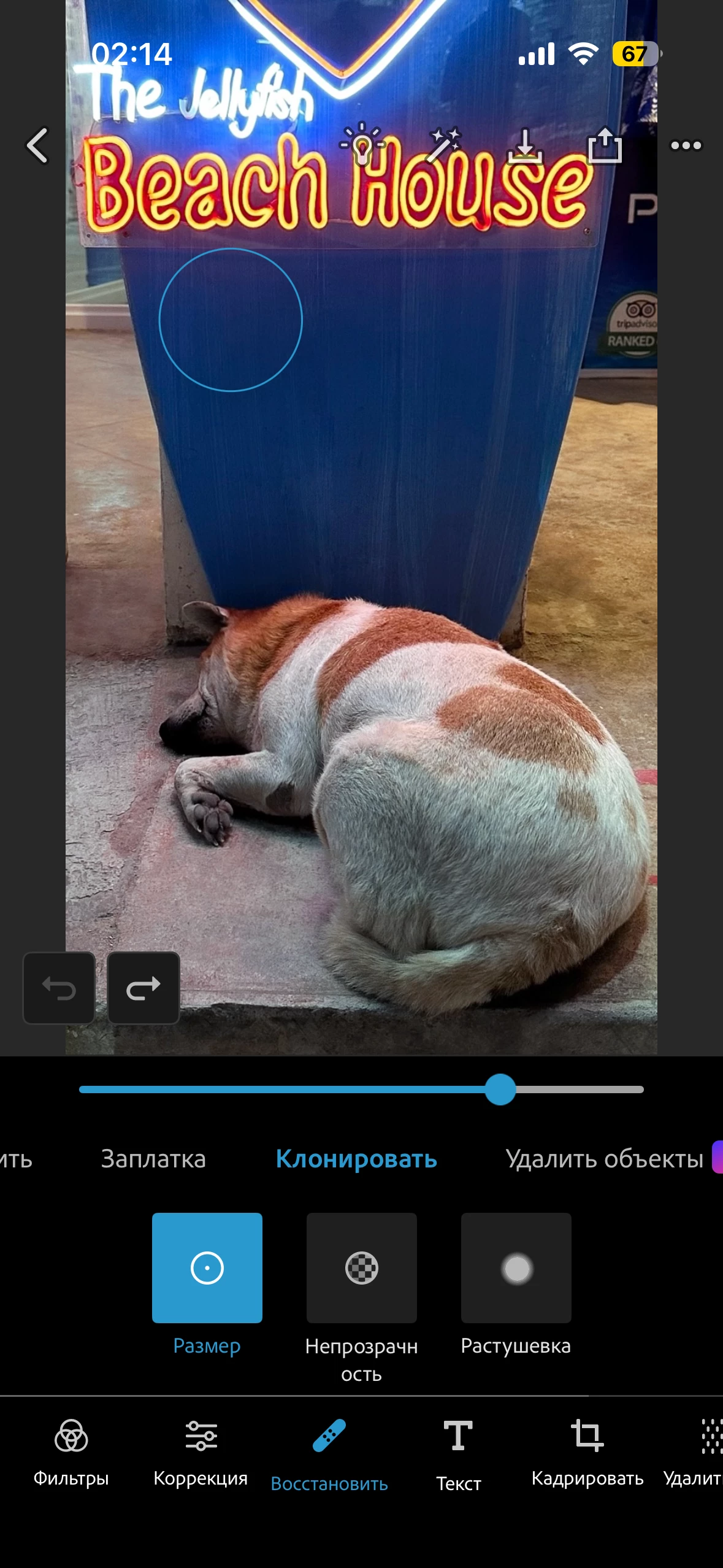
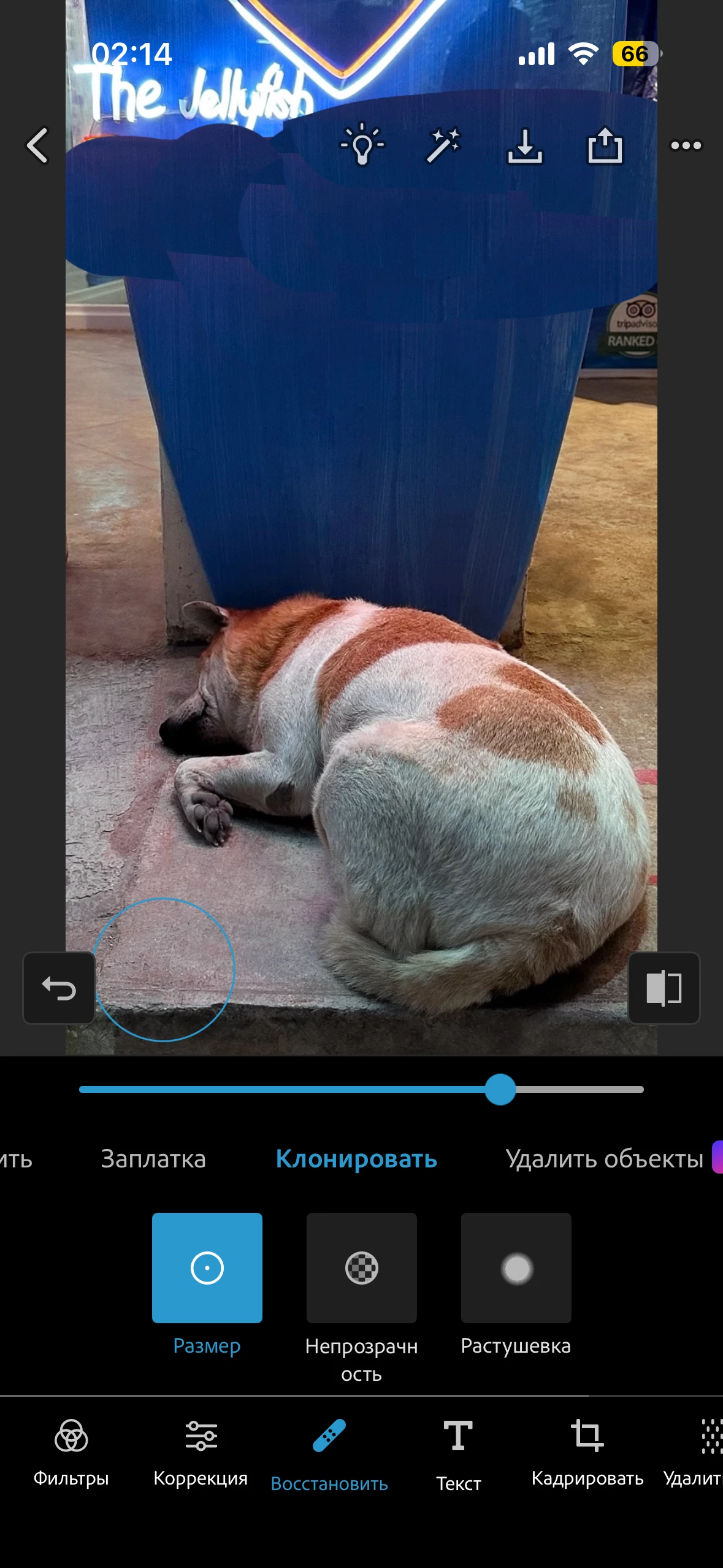
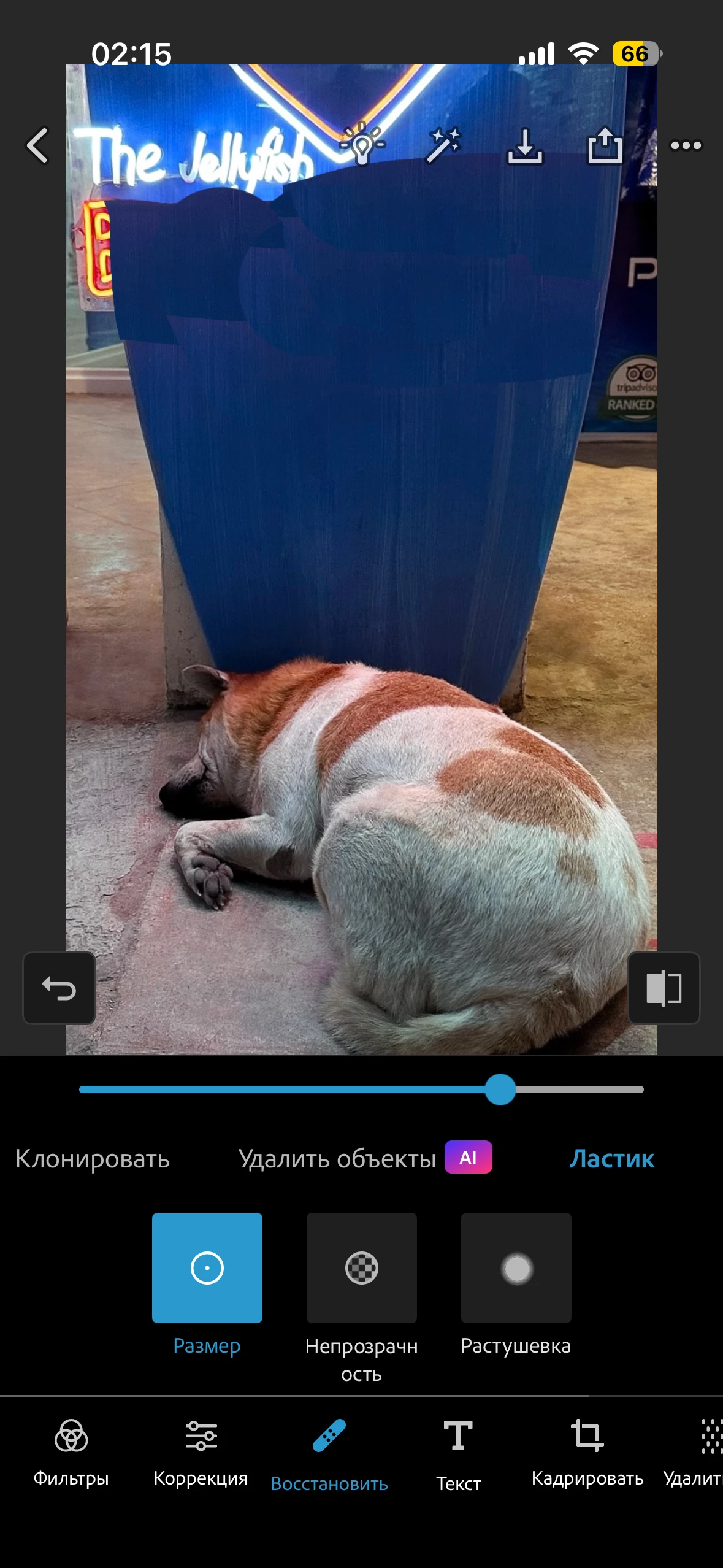
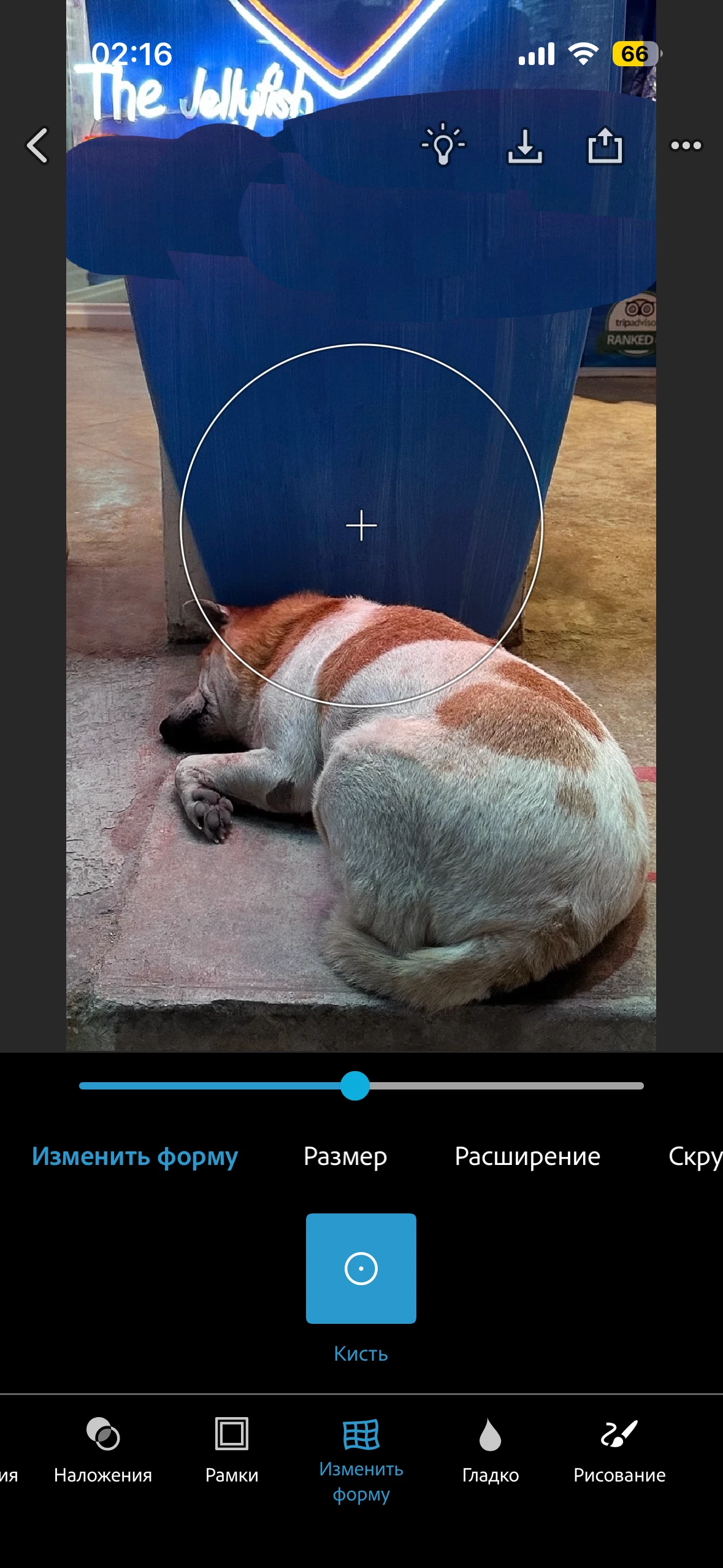
Photoshop Express for iOS: Patch and Clone edits reappear after erasing. The erased areas return when switching tools or saving photos. Reinstalling the app did not fix the issue.
Hello Adobe Support,
I am experiencing a persistent bug in Photoshop Express Photo Editor on iOS (iPhone 14 Pro).
I have an active paid subscription to Photoshop Express.
I use the Patch and Clone tools creatively, almost like painting with textures copied from other areas of a photo. After applying these edits, I erase certain parts of them. The erased areas appear to be removed in the editor, but the original edits reappear when I switch to another tool, such as Reshape, or save the photo.
This happens with every photo I edit. I have already reinstalled Photoshop Express, but the problem persists.
Could you please help me troubleshoot this issue or forward my report to the team responsible for Photoshop Express for iOS?
Thank you.


 AdChoices